Type text, add images, blackout confidential details, add comments, highlights and more.
02. Sign it in a few clicks
Draw your signature, type it, upload its image, or use your mobile device as a signature pad.
03. Share your form with others
Send dv105 via email, link, or fax. You can also download it, export it or print it out.
How to use or fill out dv 105 with our platform
Ease of Setup
DocHub User Ratings on G2
Ease of Use
DocHub User Ratings on G2
Click ‘Get Form’ to open the DV-105 in the editor.
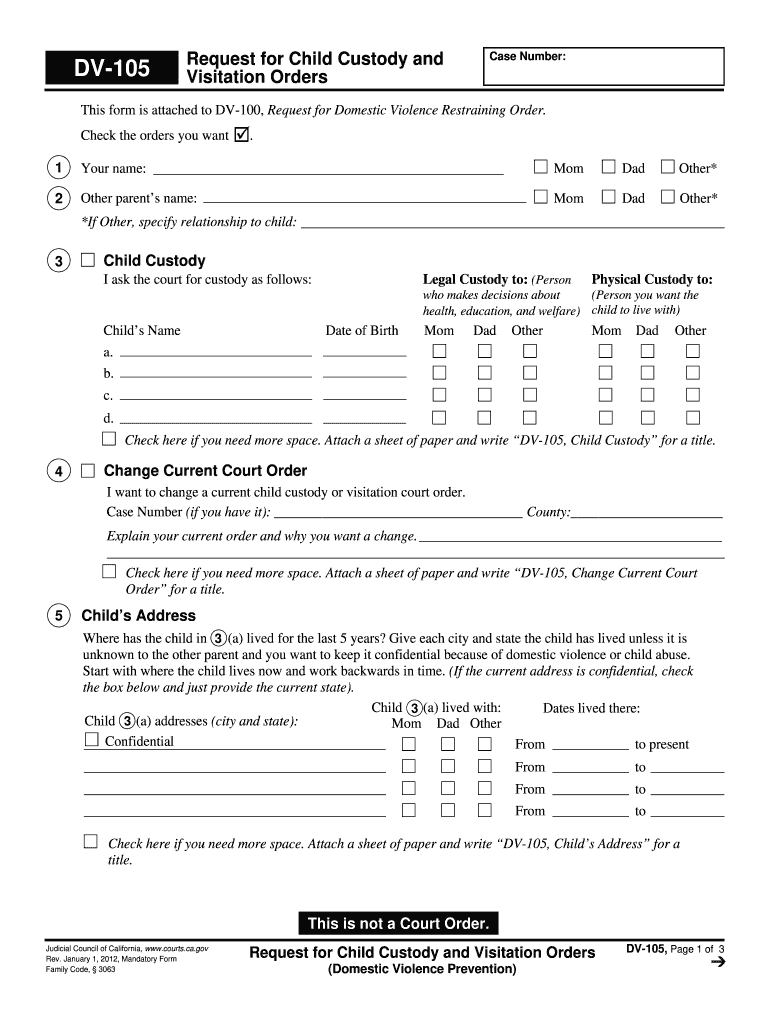
Begin by entering your name and the other parent's name in the designated fields. Select your relationship to the child if applicable.
In the Child Custody section, specify who you are requesting legal and physical custody for by filling in the child's name and date of birth. Choose between options like 'Mom', 'Dad', or 'Other'.
If you wish to change a current court order, provide details about your existing order and reasons for the change in the appropriate section.
List where the child has lived over the past five years, including addresses and dates. If confidentiality is needed due to safety concerns, check the confidential box.
Continue through each section, providing necessary information about visitation rights, transportation responsibilities, and any other relevant details as prompted.
Start using our platform today to easily fill out your DV-105 form online for free!
DV-105 Request for Child Custody and Visitation Orders
Jan 1, 2026 Instructions: Use this form to request orders for children you have with the person in . For more information on the orders you can request,Read more
Cookie consent notice
This site uses cookies to enhance site navigation and personalize your experience.
By using this site you agree to our use of cookies as described in our Privacy Notice.
You can modify your selections by visiting our Cookie and Advertising Notice.