Type text, add images, blackout confidential details, add comments, highlights and more.
02. Sign it in a few clicks
Draw your signature, type it, upload its image, or use your mobile device as a signature pad.
03. Share your form with others
Send b6t application for private school transportation via email, link, or fax. You can also download it, export it or print it out.
How to use or fill out b6t transportation form with our platform
Ease of Setup
DocHub User Ratings on G2
Ease of Use
DocHub User Ratings on G2
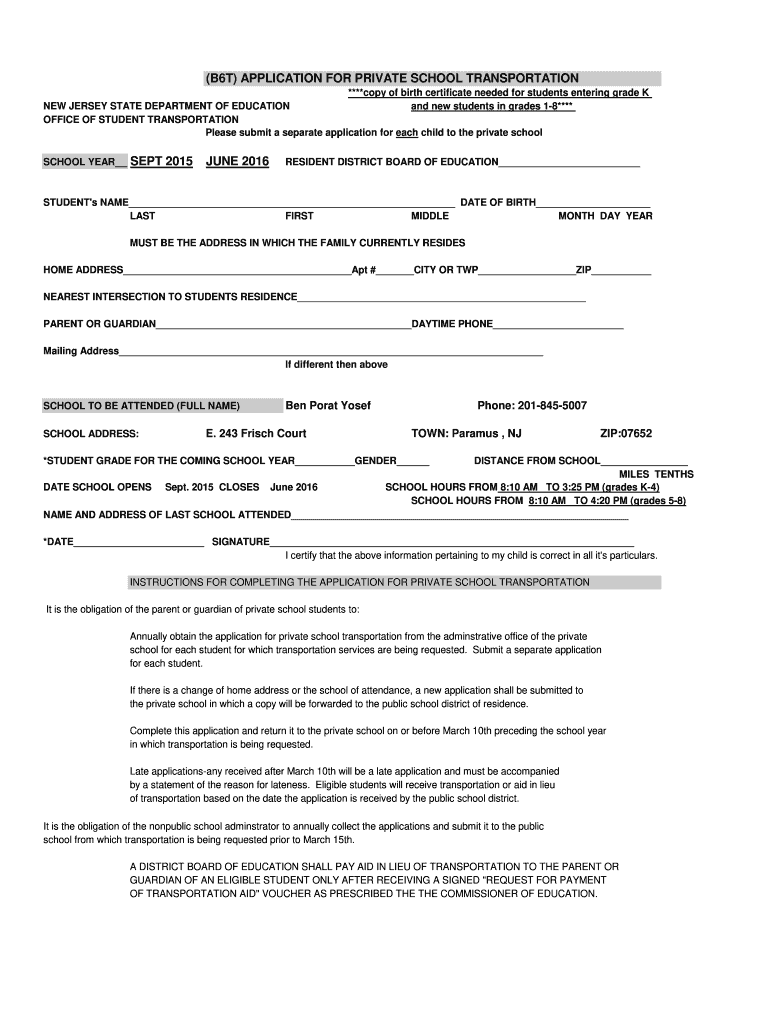
Click ‘Get Form’ to open the b6t transportation form in the editor.
Begin by entering the school year at the top of the form. This is crucial for processing your application.
Fill in the resident district board of education and provide your child's full name, including last, first, and middle names, along with their date of birth.
Input your home address accurately, ensuring it reflects your current residence. Include any apartment number if applicable.
Provide the nearest intersection to your child's residence for better routing information.
Enter the parent or guardian's name and daytime phone number for contact purposes.
Specify the school to be attended, including its full name and address. Ensure this matches what is required by the private school.
Indicate your child's grade for the upcoming school year and their gender. Also, note the distance from home to school in miles and tenths.
Complete any additional fields as necessary, including previous school attended and signature certifying accuracy of information.
Start filling out your b6t transportation form online for free today!
We've got more versions of the b6t transportation form form. Select the right b6t transportation form version from the list and start editing it straight away!
B6t transportation form pdfB6t transportation form onlineB6T application for private school TransportationB7T form njNJ School Transportation reimbursement formAid in lieu of transportation NJPrivate school transportation reimbursement NJN.J.S.A. 18A:39-1
Security and compliance
At DocHub, your data security is our priority. We follow HIPAA, SOC2, GDPR, and other standards, so you can work on your documents with confidence.
In order to receive this reimbursement, families must complete a Transportation Reimbursement (B6T) Form for each child and submit it to Newark Academy by theRead more
(B6T) Nonpublic School Transportation Application (
Complete this application and return it to the nonpublic school on or before March 10th preceding the school year in which transportation is being requested. Read more
Cookie consent notice
This site uses cookies to enhance site navigation and personalize your experience.
By using this site you agree to our use of cookies as described in our Privacy Notice.
You can modify your selections by visiting our Cookie and Advertising Notice.