




Here's how it works

01. Edit your form online
Type text, add images, blackout confidential details, add comments, highlights and more.

02. Sign it in a few clicks
Draw your signature, type it, upload its image, or use your mobile device as a signature pad.

03. Share your form with others
Send it via email, link, or fax. You can also download it, export it or print it out.
How to quickly redact Equipment Daily Checklist and Safety Inspection Form online

Dochub is a perfect editor for changing your documents online. Follow this simple instruction to redact Equipment Daily Checklist and Safety Inspection Form in PDF format online free of charge:
- Sign up and log in. Register for a free account, set a strong password, and go through email verification to start working on your forms.
- Add a document. Click on New Document and choose the form importing option: add Equipment Daily Checklist and Safety Inspection Form from your device, the cloud, or a secure link.
- Make adjustments to the sample. Use the upper and left-side panel tools to redact Equipment Daily Checklist and Safety Inspection Form. Add and customize text, pictures, and fillable fields, whiteout unnecessary details, highlight the important ones, and provide comments on your updates.
- Get your paperwork accomplished. Send the form to other people via email, generate a link for quicker file sharing, export the sample to the cloud, or save it on your device in the current version or with Audit Trail included.
Try all the benefits of our editor right now!
Fill out Equipment Daily Checklist and Safety Inspection Form online
It's free
It's free
Security and compliance
At DocHub, your data security is our priority. We follow HIPAA, SOC2, GDPR, and other standards, so you can work on your documents with confidence.
Learn more


Related forms

How to Request Medical Records - Internal Guide
The document is a Medical Record Request authorization form that allows a patient to authorize the release of their prot ...

Puppy Contract and Bill of Sale
The document is a Puppy Contract and Bill of Sale outlining the terms and conditions for purchasing a dog. It includes d ...

Form-TOD-deed
The document is a Revocable Transfer on Death (TOD) Deed, which allows property owners to designate beneficiaries who wi ...
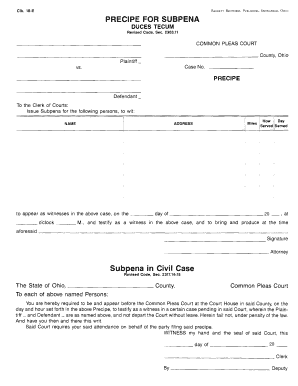
Ohio subpoena form
The document is a legal template for issuing a subpoena in the Common Pleas Court of Ohio, detailing the requirements fo ...

Irc s2 form pdf
The document is a form (S2) used by employers in Papua New Guinea to report and remit Salary and Wages Withholding Tax ( ...