




Here's how it works

01. Edit your long term care professional medical information form online
Type text, add images, blackout confidential details, add comments, highlights and more.

02. Sign it in a few clicks
Draw your signature, type it, upload its image, or use your mobile device as a signature pad.

03. Share your form with others
Send pmip form colorado via email, link, or fax. You can also download it, export it or print it out.
The best way to change Long term care professional medical information page (pmip) online

With DocHub, making adjustments to your documentation takes only some simple clicks. Make these fast steps to change the PDF Long term care professional medical information page (pmip) online free of charge:
- Sign up and log in to your account. Log in to the editor with your credentials or click on Create free account to examine the tool’s functionality.
- Add the Long term care professional medical information page (pmip) for redacting. Click the New Document button above, then drag and drop the sample to the upload area, import it from the cloud, or via a link.
- Change your file. Make any adjustments needed: insert text and pictures to your Long term care professional medical information page (pmip), highlight important details, erase sections of content and substitute them with new ones, and insert icons, checkmarks, and fields for filling out.
- Complete redacting the form. Save the updated document on your device, export it to the cloud, print it right from the editor, or share it with all the parties involved.
Our editor is very intuitive and efficient. Try it out now!
Fill out long term care professional medical information page (pmip) online
It's free
It's free
Security and compliance
At DocHub, your data security is our priority. We follow HIPAA, SOC2, GDPR, and other standards, so you can work on your documents with confidence.
Learn more


Related forms

Medical abbreviations worksheet 1 answer key
The document is a worksheet focused on medical abbreviations, requiring the user to fill in blanks with the correct abbr ...

Credit for Prior Year Minimum Tax Corporations - irs
Form 8827 is used by corporations to calculate the minimum tax credit for prior year alternative minimum tax (AMT) and t ...

2025 Form 1042-S Foreign Person's U S Source Income Subject to Withholding
The document is Form 1042-S, which reports U.S. source income subject to withholding for foreign persons. It includes de ...

Application for Animal Welfare Plate - Delaware Division of Motor
The document promotes the purchase of the Animal Welfare License Plate in Delaware, which costs $50. Proceeds from the s ...

Memorandum of Understanding Between the Board of Regents of
The document is a Memorandum of Understanding (MOU) between the Board of Regents of the University System of Georgia and ...

AOA Critical Membership Issues and Strategic Direction - Ciclt - ciclt
The document discusses critical membership issues and strategic directions for the American Optometric Association (AOA) ...

Module 14 Behavior Management - Division of Family and Children - dfcs dhs georgia
The document outlines behavior management techniques for foster parents, emphasizing the importance of discipline over p ...
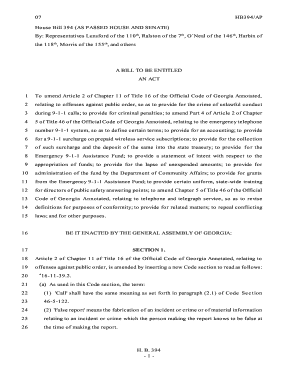
House Bill 394 - Georgia Department of Community Affairs - dca ga
House Bill 394 aims to amend Georgia's laws regarding the 9-1-1 emergency system. It introduces penalties for unlawful c ...