




Here's how it works

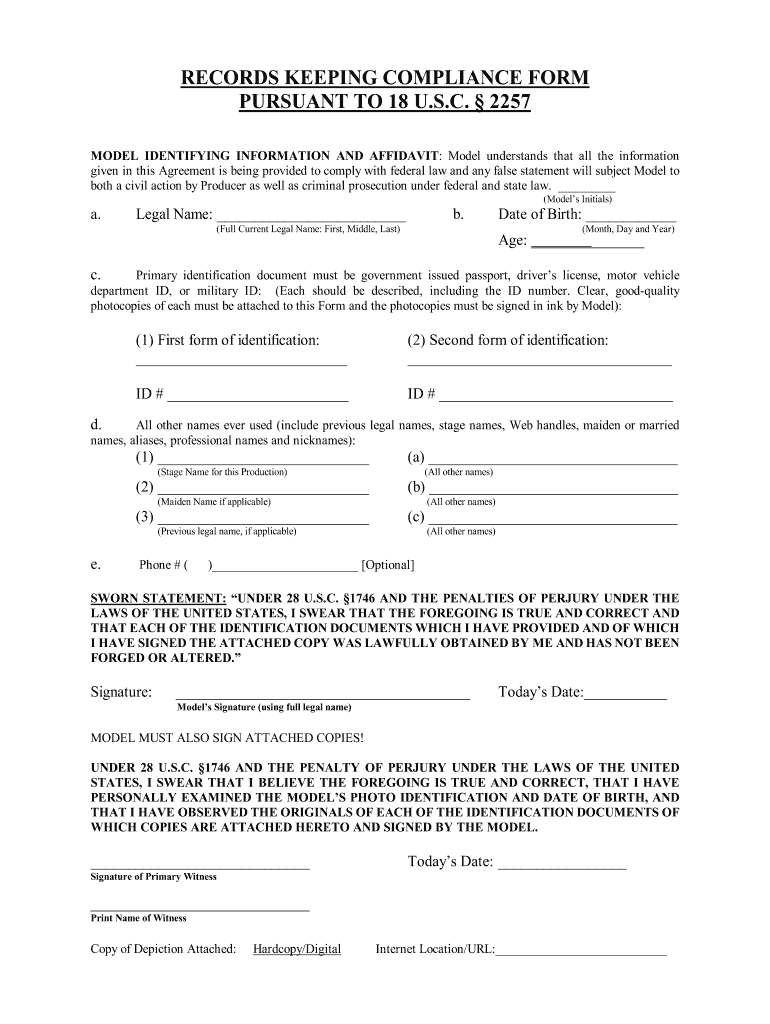
01. Edit your 2257 form online
Type text, add images, blackout confidential details, add comments, highlights and more.

02. Sign it in a few clicks
Draw your signature, type it, upload its image, or use your mobile device as a signature pad.

03. Share your form with others
Send 2257 form pdf via email, link, or fax. You can also download it, export it or print it out.
How to edit 2257 form online

With DocHub, making adjustments to your documentation requires only some simple clicks. Make these quick steps to edit the PDF 2257 form online for free:
- Sign up and log in to your account. Sign in to the editor using your credentials or click on Create free account to test the tool’s functionality.
- Add the 2257 form for editing. Click on the New Document button above, then drag and drop the document to the upload area, import it from the cloud, or via a link.
- Change your document. Make any adjustments needed: add text and pictures to your 2257 form, highlight details that matter, remove sections of content and replace them with new ones, and insert symbols, checkmarks, and areas for filling out.
- Finish redacting the template. Save the modified document on your device, export it to the cloud, print it right from the editor, or share it with all the parties involved.
Our editor is very intuitive and effective. Try it now!
Fill out 2257 form online
It's free
It's free
Security and compliance
At DocHub, your data security is our priority. We follow HIPAA, SOC2, GDPR, and other standards, so you can work on your documents with confidence.
Learn more


Related forms

Court of Appeals No : 04CA2557 - Colorado State Judicial Branch
The document is a court opinion from the Colorado Court of Appeals regarding the case of Lorien Salazar v. State Farm Mu ...

El Paso - Colorado Commissions on Judicial Performance
The Colorado Court of Appeals case involves BA Mortgage, LLC (the lender) appealing a judgment that dismissed its claims ...

Industrial Claim Appeals Office of the State of Colorado - courts state co
The Colorado Court of Appeals reviewed a workers' compensation case involving Sylvia Cooper, representing the Estate of ...

Colorado Supreme Court to hear arguments Dec 6 - Colorado State - courts state co
The Colorado Supreme Court will hold oral arguments at North High School in Denver on December 6, 2007, as part of the ' ...

Youve made a good decision in choosing - ahec
The document is a comprehensive guide to the benefits provided by Anthem Blue Cross and Blue Shield's Custom Plus Health ...

BY SENATOR Meiklejohn;
Chapter 103 introduces the 'Colorado Uniform Prudent Investor Act', which outlines the duties and responsibilities of tr ...

HOUSE BILL 10-1330 BY REPRESENTATIVE(S) Kefalas - civhc
The document outlines House Bill 10-1358, which mandates that builders of new single-family detached homes in Colorado m ...

Human Services - Institutions - state co
House Bill 99-1223 amends Colorado statutes regarding the employment of individuals in positions involving direct contac ...