Definition & Meaning
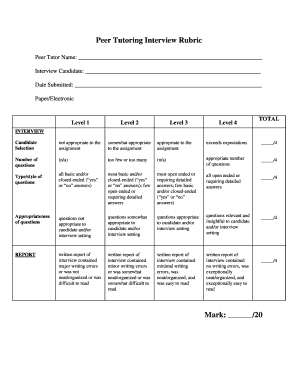
Commissioning form templates are structured documents used to ensure that equipment or systems are properly installed, tested, and ready for operation. These templates guide professionals through the standard procedures required for commissioning, ensuring that new installations meet specified requirements and function as intended. They are commonly utilized in industries such as construction, engineering, and manufacturing, and serve to streamline the commissioning process by providing a consistent framework for data collection and reporting.
Key Features
- Standardization: Commissioning form templates provide standardized fields and sections that ensure consistent data collection across projects.
- Guidance: Step-by-step instructions and checklists are typically included to facilitate proper equipment testing and validation.
- Documentation: These templates serve as a permanent record of the commissioning process, capturing all necessary data for future reference.
Key Elements of the Commissioning Form Templates
A comprehensive commissioning form template generally includes several key elements designed to facilitate a thorough evaluation and documentation of the commissioning process.
Basic Information
- Project Details: Including project name, location, and date of commissioning.
- Contact Information: For the parties involved in the commissioning process, as well as emergency contacts if necessary.
Equipment and System Specifications
- Identification: Equipment type, manufacturer, model number, and any relevant tag numbers.
- Description: A brief overview of the system or equipment being commissioned.
Testing Procedures
- Checklists: Detailed procedures and steps involved in testing each component.
- Validation Metrics: Specific measurements or criteria that equipment must meet.
Steps to Complete the Commissioning Form Templates
Completing a commissioning form template efficiently requires following a sequence of well-defined steps that ensure accuracy and thoroughness.
Preparation
- Gather Required Documents: Ensure that all technical manuals, design specifications, and related documents are available for reference.
- Review Template: Familiarize yourself with the form structure and required information.
Execution
- Enter Project Data: Fill in project and contact details.
- Conduct Tests: Follow the testing procedures outlined in the template, ensuring each step is completed and documented.
- Record Results: Document all observations and outcomes as per the form's format.
Review and Finalize
- Verification: Conduct a thorough review of the completed form to verify the accuracy of all entries.
- Sign-off: Have authorized personnel sign the form to validate the commissioning process.
Why Should You Use Commissioning Form Templates
Commissioning form templates play an essential role in ensuring that systems and equipment function correctly upon installation and deliver several crucial benefits.
Benefits
- Consistency: Templates ensure that all commissioning activities are performed uniformly across different projects.
- Efficiency: Streamlined processes reduce the time needed for commissioning while minimizing the potential for errors.
- Compliance: Templates help ensure compliance with industry standards and regulations, thereby mitigating legal risks.
Examples of Using the Commissioning Form Templates
Commissioning form templates have versatile applications and are used across various industries to improve operational efficiency.
Case Study: HVAC Systems
In the heating, ventilation, and air conditioning (HVAC) industry, commissioning form templates ensure systems are installed in accordance with design specifications. For instance, a large commercial building may use these templates to verify air flow rates and temperature differentials, ensuring occupant comfort and energy efficiency.
Real-World Scenario: Manufacturing
A manufacturing facility may employ commissioning forms for new production lines, validating that all machinery operates correctly and safely before full-scale production begins, ultimately safeguarding product quality and worker safety.
Software Compatibility
When utilizing digital commissioning form templates, it's essential to ensure compatibility with various software platforms to maximize accessibility and functionality.
Supported Formats
- PDF: Universally compatible and easy to distribute.
- DOC: Editable in word processing software such as Microsoft Word.
- XLS: Utilized for data analysis and reporting, compatible with spreadsheet applications.
Integration
DocHub supports integration with popular tools like Google Workspace, allowing users to edit and share forms directly from Google Drive, enhancing collaborative efforts and streamlining workflow.
Important Terms Related to Commissioning Form Templates
Understanding the terminology associated with commissioning forms is vital for accurate completion and compliance.
Key Terms
- Validation: The process of confirming that a system meets the required standards and specifications.
- Verification: Checking that all components function as intended and detect any discrepancies.
- Sign-Off: The formal approval process by authorized personnel indicating that commissioning is complete.
Legal Use of the Commissioning Form Templates
Utilizing commissioning form templates within a legal framework ensures compliance and reduces liability risks.
Compliance Considerations
- Industry Standards: Adhere to standards like ASHRAE for HVAC systems or ISO for manufacturing processes.
- Documentation: Maintain accurate records as they may be required for audits or legal inquiries.
- Signatures: Ensure all relevant parties sign off on completed templates, which can serve as legally binding documents indicating approval and acceptance of the commissioning outcome.