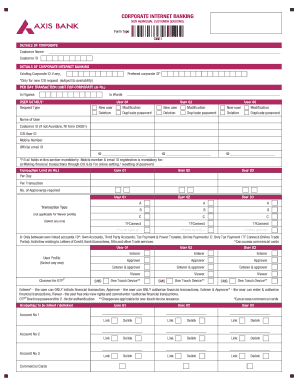
Go card balance transfer and refund form 2026

Get Form
go card balance transfer and refund form Preview on Page 1

Here's how it works

01. Edit your go card balance transfer and refund form online
Type text, add images, blackout confidential details, add comments, highlights and more.

02. Sign it in a few clicks
Draw your signature, type it, upload its image, or use your mobile device as a signature pad.

03. Share your form with others
Send go card balance transfer and refund form via email, link, or fax. You can also download it, export it or print it out.

Definition & Purpose of the Go Card Balance Transfer and Refund Form

The Go Card Balance Transfer and Refund Form is designed to facilitate the transfer of funds from one valid go card to another or to request a refund for a go card balance. This form is used under specific conditions such as when a card is lost, stolen, damaged, expired, or no longer needed. It outlines the steps necessary to initiate a balance transfer or refund, ensuring cardholders have a standardized method to handle their go card balances.

Nuances and Exceptions

  • Transfers and refunds can only occur if the card meets specific criteria, such as not being partially refundable.
  • Lost or stolen cards require immediate reporting to prevent unauthorized balance use.
  • Expired cards can be transferred but may incur additional steps for refund eligibility.

Accessing the Go Card Balance Transfer and Refund Form

To obtain the Go Card Balance Transfer and Refund Form, users have several options:

Online Access

  • Visit the website where the form is hosted for a downloadable version.
  • Forms can be completed and submitted digitally, ensuring quick processing.

Physical Copies

  • Requesting a paper form can be done via phone or at places where go cards are sold or managed.
  • Mailing options are available for those who prefer physical submission.

Steps to Complete the Go Card Balance Transfer and Refund Form

Completing the Go Card Balance Transfer and Refund Form involves several clear steps:

  1. Start with Personal Information: Enter your full name, address, contact number, and email for correspondence.

  2. Card Details Section:

    • Provide information about the go card, including the card number and balance amount.
    • Specify whether the card is lost, stolen, damaged, or expired.
  3. Transfer or Refund Details:

    • Indicate whether you wish to transfer the balance to another card or obtain a refund.
    • Provide recipient card details if opting for a balance transfer.
  4. Verification:

    • Attach any supporting documents such as proof of purchase or identification if required.
    • Review all information for accuracy before submission.
  5. Signature and Submission:

    • Sign the form digitally or manually, depending on the submission method.
    • Submit the form online, by mail, or in-person according to the instructions.

Eligibility Criteria

Eligibility for using the Go Card Balance Transfer and Refund Form varies based on:

  • Ownership: Must be a registered owner of the card in question.
  • Balance Amount: Minimum balance restrictions may apply for refunds.
  • Status of Card: Card must be active, expired, or reported within a certain timeframe if lost or stolen.
decoration image ratings of Dochub

Examples of Ineligible Requests

  • Cards with zero balance are not eligible for refunds.
  • Requests made outside the permissible window post card expiration are generally denied.

Submitting the Form: Online vs. Mail Options

Users have flexibility regarding the submission methods:

Online Submission

  • Offers immediate processing.
  • Provides email confirmation of receipt.
  • Ideal for users with access to digital resources.

Mail Submission

  • Useful for those who prefer hardcopy documentation.
  • Instructions for mailing are typically provided with the form.

Important Terms and Conditions

Understanding the terms related to the Go Card Balance Transfer and Refund Form can simplify the process:

  • Balance Transfer: Moving the remaining balance from one go card to another eligible card.
  • Form Validation: Ensures that all sections are completed correctly before submission.
  • Refund Limitations: Includes restrictions on partial refunds or conditions under which no refund is given.

Legal Use and Compliance

The form is legally compliant with relevant regulations governing electronic transactions and consumer rights related to prepaid cards. It outlines:

  • Data Protection: Ensures user data is protected following applicable privacy laws.
  • Consumer Rights: Users have the right to request balance movements as per the card agreement.

Implications of Non-Compliance

  • Failing to complete the form correctly may delay processing or result in denial of the request.
  • Unauthorized requests or misuse of the form can lead to penalties or legal action.

Related Form Variants and Alternatives

While the Go Card Balance Transfer and Refund Form is standard, there are variants for:

  • Business Cards: Specific version catering to corporate go card holders.
  • Reduced-complexity Forms: Simplified forms for minor balance transfers without refund options.

Understanding these alternatives can guide users to the correct form for their specific needs, ensuring efficient and effective processing of their requests.

be ready to get more

Complete this form in 5 minutes or less

Get form

Security and compliance

At DocHub, your data security is our priority. We follow HIPAA, SOC2, GDPR, and other standards, so you can work on your documents with confidence.

Learn more
ccpa2
pci-dss
gdpr-compliance
hipaa
soc-compliance
be ready to get more

Complete this form in 5 minutes or less

Get form