






Definition and Meaning
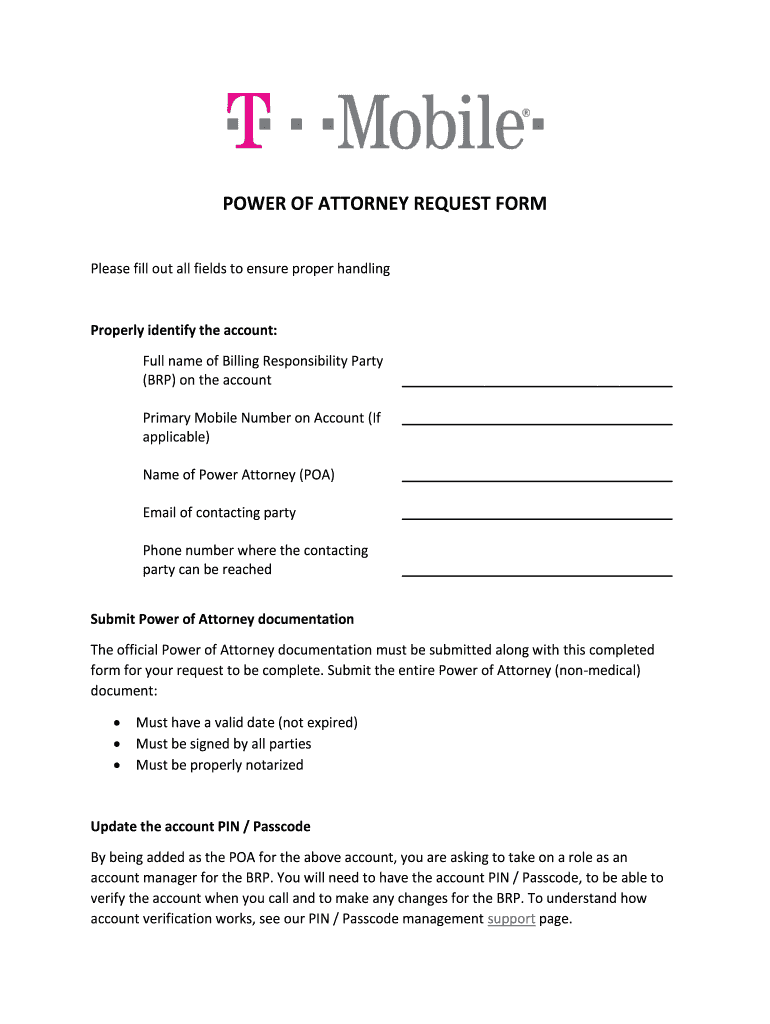
A Power of Attorney Request Form (T-Mobile) grants an individual the legal authority to manage and make decisions regarding a T-Mobile account on behalf of the account holder. It serves as a formal request to T-Mobile to recognize and authorize this relationship, ensuring the designated person can perform actions such as updating account details, transferring ownership, or managing billing information. This form is essential for anyone who needs to manage a T-Mobile account for someone who is unable or prefers not to handle their account directly. This legal designation is critical in maintaining the account holder's preferences and security effectively.
-
Key Components:
- The form includes specific fields to identify the Billing Responsibility Party and the assigned Power of Attorney (POA).
- It requires official documentation to validate the request and ensure proper security measures are enforced.
- The form also allows specific requests such as updating account PINs or canceling lines.
-
Purpose: To streamline the management of a T-Mobile account by a trusted representative while safeguarding the account holder's rights and information.
Steps to Complete the Power of Attorney Request Form
Completing the Power of Attorney Request Form for T-Mobile involves a few essential steps to ensure accuracy and compliance with legal procedures. Each step requires specific information and documentation to be submitted correctly.
-
Obtain the Form: The form can typically be downloaded from the T-Mobile website or requested through their customer service.
-
Provide Account Information: Enter the account holder’s details, including the account number and Billing Responsibility Party information to identify the account accurately.
-
Designate the Power of Attorney: Fill in the contact details of the person being designated as the POA. This includes the name, address, and a valid identification number. Ensure the designated individual is trusted to make decisions on the account holder's behalf.
-
Attach Supporting Documents: Include copies of official documentation such as identification for both the account holder and the designated POA. Additional documents may be required to validate the authority, such as a notarized letter if needed.
-
Submit the Form: Send the completed form and all accompanying documents to T-Mobile via the designated submission method, which can be online, by mail, or in-person at a T-Mobile store.
-
Follow Up: After submission, a confirmation from T-Mobile will be necessary to ensure the form has been processed and authority granted. Check with customer service if there are delays or issues.
Key Elements of the Power of Attorney Request Form
The Power of Attorney Request Form is composed of several critical elements that need to be clearly understood and accurately completed. These elements ensure the form's validity and help prevent unauthorized access to sensitive account information.
-
Billing Responsibility Party: The person responsible for managing the account and any financial obligations associated with it.
-
Designated Authority (POA) Information: Details of the person who will be granted power of attorney, including their name, contact information, and proof of identification.
-
Official Documentation: Required paperwork to authenticate the identities and the legal authority of those involved.
-
Specific Requests: Fields that allow for the inclusion of specific account management tasks such as updating contact information or account preferences.
-
Signatures: Signatures of both the account holder and the designated POA to verify consent and authorization.
Who Typically Uses the Power of Attorney Request Form
This form is commonly used by individuals who need assistance managing their T-Mobile account or by businesses and organizations that manage multiple accounts and require delegated authority for efficiency.
-
Elderly Users: Individuals who may not be able to manage their accounts due to age-related impairments often assign a trusted family member as their POA.
-
Busy Professionals: Those who prefer to delegate account management to a personal assistant or administrator.
-
Business Account Managers: Companies with multiple lines may use this form to streamline account management by delegating authority to an authorized representative.
-
Family Members: In cases where the account holder is undergoing medical treatment or is otherwise incapacitated, a family member may use this form to manage their affairs.


Important Terms Related to the Power of Attorney Request Form
Understanding key terminologies related to this form can help ensure that it is used properly and effectively.
-
Power of Attorney (POA): The individual granted the authority to manage and make decisions about the T-Mobile account on behalf of the account holder.
-
Billing Responsibility Party: The person responsible for the financial obligations and general management of the T-Mobile account.
-
Account PIN: A secure code used to verify identity and authorize changes to the account.
-
Authorization: The formal consent granted by the account holder to the POA to manage the account.
Each term plays a crucial role in setting the framework for the legal and administrative processes involved with using this form.
Legal Use of the Power of Attorney Request Form
The legal aspect of the Power of Attorney Request Form is crucial as it involves granting significant control over a personal account to another individual.
-
Consent Requirement: The form must be completed willingly by the account holder to be valid. Any coercion or unauthorized completion nullifies its legal standing.
-
Document Verification: T-Mobile requires proper documentation, such as identification or notarized letters, to verify the legitimacy of the authority granted to the POA.
-
Compliance with Laws: This form must adhere to state-specific legal requirements governing powers of attorney to be considered valid.
Moreover, misuse or unauthorized granting of power of attorney may lead to legal consequences or the revocation of the authority granted.
How to Obtain the Power of Attorney Request Form
Obtaining the Power of Attorney Request Form from T-Mobile involves several straightforward methods, ensuring accessibility for all account holders.
-
Online Access: The form is generally available on T-Mobile's official website as a downloadable PDF.
-
Customer Service: Forms can be requested through T-Mobile customer service, either by phone or in-store, offering direct assistance for any questions or requirements.
-
T-Mobile Stores: Many physical locations have copies of relevant forms, and staff can offer guidance on completing and submitting them as needed.
While obtaining the form is typically straightforward, ensuring that the latest version is used is crucial for validity and compliance.
Submission Methods for the Power of Attorney Request Form
After completing the Power of Attorney Request Form, it must be submitted to T-Mobile through an accepted method, ensuring that the authority is granted and recognized properly.
-
Online Submission: The fastest method, allowing you to upload the form and accompanying documents through T-Mobile’s website or customer portal.
-
Mail Submission: Sending the form via traditional mail, which may take longer but is necessary if digital access is unavailable.
-
In-Person Submission: Submitting the form directly at a T-Mobile store where assistance and confirmation of documents can be provided immediately.
Each submission method should be chosen based on convenience, speed, and personal preference, ensuring compliance with T-Mobile’s requirements for processing such forms.