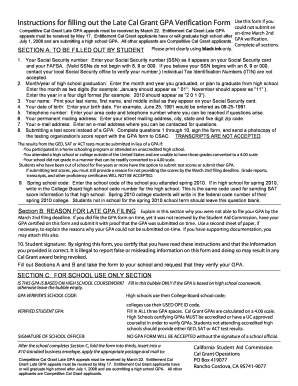
Definition & Meaning
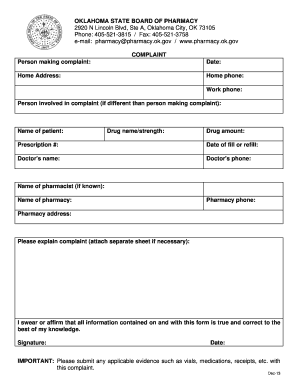
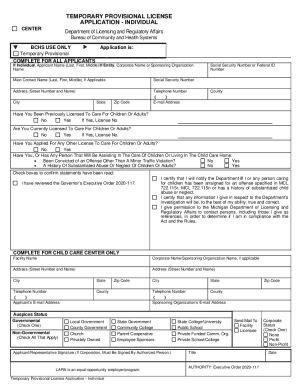
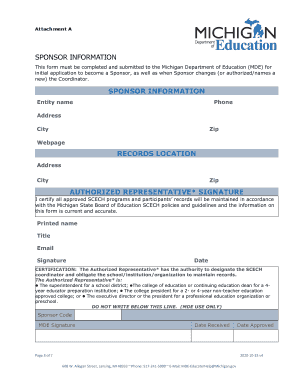
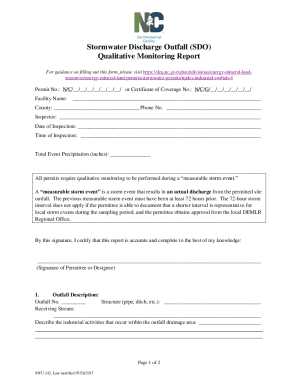
An application is a type of document used to request or apply for something formally. This can include applying to programs, jobs, schools, grants, or certifications. Applications are typically structured to capture specific information from the applicant, often including personal details, qualifications, experiences, and motivation. In the context of DocHub, an application form can be efficiently managed using features such as fillable forms and electronic signatures, which streamline both the submission and review processes.
Types of Applications
- Job applications: Used to apply for employment opportunities and typically include sections for work history, references, and a cover letter.
- College applications: Required for admission to educational institutions, often involving essays and academic records.
- Grant applications: Submitted to secure funding for projects, usually requiring detailed project descriptions and budgets.
- Permit applications: Necessary for legal permissions, such as building or zoning permits.
Purpose and Importance
Applications serve as a formal method for presenting qualifications and intentions, allowing organizations to assess and compare applicants based on standardized information. They are crucial for ensuring systematic and fair processing, whether for employment, education, funding, or legal permissions.
Steps to Complete the APPLICATION
Completing an application form can vary depending on the specific form type, but generally involves several key steps that aim to ensure all required information is submitted accurately.
-
Read Instructions Carefully: Before filling out the form, review any instructions provided to understand what information is required and how it should be presented.
-
Gather Necessary Information: Collect all the data and documents you may need, such as identification numbers, references, or previous employment details.
-
Fill Out Personal Details: Start by entering personal information, ensuring that all details match official records to avoid discrepancies.
-
Provide Supporting Information: Depending on the application type, this may involve describing work experience, academic achievements, or project proposals.
-
Review and Verify: Check for errors or omissions before submission. Ensure all data is correct and that any required fields are duly filled.
-
Submit the Application: Follow the specified submission method, which could be online, via mail, or in-person.
Common Mistakes to Avoid
- Missing Deadlines: Ensure you are aware of any submission deadlines to avoid late applications.
- Incomplete Information: Double-check that all sections are completed and all required documentation is included.
- Misunderstanding Instructions: Carefully read instructions to avoid errors in the application process.
Legal Use of the APPLICATION
Applications often carry legal implications, particularly when they involve financial, educational, or employment-related requests. Ensuring the legal use of an application involves compliance with relevant laws and guidelines, such as providing truthful information and obtaining necessary consent when collecting personal data.
Key Legal Considerations
- Accuracy and Honesty: Applicants must provide truthful and accurate information to avoid potential legal repercussions, such as denial or future penalties.
- Data Protection: Organizations handling applications must comply with data protection laws, particularly when dealing with sensitive personal information.
- Consent for Electronic Signatures: In line with the ESIGN Act, electronic signatures on applications should be obtained through valid consent, ensuring they are legally binding.
Software Compatibility
When managing applications digitally, compatibility with various software is crucial for both the applicant and the organization processing the applications. DocHub's platform provides broad compatibility with several document formats, enhancing the ease of digital application management.
Compatible Software and Formats
- PDF, DOC, XLS: These are commonly used file formats for electronic applications that can be managed with DocHub.
- Integration with Google Workspace: Allows users to import directly from Google Drive and Gmail, simplifying process management.
- Collaboration Tools: Compatibility with collaboration platforms ensures multiple stakeholders can work on an application in real-time.
Benefits of Digital Applications
- Efficiency: Digital applications can be filled, submitted, and processed more quickly than traditional paper methods.
- Accessibility: Applicants and organizations can access applications from any computer or mobile device with an internet connection.
- Security: Enhanced security features protect data and ensure compliance with legal standards for electronic document handling.
Required Documents
To successfully submit an application, certain documents are often required to verify the information provided and support the request being made.
Commonly Required Documents
- Identification Proof: Copies of documents like passports, driver's licenses, or social security cards.
- References or Letters of Recommendation: Letters from former employers or academic institutions that endorse you.
- Transcripts: Academic records for educational applications or proof of professional qualifications.
- Financial Documents: For applications involving funding, proof of income or bank statements may be needed.
Submission Tips
- Digital Copies: Ensure all documents are digitized and clear if the application is submitted online.
- Organized Preparation: Keep copies of all documents organized and readily accessible for submission.
- Verification: Before submission, verify that all documentation meets the specified requirements of the application.
Application Process & Approval Time
Understanding the process and associated timelines for an application is essential for planning and managing expectations.
General Application Process
- Submission: Completing and submitting the application form, as detailed in previous sections.
- Review: The organization receives and starts the review process of the submitted application.
- Evaluation: Depending on the type of application, this might involve interviews, background checks, or panel reviews.
- Decision Making: The organization makes a decision, potentially involving multiple stages or approval teams.
- Notification: Applicants are notified of the decision, with feedback or next steps provided if applicable.
Typical Approval Timelines
- Job Applications: Can range from a week to several months, depending on the organization and role.
- College Admissions: Often have set months during which decisions are made, necessitating advance submission.
- Grant Applications: Timelines vary significantly based on the funder's decision-making process.
- Permit Applications: May take from weeks to several months, contingent on the type and local regulatory requirements.
Important Terms Related to APPLICATION
Being familiar with important terms related to applications can enhance understanding and ensure a smoother process.
Key Terms
- Applicant: The person completing and submitting the application.
- Submission Date: The deadline by which all application materials must be submitted.
- Supporting Documents: Any additional documentation required to complement the application form.
- Eligibility Criteria: The conditions or requirements that must be met to qualify for consideration.
- Electronic Signature: A digital form of a signature, legal under certain conditions, allowing for secure submission of applications.
Terminology in Context
- Eligibility Criteria: For a grant application, eligibility might require a detailed proposal outlining expected outcomes and reporting metrics.
- Electronic Signature: When applying online, you may be required to sign documents electronically, saving time and ensuring the document's legality.
Examples of Using the APPLICATION
Practical examples of applications across different scenarios help illustrate their versatility and importance in various contexts.
Real-World Scenarios
- Employment: A candidate applies online for a position using a job application form, submitting their resume and cover letter digitally.
- Education: A high school student uses an application form to apply for multiple colleges, ensuring all relevant test scores and transcripts are included.
- Business Licenses: An entrepreneur completes an application to obtain a business license, submitting necessary permits and plans according to local regulations.
- Scholarship: A university student applies for a scholarship by completing an application that includes academic records, a personal essay, and letters of recommendation.
Benefits of Document Platforms
Using platforms like DocHub, applicants can efficiently manage and track the progress of their application submissions, reducing errors and enhancing communication between parties involved in the process.