







Definition and Meaning
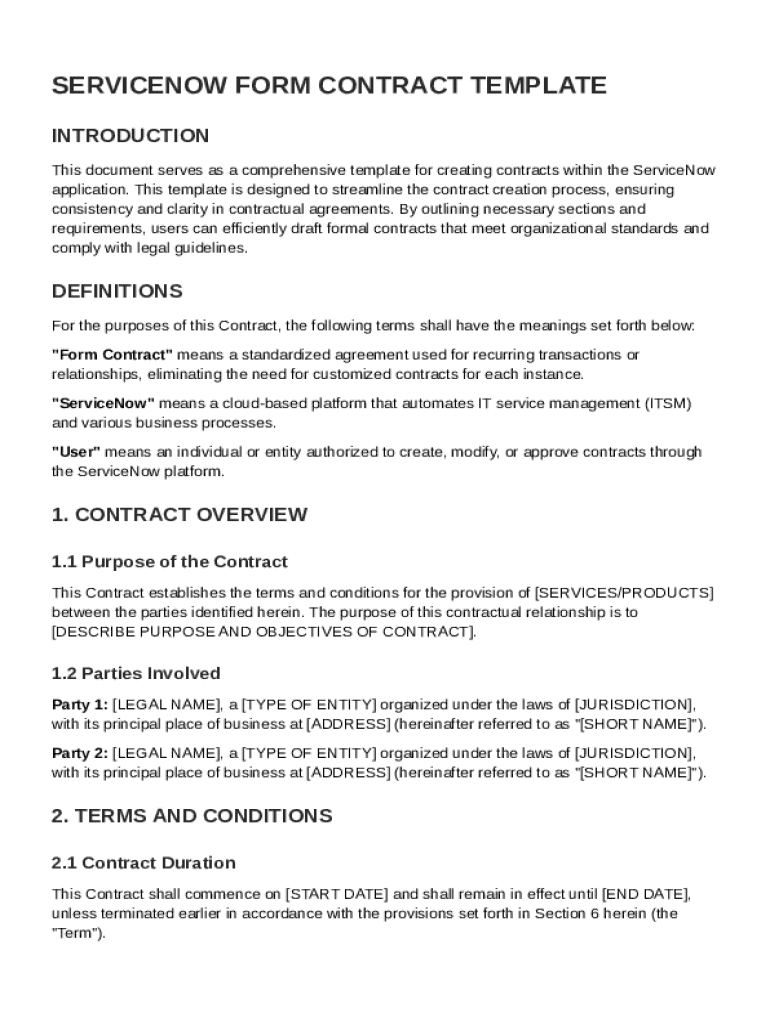
The "ServiceNow Create a Contract Template Form" is a standardized tool designed to facilitate the creation of formal agreements within the ServiceNow platform. This form is integral for streamlining the contract drafting process, promoting consistency, and ensuring that legal compliance is upheld. It typically includes standardized sections such as the definitions of parties, terms and conditions, financial arrangements, and confidentiality clauses. By offering a consistent structure, it ensures that all critical components of a contract are addressed.
Key Elements of the Contract Template Form
Parties and Definitions
This section outlines the specific parties involved in the contract and provides definitions for key terms used throughout the document. Clarity in definitions helps avoid misunderstandings and ensures that all parties have a mutual understanding of the terms discussed.
Contract Terms and Responsibilities
Important to any contract, this section details the obligations and responsibilities of each party. It clearly specifies what each party is expected to deliver, the timeline for deliverables, and any conditions that need to be met during the contract’s execution.
Financial Provisions
Financial terms cover the payment structure, including any upfront costs, recurring fees, payment methods, and timelines. It also includes provisions for late payments, penalties, and any adjustments or refunds.
Confidentiality and Data Protection
Given the sensitivity of information exchanged, confidentiality clauses protect the sharing and use of proprietary information. This part of the template ensures that both parties agree to maintain privacy and adhere to data protection standards.
How to Use the Template
Step-by-Step Instructions
-
Access the Template: Locate the "ServiceNow Create a Contract Template Form" within the ServiceNow interface. This can typically be accessed by authorized personnel with admin rights to the application.
-
Fill Out Party Information: Start by entering detailed information about the parties involved. This should cover both primary and secondary contacts, including physical addresses and contact details.
-
Define the Contract Scope: Clearly outline the goals, deliverables, and any specific requirements to provide a concise scope that aligns with the intended objectives of the agreement.
-
Outline Payment Terms: Insert detailed payment structures and align them with the service delivery schedules. Make sure these terms are mutually agreed upon and documented clearly.
-
Review Confidentiality Clauses: Customize confidentiality clauses to suit the specific information being protected and ensure compliance with both organizational and legal standards.
Who Typically Uses the Contract Template


Business Entities
This form is most commonly used by corporations, LLCs, and partnerships that frequently engage in formal agreements requiring comprehensive documentation to safeguard interests.
Service Providers
Contractors and service providers use the template to establish clear terms with clients, protecting both parties' interests throughout project durations.
Legal Departments
In-house legal teams utilize these templates to ensure all agreements comply with regulatory requirements and include necessary legal provisions to protect against liability.
Legal Use and Compliance
Adherence to Regulations
The template complies with various U.S. legal requirements, ensuring contracts are enforceable and meet statutory requirements like the ESIGN Act for digital signatures.
Protection Against Liability
By including essential clauses for dispute resolution and indemnification, the form helps protect entities from potential litigation risks.
Examples of Use
Case Study: IT Services Agreement
A technology firm used this template to draft a service agreement with a client for IT support services. The form allowed for clear articulation of service levels, response times, and technical support provisions, resulting in a mutual understanding which facilitated smooth service delivery.
Contract for Supply Chain Management
An international supplier utilized the form to secure a legally robust agreement with a U.S.-based logistics company, incorporating tailored clauses that addressed cross-border regulatory considerations and ensured compliance with international trade laws.
Versions and Alternatives
Digital vs. Paper Version
While the digital version is preferred for its ease of use and seamless integration within ServiceNow, paper versions can be generated for stakeholders needing physical documentation.
Alternative Templates
Organizations looking for variations may customize existing templates or adapt them for specific business sectors, ensuring they meet unique industry or operational requirements.
Software Compatibility and Integration
Integration Capabilities
The template and its functionalities are compatible with other software systems such as Microsoft Office and Google Workspace, which allows for ease of document sharing and collaboration.
Enhancements for Workflow Efficiency
Integration with digital signature tools and cloud storage systems further streamlines the contract management workflow, ensuring efficiency and reducing manual intervention.
This comprehensive approach to using the "ServiceNow Create a Contract Template Form" ensures that all aspects of a contract are covered, promoting legal compliance and protecting the interests of all involved parties. With detailed instructions and customization options, organizations can efficiently manage their contractual agreements within the ServiceNow platform.




