
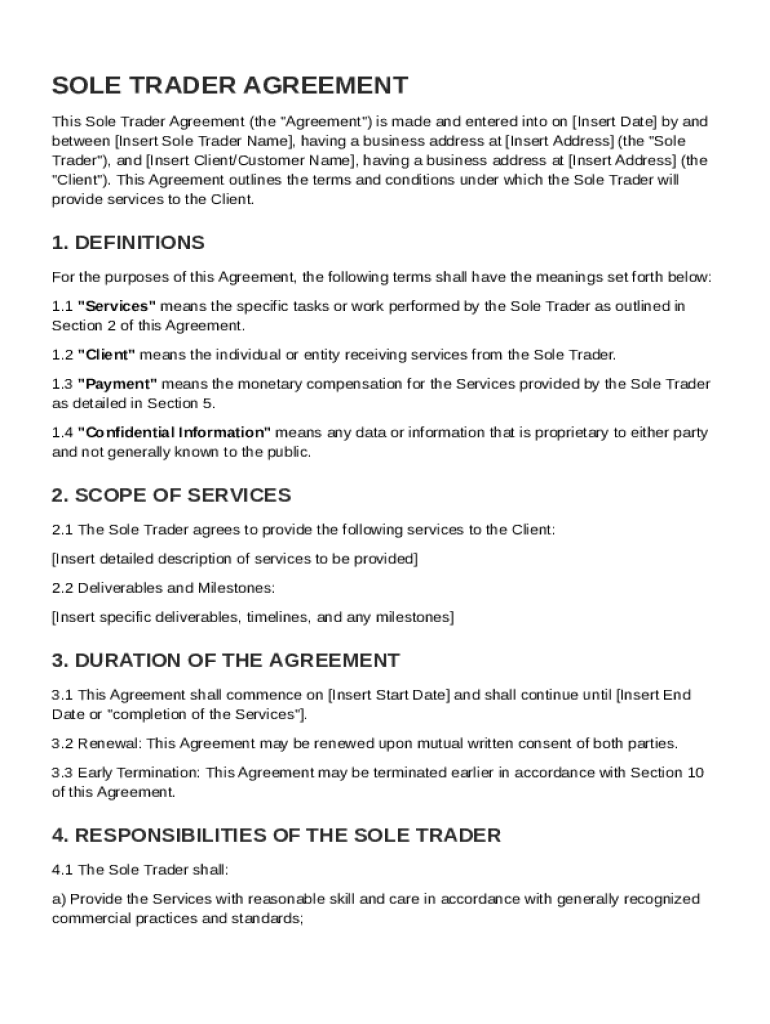







Definition and Core Purpose
The Sole Trader Contract Template serves as a comprehensive agreement between a sole trader and a client for providing services. This template outlines the terms and conditions of the business relationship, including service expectations, payment terms, and legal obligations. By using this template, both parties can ensure clarity on their respective responsibilities, reducing the likelihood of disputes arising from misunderstandings.
Key Elements of the Sole Trader Contract Template
Core Components
- Scope of Services: Clearly defines the nature and extent of the services to be provided, including detailed descriptions of tasks and deliverables.
- Payment Terms: Specifies the compensation structure, including rates, payment methods, and timelines for invoicing and payment receipt.
- Confidentiality Clauses: Protects sensitive information shared between parties, outlining obligations to prevent unauthorized disclosure.
- Intellectual Property Rights: Defines ownership and usage rights for work products or intellectual property developed during the contract term.
Legal Considerations
- Liability Limitations: Details any conditions where liability might be limited, protecting both parties from undue risk.
- Dispute Resolution: Establishes procedures for resolving disagreements, which might include negotiation, mediation, or arbitration.
How to Use the Sole Trader Contract Template
Step-by-Step Process
- Download the Template: Access the template from a reliable source, such as DocHub, ensuring it's in a compatible format such as PDF or DOC.
- Customize the Contract: Personalize the template by filling in specific information like party names, service details, and payment specifics.
- Review Legal Clauses: Assess standard clauses and tailor them to suit specific legal requirements or preferences of both parties.
- Finalize the Document: Ensure both parties review and agree to the terms before signing electronically using platforms like DocHub for a seamless process.
Important Tips
- Keep the language clear to avoid ambiguity.
- Involve legal counsel for advice if complex legal terms are included.
Legal Use of the Sole Trader Contract Template
Compliance and Legitimacy
- Sole Trader contracts must align with laws applicable in the United States, the primary market for these templates.
- Ensure adherence to state-specific regulations that might affect contract enforceability and terms.
Electronic Signature Importance
- Utilizing electronic signatures via platforms like DocHub facilitates legally binding agreements per the ESIGN Act.
- Electronic audit trails ensure transparency and accessibility of signed documents for future reference.
Who Typically Uses the Sole Trader Contract Template


Common Users
- Freelancers: Professionals providing services in various fields like graphic design, consulting, or writing often employ such contracts to formalize client engagements.
- Small Business Owners: Entrepreneurs running sole proprietorships might use this template to structure client agreements without employing a separate legal team.

Benefits
- Protects professional relationships by clearly defining roles and responsibilities.
- Provides a structured approach to handling disputes, maintaining business continuity.
Business Types That Benefit Most
Optimal Application
- Independent Contractors: Those who perform work based on specific projects or short-term assignments.
- Consultants: Professionals offering expert advice and strategic services to client organizations.
Use Cases
- Design Firms: Engaging clients for bespoke creative projects.
- Tech Specialists: Establishing the terms for ongoing tech support services.
Software Compatibility
Integration with Popular Tools
- DocHub Integration: The Sole Trader Contract Template can be easily imported and edited using DocHub, supporting formats like PDF and DOC.
- Other Compatible Software: Platforms such as TurboTax or QuickBooks might require separate configurations for tax and financial reporting purposes.
State-by-State Differences
Variances Across Jurisdictions
- Some U.S. states may have unique contractual requirements or standards. Knowledge of local business and trade laws is essential.
- Variations in commercial terms or requisite legal disclaimers may necessitate tailored contract modifications for compliance.
Practical Considerations
- Regularly update contract templates to reflect changes in state laws, ensuring ongoing adherence and relevance.




