






Definition & Meaning
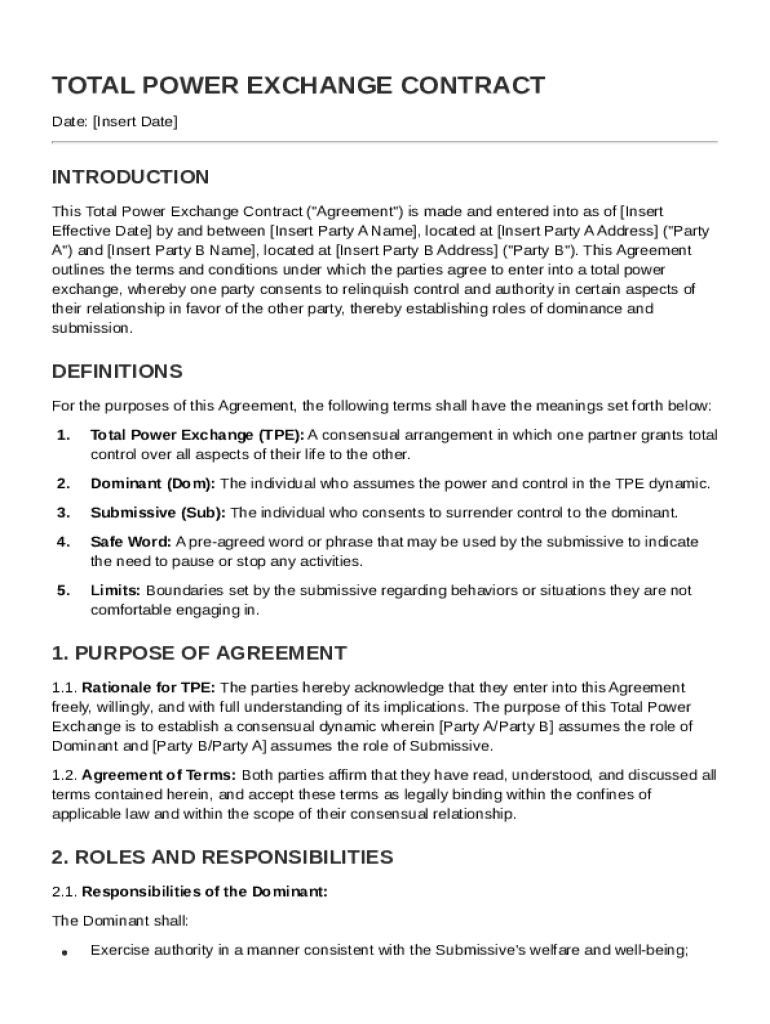
The Total Power Exchange Contract Template is a specialized legal document that formalizes a consensual exchange of power between two parties, typically identified as the Dominant and the Submissive. This contract is designed to establish clear guidelines, responsibilities, and boundaries in a power exchange relationship. The template provides a comprehensive framework that includes the definition of roles, limitations, and safewords that are vital for maintaining mutual consent and understanding. This document often serves as a pre-negotiated agreement that ensures both parties are fully aware of their commitments and the implications of the power dynamic. The template is used to provide a legal foundation while safeguarding the well-being of all parties involved.
How to Use the Total Power Exchange Contract Template
When using the Total Power Exchange Contract Template, it is crucial to tailor the document to fit the specific dynamics and preferences of both parties involved. Begin by reviewing each section to ensure it is applicable and agreeable. Modifications should be made collaboratively, with open communication and a mutual understanding of the changes. Focus on customizing areas such as responsibilities, limitations, safewords, and termination conditions. Completing this template requires careful consideration and, ideally, the involvement of legal professionals who specialize in contracts to ensure that the agreement is both legal and binding. The template serves as a starting point, with flexibility to adapt to unique requirements and dynamics of the relationship.
Steps to Complete the Total Power Exchange Contract Template
- Review the Template: Carefully read through each section to understand its purpose and relevance.
- Customize Roles and Responsibilities: Clearly define the roles of Dominant and Submissive, detailing their specific duties and privileges.
- Set Boundaries and Limits: Agree on the limits and safewords, specifying any activities or scenarios that are off-limits.
- Determine Duration: Establish the length of the agreement, including any terms for renewal or termination.
- Add Confidentiality Clauses: If necessary, incorporate sections that maintain the privacy and discretion of the involved parties.
- Seek Legal Advice: Consult with a legal professional to ensure all clauses are enforceable and comply with local laws.
- Finalize and Sign: Once both parties are satisfied with the terms, the contract should be signed in the presence of a witness or notary.
Key Elements of the Total Power Exchange Contract Template
- Roles and Responsibilities: Defines the specific functions and expectations of the Dominant and Submissive.
- Limitations and Safewords: Clearly outlines the agreed-upon boundaries and establishes safewords for safety.
- Duration and Termination: Covers the time frame of the contract and conditions under which it may be ended.
- Confidentiality and Privacy: Provides guidelines for the protection of sensitive information shared within the relationship.
- Legal Considerations: Ensures the contract is in compliance with legal standards and is enforceable.
- Dispute Resolution: Defines the process for handling disagreements, potentially involving mediators or legal professionals.
Legal Use of the Total Power Exchange Contract Template
The Total Power Exchange Contract Template is crafted with legal considerations, providing a binding agreement that respects the rights and obligations of each participant. It is essential that the contract complies with state laws and federal regulations. Enforcing such contracts requires that both parties voluntarily enter into the agreement without coercion or undue influence. This legal document emphasizes mutual consent, an understanding that forms the basis of valid and enforceable agreements. Utilizing legal counsel to review the template before finalization is advisable to mitigate potential legal challenges and to ensure full compliance with applicable laws.
Important Terms Related to the Total Power Exchange Contract Template
- Dominant: The party granted powers and responsibilities within the contract.
- Submissive: The individual accepting certain limitations and roles, as defined in the agreement.
- Safeword: A pre-agreed term used by either party to pause or stop activities for safety.
- Legal Compliance: Adherence to applicable laws governing the enforceability of such agreements.
- Confidentiality: The requirement to safeguard sensitive information disclosed during the relationship.
Who Typically Uses the Total Power Exchange Contract Template
The Total Power Exchange Contract Template is primarily utilized by individuals involved in consensual power exchange relationships, often within the BDSM community. These contracts are favored by those seeking a structured and legally binding framework that defines their roles and responsibilities. They are particularly useful for individuals who prioritize clear communication and mutual consent, ensuring that all parties are protected and their boundaries respected. Additionally, legal professionals may use this template as a reference when drafting customized agreements for clients requiring such specific contracts.


State-Specific Rules for the Total Power Exchange Contract Template
While the Total Power Exchange Contract Template serves as a generic framework, incorporating state-specific legal nuances is crucial for validity and enforceability. Different states in the U.S. may have varying laws regarding the enforceability of contracts, especially concerning consensual agreements involving power dynamics. It is important to research and implement any required modifications that adhere to local jurisdictional regulations. Consulting with an attorney experienced in contracts is advisable to ensure the contract remains within legal bounds and is recognized by local courts. This detailed attention can protect against potential legal repercussions and enhance the agreement's enforceability.