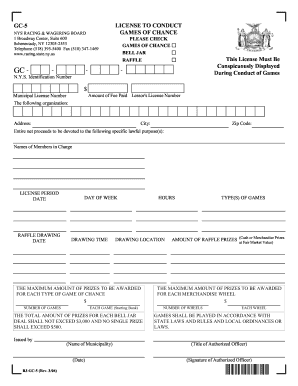
Spreadsheet Contract Template 2026

Get Form
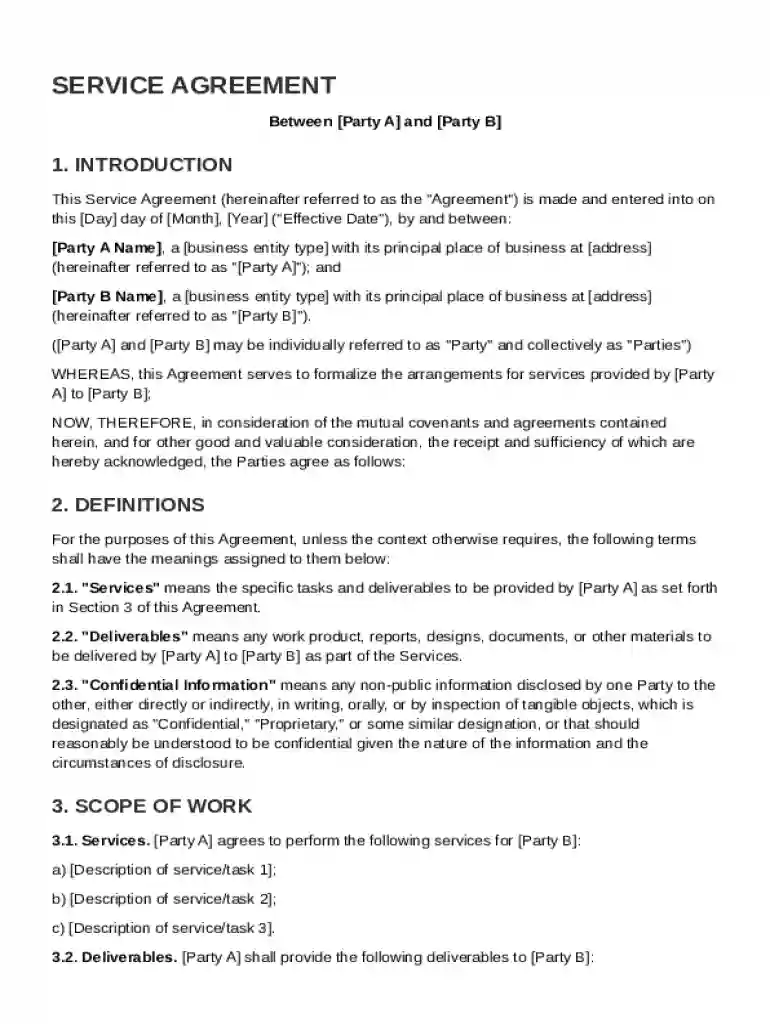
Spreadsheet Contract Template Preview on Page 1

Here's how it works

01. Edit your form online
Type text, add images, blackout confidential details, add comments, highlights and more.

02. Sign it in a few clicks
Draw your signature, type it, upload its image, or use your mobile device as a signature pad.

03. Share your form with others
Send it via email, link, or fax. You can also download it, export it or print it out.

Definition and Meaning of Spreadsheet Contract Template

The "Spreadsheet Contract Template" is a structured document designed to outline the terms and conditions between two parties in a concise, organized manner using spreadsheet software. These templates serve multiple purposes such as setting service agreements, managing project deliverables, and formalizing financial transactions. The digital nature of the template makes it easy to customize for specific agreements, and it typically includes areas to fill out pertinent data like party details, terms of the agreement, dates, and any specific conditions that apply. This template format can efficiently store and process large data sets, facilitating faster generation of reports or analysis when needed.

  • Purpose: To offer a structured, easily editable format for creating contracts.
  • Common Usage: Ideal for service agreements, vendor contracts, and project timelines.
  • Data Management: Incorporates rows and columns to display and manage information effectively.

How to Use the Spreadsheet Contract Template

Utilizing a spreadsheet contract template involves several straightforward steps, making it accessible even for those with basic spreadsheet skills. Here’s a simple guide to using this template effectively:

  1. Download the Template: Acquire the template from a trusted source or create your own based on specific needs.
  2. Customize Details: Open the template in spreadsheet software and input necessary personal and contract details, such as party names, service details, and timelines.
  3. Adjust Terms: Modify predefined sections to reflect terms agreed upon by all parties involved, ensuring clarity and completeness.
  4. Review and Edit: Carefully check for errors or omissions and make necessary adjustments.
  5. Save and Share: Once finalized, save the document in a secure location and share it with involved parties for approval.
  • Tip: Regularly update versions to capture amendments or modifications over time.

Key Elements of the Spreadsheet Contract Template

A well-structured spreadsheet contract template usually comprises several key elements designed to capture essential aspects of the agreement. These elements are meant to provide a comprehensive overview of the contract and its stipulations:

  • Party Details: Information on all parties involved in the contract, including names and contact information.
  • Scope of Work: A detailed description of the services or products to be provided.
  • Payment Terms: Specifics regarding payment schedules, amounts, and methods.
  • Confidentiality Clauses: Provisions relating to the handling and protection of sensitive information.
  • Termination Conditions: Details on how the contract can be ended by either party.

Subsection: Additional Clauses

  • Dispute Resolution: Procedures for resolving any disagreements that arise.
  • Amendment Policies: Guidelines on how changes to the contract will be managed.

Steps to Complete the Spreadsheet Contract Template

Completing a spreadsheet contract template requires attention to detail to ensure accuracy and completeness. Follow these steps to effectively fill out your contract:

  1. Input Personal and Contact Information: Fill in the lines designated for each party's details, understanding this serves as the basis of contact for legal acknowledgment.
  2. Outline Specific Services or Goods Offered: Clearly define what is being exchanged or provided under the contract terms.
  3. Enter Payment Details and Other Financial Agreements: Specify the financial agreements comprehensively to avoid future disputes.
  4. Include Dates and Deadlines: Document all significant dates, especially deadlines for deliverables or payments.
  5. Add Any Specific Terms or Conditions: Consider any additional clauses that might require legal consultation for verification.
  6. Review and Sign: Conduct a thorough review and secure agreement from all parties, typically shown through signatures, before considering the contract binding.
  • Best Practice: Verify each section with related documentation or legal counsel to ensure compliance and completeness.

Important Terms Related to the Spreadsheet Contract Template

Understanding important terms used within spreadsheet contract templates can help demystify complex legal language:

  • Indemnity: A contractual obligation of one party to compensate for the loss or damage incurred by the other.
  • Force Majeure: Clauses that free parties from liability or obligation when an extraordinary event occurs.
  • Jurisdiction: The legal power to make decisions and judgments within a particular geographic area.

Subsection: Contractual Elements

  • Consideration: Anything of value that each party agrees to exchange as part of the contract.
  • Execution: The process of signing a contract and making it legally binding.

Legal Use of the Spreadsheet Contract Template

The spreadsheet contract template can serve as a legally enforceable document, provided it meets several criteria that uphold its validity. For legal enforceability:

  • Clarity: The terms must be straightforward, leaving little room for interpretation.

  • Mutual Agreement: All involved parties must willingly consent to the terms outlined.

  • Consideration: There must be evidence of value exchanged between the parties.

  • Capacity: Parties signing the contract must possess the legal capacity to do so.

  • Legality: It must be compliant with legal standards and relevant local laws.

  • Note: It's advisable to consult legal professionals to verify the contract satisfies all applicable legal requirements.

Software Compatibility with Spreadsheet Contract Templates

Spreadsheet contract templates benefit from broad compatibility across various software platforms, offering flexibility and accessibility:

  • Spreadsheet Software: Compatible with Microsoft Excel, Google Sheets, and other open-source alternatives, allowing for versatile editing and sharing.
  • Cloud Storage Services: Integration with services like Google Drive and Dropbox facilitates easy access and version management.
  • Collaboration Tools: Sharing and collaboration features are enhanced when used with Google Workspace, promoting real-time interaction.

Subsection: Benefits of Digital Formats

  • Ease of Distribution: Efficiently send and receive contracts electronically, reducing reliance on paper.
  • Real-time Editing: Amendments and updates can be made swiftly, enabling dynamic contract management.

Who Typically Uses the Spreadsheet Contract Template

The versatility of spreadsheet contract templates allows them to be applied by various users across different industries:


  • Small Businesses: Ideal for startups and small businesses requiring a cost-effective solution for contract management.
  • Freelancers: Handy for managing individual service agreements and client interactions.
  • Project Managers: Useful for setting deliverable timelines and resource allocation within larger projects.
  • Legal Teams: As a tool to draft preliminary versions of contracts pending formal legal review.
decoration image ratings of Dochub

Subsection: Industry Examples

  • IT Services: For managing software development and technical support contracts.
  • Consulting Firms: To define deliverables, expectations, and compensation structures clearly.

Ensuring the template is correctly filled out and compliant can enable organizations and individuals alike to establish clear, enforceable agreements efficiently.

be ready to get more

Complete this form in 5 minutes or less

Get form

Security and compliance

At DocHub, your data security is our priority. We follow HIPAA, SOC2, GDPR, and other standards, so you can work on your documents with confidence.
Learn more
ccpa2
pci-dss
gdpr-compliance
hipaa
soc-compliance
be ready to get more

Complete this form in 5 minutes or less

Get form