




01. Edit your mls form online
Type text, add images, blackout confidential details, add comments, highlights and more.

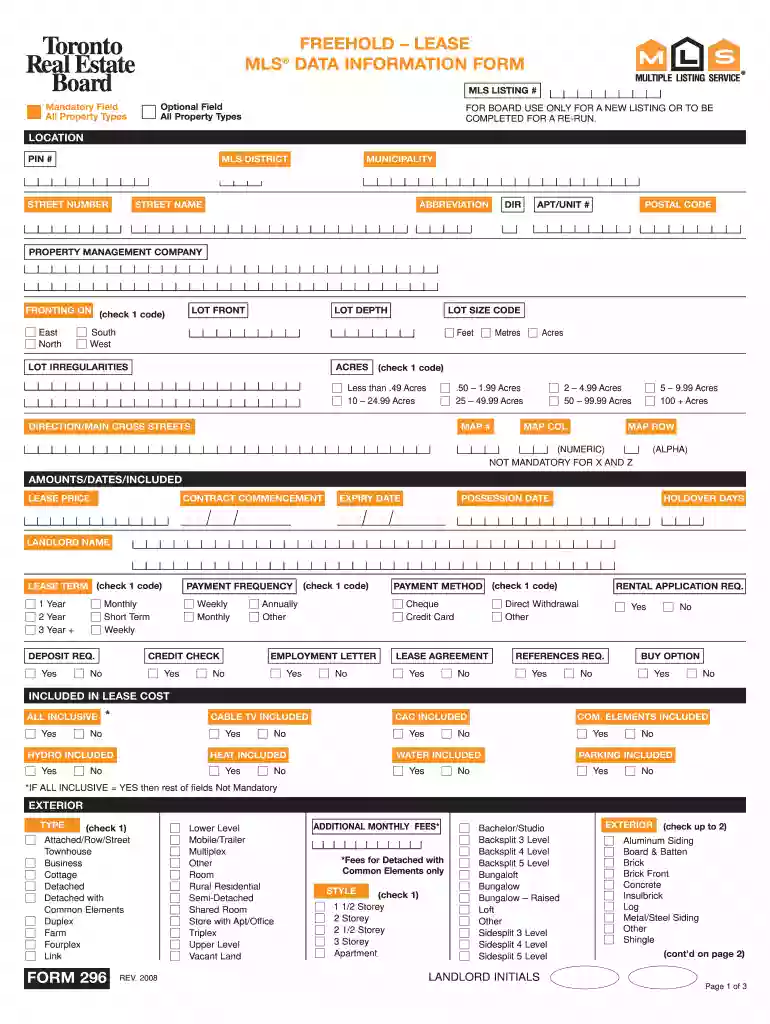
Type text, add images, blackout confidential details, add comments, highlights and more.

Draw your signature, type it, upload its image, or use your mobile device as a signature pad.

Send mls data information via email, link, or fax. You can also download it, export it or print it out.

Start using our platform today to streamline your form completion for free!
We've got more versions of the mls form form. Select the right mls form version from the list and start editing it straight away!
| Versions | Form popularity | Fillable & printable |
|---|---|---|
| 2008 | 4.8 Satisfied (227 Votes) |
Electronic document approval demands a software solution that works in compliance with data protection and eSignature standards. DocHub is a great tool for that, because it meets all the previously mentioned requirements. Whatever method you prefer to sign your mls example in DocHub, your electronic signature will be legally binding and court-admissible.
When you edit your form mls data information lease with DocHub, you will not need to look for other applications or solutions to sign it. An electronic signature is a component of DocHub’s substantial editing toolset, which enables you to implement changes in your form without switching between websites. Simply complete your form, double-check the correctness of the data and place your electronic signature at the end to make it submission-ready quickly.
At DocHub, your data security is our priority. We follow HIPAA, SOC2, GDPR, and other standards, so you can work on your documents with confidence.
Mar 12, 2025 An MLS degree can help real estate professionals better comprehend and apply regulations related to sustainable development, construction, and housing to theirRead more
Aug 14, 2015 A Participants VOW must prominently display an e-mail address, telephone number, or specific identification of another mode of communication (Read more
Indicates a potentially hazardous situation that, if not avoided, could cause equipment damage, data loss, and performance degradation, or unexpected results.Read more


