
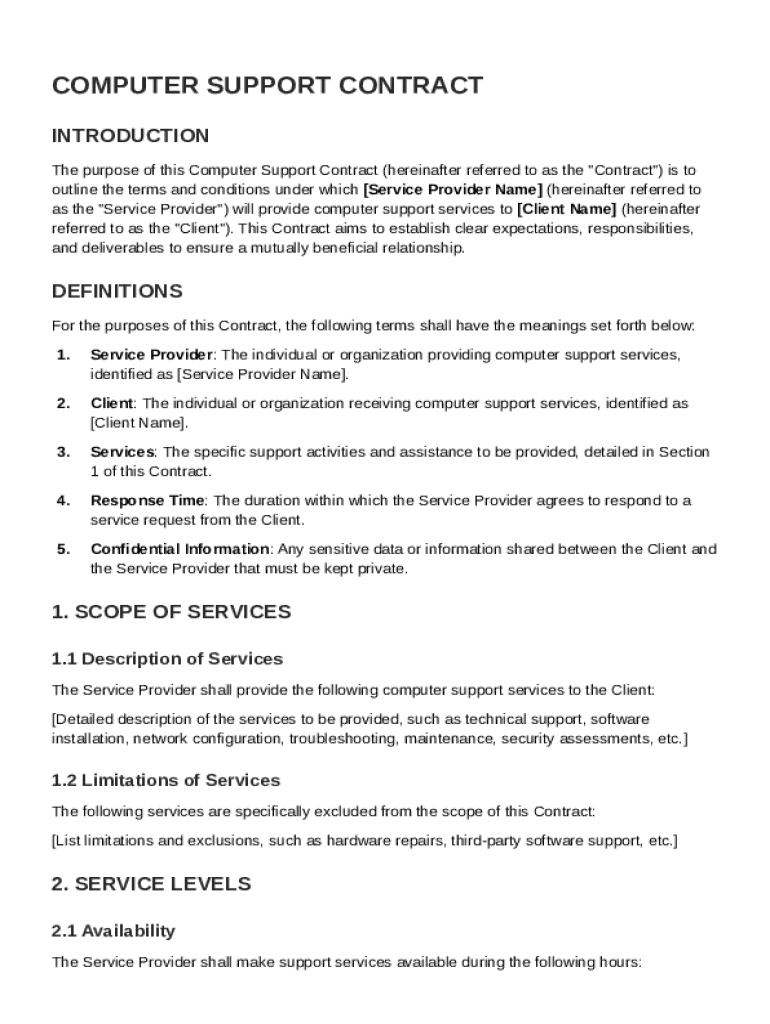







Definition and Meaning
A Computer Support Contract Template is a standardized document that outlines the terms and conditions between a service provider and a client regarding computer support services. This template serves as a legal framework that defines the scope of services, responsibilities, fees, and other critical aspects of the contractual relationship. It is designed to protect both parties by setting clear expectations and obligations, thus minimizing misunderstandings and disputes.
Key Components
- Service Scope: Clearly outlines the services provided, including support type (e.g., on-site assistance, remote troubleshooting, hardware repairs).
- Fees and Payment Terms: Specifies costs, billing methods, and payment schedules.
- Confidentiality Obligations: Ensures that sensitive client data is protected.
- Contract Duration: Defines the start and end dates of the agreement.
- Termination Conditions: Lists scenarios in which the contract can be concluded prematurely.
How to Use the Computer Support Contract Template
Using the Computer Support Contract Template involves a series of straightforward steps that ensure all necessary details are included to form a legally binding agreement. This can enhance efficiency and protect both the service provider and the client.
Step-by-Step Process
- Review Initial Draft: Begin by thoroughly reading the template to understand all sections.
- Customize Service Details: Specify the services you will provide, adjusting the scope and terms as per client's needs.
- Set Fees and Terms: Clearly write out the fees, payment terms, and any applicable discounts or penalties.
- Define Responsibilities: Clearly define what is expected of both parties, including delivery timelines and support requirements.
- Review with Stakeholders: Share the draft with all relevant parties to gather feedback.
- Finalize: With all agreements in place, fill in remaining sections and prepare for signatures.
Key Elements of the Computer Support Contract Template
The Computer Support Contract Template is structured to address several crucial areas that form the foundation of a robust agreement between a service provider and client.
Major Sections
- Scope of Work: Comprehensive description of tasks and services included.
- Service Levels: Expectations on response times and service quality, often described as Service Level Agreements (SLAs).
- Confidentiality and Privacy: Clauses to protect sensitive information.
- Liability and Indemnification: Limits provider's liabilities and protects against potential claims.
- Amendment Process: Procedures for making changes to the agreement.
Examples
For example, "Scope of Work" might specify whether software installation is included, while "Service Levels" might require responses within 24 hours for critical issues.
Important Terms Related to Computer Support Contract Template
Understanding the terminology specific to the Computer Support Contract Template is crucial for effectively negotiating and executing the contract.
Technical Definitions
- SLAs (Service Level Agreements): Define performance standards, such as response time.
- Indemnification: A clause that offers protection against losses incurred by the client due to the provider's actions.
Legal Terms
- Governing Law: Specifies which state laws govern the contract.
- Arbitration Clause: Outlines how disputes will be resolved, typically outside courts.
Who Typically Uses the Computer Support Contract Template
Computer Support Contract Templates are used by a variety of entities who provide or receive IT support and related services.


Typical Users
- Small and Medium Enterprises (SMEs): Often require external IT support due to limited internal resources.
- IT Service Providers: Use the template to standardize service offerings and ensure clear client expectations.
- Freelancers and Contractors: Individual professionals offering specialized technical support on a contractual basis.
Legal Use of the Computer Support Contract Template
Legal compliance is a crucial aspect of any contractual agreement, and the Computer Support Contract Template is no exception.
Compliance Considerations
- Confidentiality Clauses: Some industries may have additional confidentiality requirements, such as healthcare (HIPAA compliance).
- Liability Waivers: Must comply with state-specific laws to be enforceable.
Case Study
A service provider offering support to a healthcare institution may need to include specific data protection measures to comply with HIPAA standards, ensuring both security and legal compliance.
State-Specific Rules for the Computer Support Contract Template
While the Computer Support Contract Template provides a general framework, there are variations in state laws that might affect its use.
Jurisdictional Variations
- State Governing Laws: Contracts should specify a governing state, often where the service provider or client is based.
- Consumer Protection Laws: Some states offer additional consumer protection that impacts contract terms and enforceability.
Digital vs. Paper Version
Choosing between digital or paper versions of the Computer Support Contract Template can impact flexibility and ease of access.
Pros and Cons
-
Digital Version:
- Pros: Easily editable, can be signed electronically, and facilitates quick sharing.
- Cons: Requires digital literacy and may require security measures for electronic signatures.
-
Paper Version:
- Pros: Traditional format that may be preferred by some clients.
- Cons: Harder to edit and track, requires physical handling for signatures.




