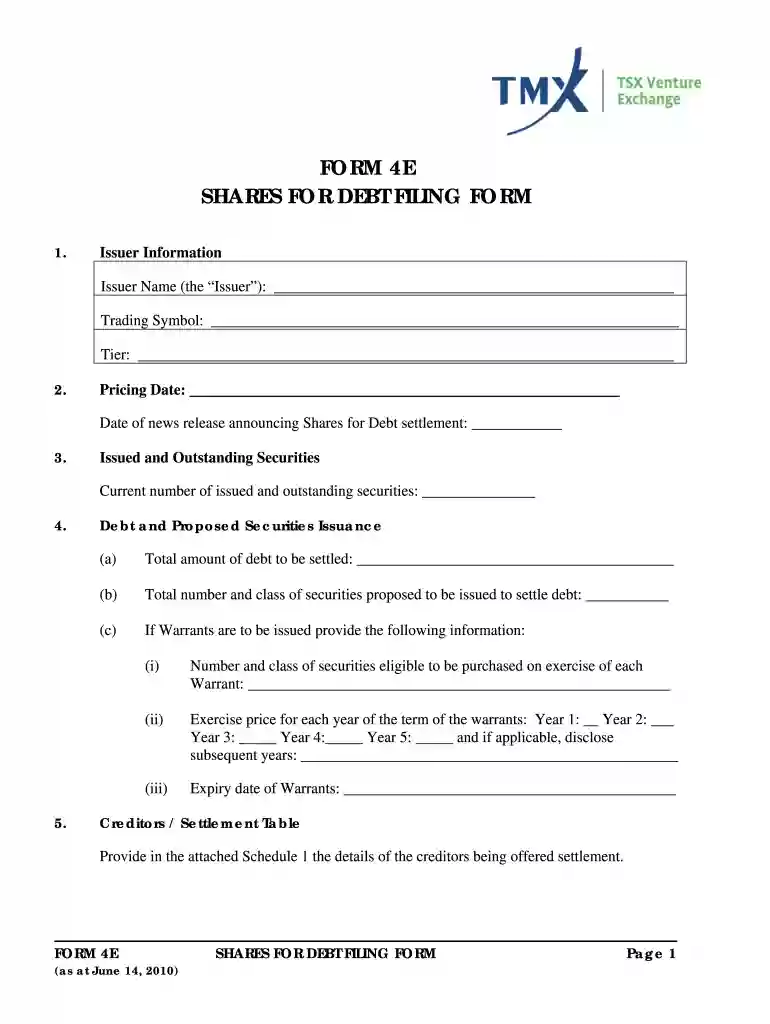
tsx form 3 Preview on Page 1

Tsx 4e 2026

Here's how it works

  • 01. Edit your tsx form 3 online

    Type text, add images, blackout confidential details, add comments, highlights and more.

  • 02. Sign it in a few clicks

    Draw your signature, type it, upload its image, or use your mobile device as a signature pad.

  • 03. Share your form with others

    Send form 4e via email, link, or fax. You can also download it, export it or print it out.

How to use or fill out tsx 4e with our platform

Form edit decoration
9.5
Ease of Setup
DocHub User Ratings on G2
9.0
Ease of Use
DocHub User Ratings on G2
  1. Click ‘Get Form’ to open the tsx 4e in the editor.
  2. Begin by filling in the Issuer Information section. Enter the Issuer Name, Trading Symbol, and Tier as required.
  3. Next, provide the Pricing Date and the date of the news release announcing the Shares for Debt settlement.
  4. In the Issued and Outstanding Securities section, input the current number of issued and outstanding securities.
  5. For Debt and Proposed Securities Issuance, detail the total amount of debt to be settled and specify the number and class of securities proposed for issuance.
  6. If applicable, complete information regarding Warrants including exercise prices for each year of their term.
  7. Proceed to fill out sections regarding Status of Issuer, Control, Shareholder Approval, Assignment of Debt, Reverse Take Over or Change of Business, and Documents as necessary.
  8. Finally, ensure you complete the Declaration and Acknowledgement sections before submitting your form.

Start using our platform today to streamline your form completion process for free!

See more tsx form 3 versions

We've got more versions of the tsx form 3 form. Select the right tsx form 3 version from the list and start editing it straight away!

VersionsForm popularityFillable & printable
20104.9 Satisfied (260 Votes)

be ready to get more

Complete this form in 5 minutes or less

Security and compliance

At DocHub, your data security is our priority. We follow HIPAA, SOC2, GDPR, and other standards, so you can work on your documents with confidence.

Related links

TSX Laboratory Freezer

Step-by-step instruction for proper use, maintenance, and troubleshooting of the TSX Laboratory Freezers.

Learn more
Premier TSX Voting System

Step 1: Insert Voter Activation Card Step 2: Read Instructions Screen Step 3a: Select Candidates or Issues OR Select Write-In if Desired Step 3b: To Vote forRead more

Learn more
TSX-Plus - System Managers Guide

TSX-Plus provides twenty seven privileges to be specified on a line by line or user by user basis. Privileges may be specified during program installationRead more

Learn more
If you believe that this page should be taken down, please follow our DMCA take down process here