






Key Elements of the Baby Sitt Contract Template
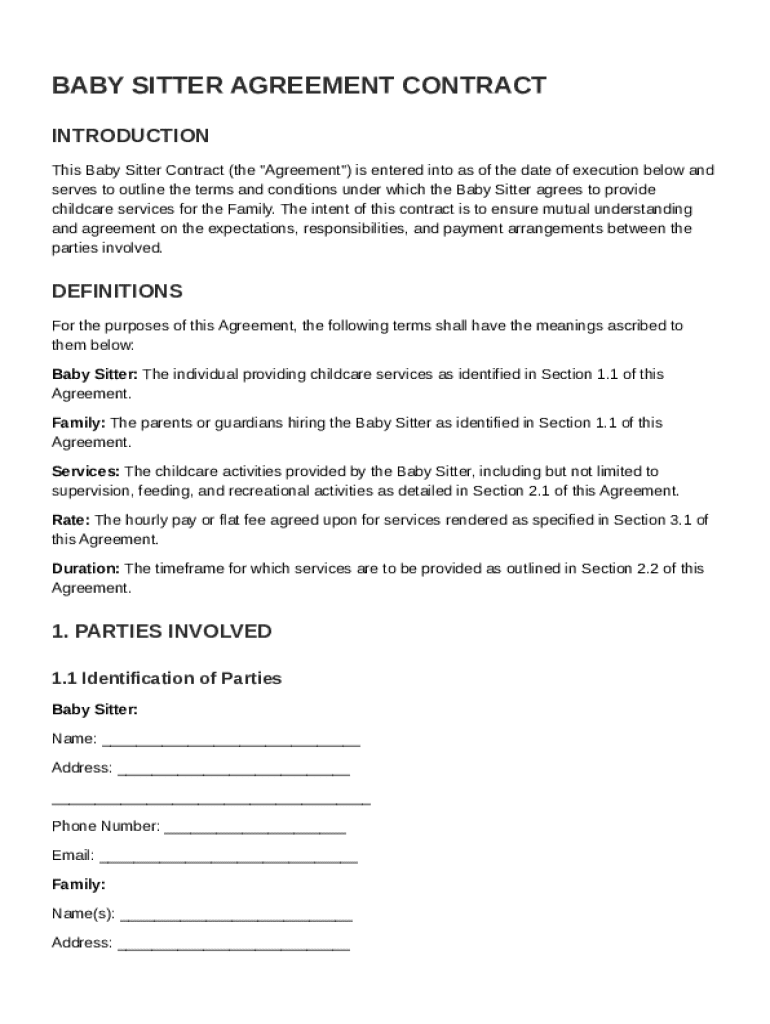
The Baby Sitt Contract Template serves as a comprehensive agreement between a baby sitter and a family, outlining the terms of childcare services. It is essential to include elements such as the identification of parties, service scope, compensation, communication protocols, responsibilities, termination conditions, and governing law.
Identification of the Parties
- Names and Addresses: Clearly state the full names and contact information of both the baby sitter and the family.
- Emergency Contacts: Provide additional contact information for emergency cases, ensuring that both parties can communicate effectively if issues arise.
Scope of Services
- Service Frequency and Duration: Specify the regularity and duration of the babysitting services, including days of the week and start and end times.
- Specific Duties: Define specific duties expected from the baby sitter, such as meal preparation, educational activities, or bedtime routines.
Compensation Details
- Hourly Rate or Salary: Clearly outline the payment structure, whether hourly or salaried, and the rate agreed upon.
- Payment Schedule: Establish whether payments will be made weekly, bi-weekly, or monthly, ensuring both parties are clear on timing and expectations.
Important Terms Related to the Baby Sitt Contract Template
Having a clear understanding of the related terms ensures both parties know what is being agreed to within the contract.
Liability Waiver
- Purpose: Protects both parties from potential lawsuits or claims related to the performance of the babysitter.
- Extent: Define situations where the waiver is applicable, ensuring all are aware of its coverage limitations.
Governing Law
- Jurisdiction: Specify the state laws that will govern the contract, often dependent on the location where the services are rendered.
Steps to Complete the Baby Sitt Contract Template
Following a structured approach when completing the contract ensures all necessary components are addressed.
- Gather Basic Information: Collect names, addresses, and contact details of both parties.
- Outline Service Details: Define the babysitter's responsibilities and schedule.
- Establish Payment Terms: Agree on the hourly rate and payment schedule.
- Include Legal Provisions: Add sections on liability, termination clauses, and governing laws.
- Review and Sign: Both parties should review the document and signify agreement through signatures.
Signature Protocol
- Electronic vs. Manual: Consider using DocHub's electronic signature capabilities for convenience and security.
- Signature Order: Ensure that the parent or guardian signs first to acknowledge the agreement before the babysitter follows.
Legal Use of the Baby Sitt Contract Template
Ensuring the legal effectiveness of the babysitter contract involves understanding applicable legal requirements.
Legally Binding Agreements
- Requirements for Enforceability: Contracts should include offer, acceptance, and mutual consent as fundamental aspects.
- Electronic Signatures: DocHub supports legally recognized electronic signatures that comply with US laws, ensuring contract validity.
State-Specific Rules for the Baby Sitt Contract Template
Identification of state-specific regulations can affect contract stipulations.
Child Labor Laws
- Age Restrictions: Many states have specific age regulations regarding babysitters; ensure compliance with local statutes.
Minimum Wage Requirements
- Payment Compliance: Verify payment structures align with state minimum wage laws to prevent legal disputes.
Examples of Using the Baby Sitt Contract Template
A strong understanding of practical applications can guide smooth operations.
Routine Childcare Services
- Weekly Scheduling: Commonly used for parents requiring regular after-school care.
- Adjustments for Holidays: Factor in variations for service on public holidays or school breaks.
Temporary or Emergency Sittings
- Short-term Care: Contracts may be adapted for use in one-off situations or emergency childcare needs.
Software Compatibility
Ensuring document compatibility with software systems enhances efficiency and reliability.
DocHub Functionality
- File Integration: The template can be easily exported to and modified using DocHub, compatible with formats such as PDF and DOC.
- Cloud Storage: Seamlessly integrates with cloud services like Google Drive for efficient document management.
Digital vs. Paper Version
Considerations for choosing between digital and paper-based contracts can impact contract accessibility and convenience.
Preferences and Accessibility
- Digital Advantages: Offers quick access, easy modification, and secure cloud storage, appealing to tech-savvy clients.
- Paper-Based Uses: Preferred by individuals who are less comfortable with digital tools or require hard-copy records.