Type text, add images, blackout confidential details, add comments, highlights and more.
02. Sign it in a few clicks
Draw your signature, type it, upload its image, or use your mobile device as a signature pad.
03. Share your form with others
Send invesco 401k via email, link, or fax. You can also download it, export it or print it out.
How to use or fill out retirement plan transmittal form with our platform
Ease of Setup
DocHub User Ratings on G2
Ease of Use
DocHub User Ratings on G2
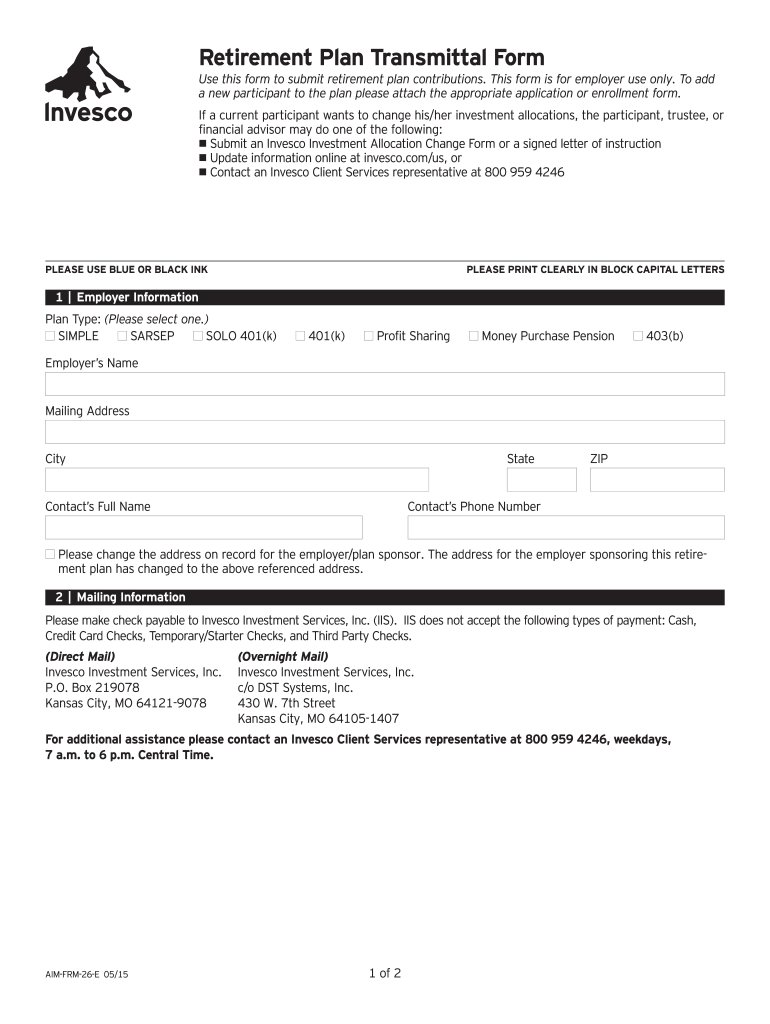
Click ‘Get Form’ to open the retirement plan transmittal form in the editor.
Begin with the 'Employer Information' section. Fill in your employer's name, mailing address, city, state, and ZIP code. Ensure all details are printed clearly in block capital letters.
Select the appropriate 'Plan Type' from the options provided, such as SIMPLE or 401(k). This selection is crucial for processing contributions correctly.
In the 'Mailing Information' section, ensure you provide accurate payment details. Remember that checks should be made payable to Invesco Investment Services, Inc.
Proceed to 'Contribution Instructions'. Here, fill out only the applicable columns based on your specific retirement plan type. Input contribution amounts for each participant as necessary.
Finally, review all entries for accuracy before submitting. Use our platform’s features to save and share your completed form effortlessly.
Start using our platform today to streamline your retirement plan submissions for free!
Fill out retirement plan transmittal form online It's free
See more retirement plan transmittal form versions
We've got more versions of the retirement plan transmittal form form. Select the right retirement plan transmittal form version from the list and start editing it straight away!
Invesco retirement plan transmittal formRetirement plan transmittal form pdfSIMPLE IRA Contribution Transmittal form Charles SchwabCharles Schwab SIMPLE IRA Contribution Transmittal form PDFContribution transmittal form Schwab401k form PDF401k contribution form templateEmployee Retirement form
Security and compliance
At DocHub, your data security is our priority. We follow HIPAA, SOC2, GDPR, and other standards, so you can work on your documents with confidence.
May 2, 2017 For example, if you checked the Retirement plan box on the original Form W-2 by mistake, check the Retirement plan checkbox in box 13.Read more
RETIRE SSN #. EFFECTIVE DATE OF RETIREMENT. Check case type below from block 4 and 5 located on OPMs SF-2801/SF-3107 Schedule D form. FORM AD-1102 (REV. 9/22).Read more
Cookie consent notice
This site uses cookies to enhance site navigation and personalize your experience.
By using this site you agree to our use of cookies as described in our Privacy Notice.
You can modify your selections by visiting our Cookie and Advertising Notice.