




Here's how it works



How to use or fill out Montgomery County Public Defender's Office Financial Affidavit

- Click ‘Get Form’ to open it in the editor.
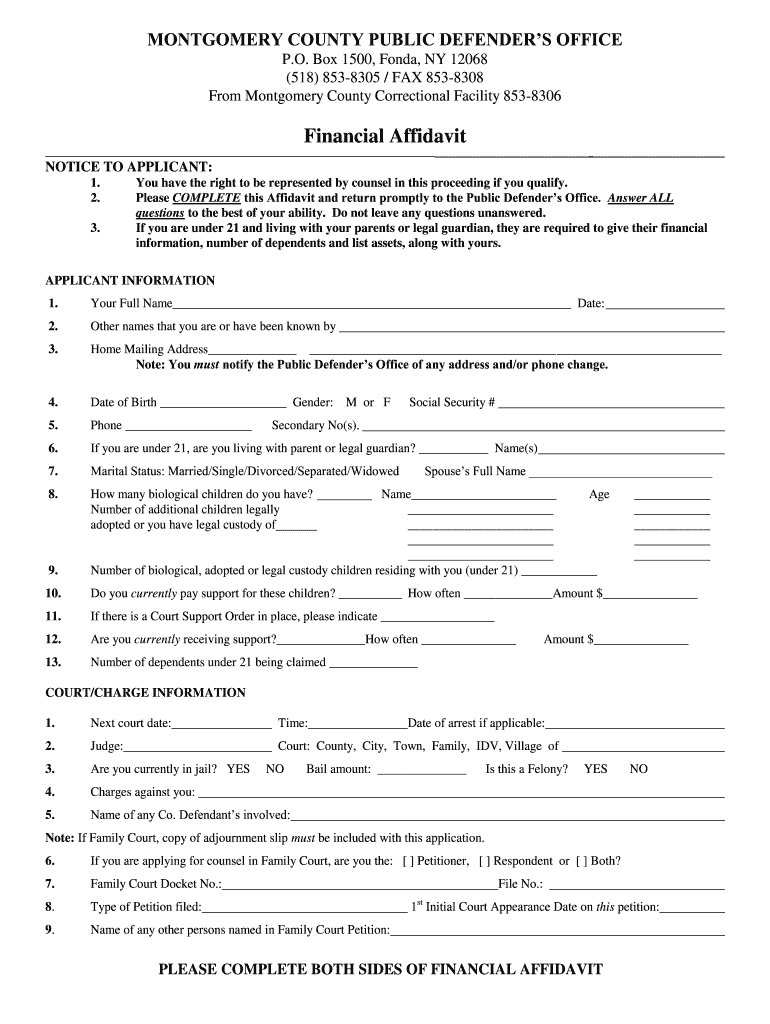
- Begin by filling out your personal information in the 'APPLICANT INFORMATION' section. Include your full name, date of birth, and contact details. Ensure all fields are completed accurately.
- Proceed to the 'COURT/CHARGE INFORMATION' section. Here, provide details about your court case, including the next court date and any charges against you. If applicable, indicate if you are currently incarcerated.
- In the 'EMPLOYMENT INFORMATION' section, detail your current employment status. Include your occupation, employer's name and address, and income details. If unemployed, describe how you manage living expenses.
- Complete the 'ASSETS' and 'DEBTS' sections by listing any properties or financial obligations you have. This information is crucial for assessing your eligibility for public defense.
- Finally, review all entries for accuracy before signing at the bottom of the form. Make sure to complete both sides of the affidavit as required.
Start using our platform today to fill out your Montgomery County Public Defender’s Office Financial Affidavit easily and for free!
It's free
See more montgomery county public defender's office versions
| Versions | Form popularity | Fillable & printable |
|---|---|---|
| 2012 | 4.8 Satisfied (161 Votes) |
Got questions?
How can I eSign my montgomery county public defender's office from Gmail?
With DocHub, it’s pretty simple. The editor offers users an add-on called DocHub for Gmail, which you can find in the Google Workspace Marketplace free of charge. Set it up and give it access to your Google account. Open your email with your montgomery county public defender's office attached and click on the add-on button in the right-side panel. Sign in to your DocHub account, and upload the file to our editor, where you can fill it out and sign.
What internet browser do I need to edit montgomery county public defender's office phone number online?
If you want to edit your montgomery county public defender's office phone number on the internet swiftly, it does not matter what browser you employ. DocHub’s simple editing instruments are available using any internet browser. Just open the appropriate tab in the editor, add your document, and fill it out without stress.
Do you have to pay for a public defender in California?
Who is the public defender for Montgomery County?
How do I get a public defender in Montgomery County?
Security and compliance
At DocHub, your data security is our priority. We follow HIPAA, SOC2, GDPR, and other standards, so you can work on your documents with confidence.
Learn more


