







Definition & Meaning
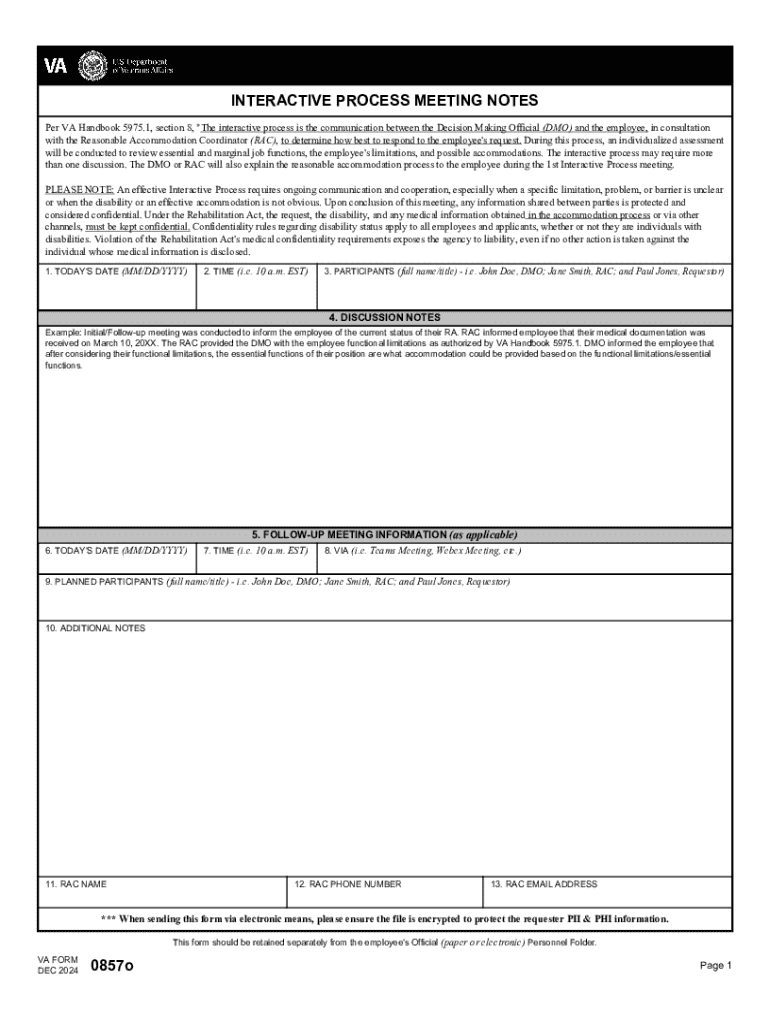
The "Interactive Process Meeting Notes" serve as a detailed document to capture the communication and decision-making interactions during reasonable accommodation requests as per VA Handbook 5975.1. This form aids in documenting discussions between the Decision Making Official and the employee to evaluate job functions, the employee's limitations, and suitable accommodations. It is designed to ensure ongoing communication, uphold confidentiality, and comply with the Rehabilitation Act regarding medical information.
How to Use the Interactive Process Meeting Notes
Efficient use of the Interactive Process Meeting Notes begins with clear documentation of each step of the accommodation process. Users should:
- Begin with a meeting summary that captures the date, time, participants, and reason for the meeting.
- Document detailed notes on the discussion points regarding employee limitations and job duties.
- Ensure all suggested and explored accommodation ideas are noted, including the outcome of these discussions.
- Highlight any follow-up actions required and assign responsibilities with timeframes for completion.
- Wrap up with a summary of conclusions drawn and any next steps.
This approach ensures all aspects of the interactive process are captured comprehensively and systematically.
Steps to Complete the Interactive Process Meeting Notes
Completing the Interactive Process Meeting Notes involves several sequential steps:
- Preparation: Gather all relevant employee documentation regarding job functions and potential limitations.
- Initiate the Meeting: Begin the meeting with introductions and an outline of the meeting’s objectives.
- Discuss Limitations and Needs: Engage in dialogue about the employee's current work situation and any proposed accommodations.
- Explore Accommodations: Document all considered accommodations, assessing feasibility and suitability.
- Decision Documentation: Clearly note the decision reached, including any agreed accommodations or next actions.
- Review and Sign-off: Ensure all meeting participants concur with the documented meeting notes and provide their signatures.
This structured process guarantees that all considerations are systematically documented.
Key Elements of the Interactive Process Meeting Notes
The Interactive Process Meeting Notes should include several critical elements to ensure clarity and completeness:
- Participant Information: Names, roles, and contact information of everyone involved in the meeting.
- Meeting Objectives: Clear specification of the aims and expected outcomes.
- Detailed Discussion Points: Extensive notes on all topics discussed, including opinions and suggestions from participants.
- Action Items: Assignment of tasks, responsible individuals, and deadlines.
- Outcome Documentation: Final decisions, rationale, and next steps clearly articulated.
- Confidentiality Statement: A section confirming adherence to confidentiality agreements and compliance with legal standards.
Capturing these elements precisely helps maintain a transparent and effective accommodation process.
Legal Use of the Interactive Process Meeting Notes
The Interactive Process Meeting Notes must always be used in compliance with legal standards, particularly focusing on:
- Confidentiality: Ensuring all employee-related discussions, especially medical information, comply with the Rehabilitation Act.
- Fair Treatment: Documenting an objective and unbiased approach to accommodation discussions.
- Compliance: Adhering to any additional local or organizational legal requirements, ensuring decisions align with legal precedents and acts.
Legal compliance in using these notes ensures both the organization and the employee are protected.
Who Typically Uses the Interactive Process Meeting Notes
The primary users of the Interactive Process Meeting Notes include:
- Decision Making Officials (DMOs): To guide the accommodation decision process.
- Reasonable Accommodation Coordinators (RACs): To coordinate and facilitate discussions and decisions on accommodations.
- Human Resource Professionals: To ensure organizational compliance and maintain records.
- Employees: To understand the steps taken in the accommodation process and ensure transparency.
These users collaborate to ensure a fair and inclusive process is followed.


State-Specific Rules for the Interactive Process Meeting Notes
While the basis of the Interactive Process Meeting Notes is widely applicable, there might be state-specific rules or modifications needed, such as:
- State Harassment and Disability Laws: Varied state laws regarding workplace accommodations must be considered, which could affect how notes are formulated and stored.
- Local Employment Laws: Specific laws can dictate additional steps or considerations during the accommodation assessment process.
Users should be aware of their state's unique legal context to ensure full compliance.
Software Compatibility and Versioning
The completion and usage of the Interactive Process Meeting Notes may be facilitated through software tools:
- Document Management Systems: Platforms like DocHub that offer editing and annotation features to complete and organize the notes efficiently.
- Integration Tools: Compatibility with software like Google Workspace can be beneficial for streamlined document sharing and collaboration.
- Version Control: Maintaining updated records and previous version control to document the process's evolution.
Leveraging compatible software solutions ensures a smooth, efficient, and collaborative use of Interactive Process Meeting Notes.




