




Here's how it works



How to use or fill out Habitat trip form - Thames Valley District School Board

- Click ‘Get Form’ to open it in the editor.
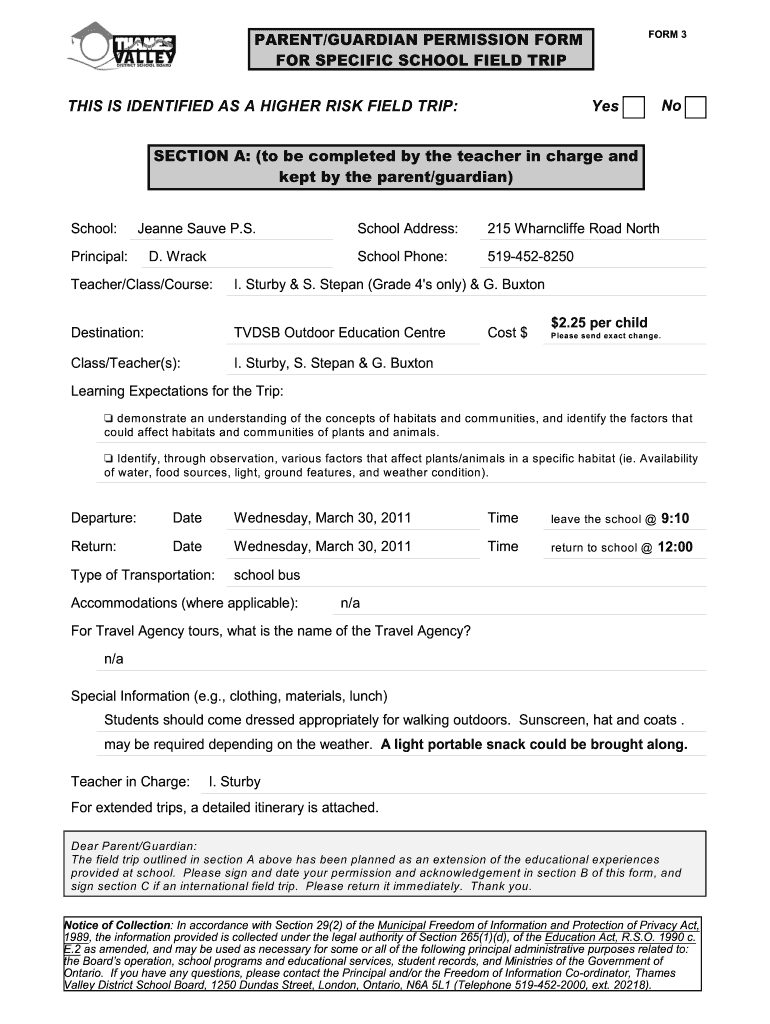
- Begin with SECTION A, where the teacher has filled in details about the school, trip destination, and cost. Review this information for accuracy.
- In SECTION B, enter your child's name, date of birth, home address, and contact numbers. Ensure all fields are completed accurately to avoid any issues.
- List any dietary restrictions or allergies your child may have. This is crucial for their safety during the trip.
- Sign and date the permission section at the bottom of SECTION B. If applicable, indicate your availability as a volunteer supervisor.
- If this is an international trip, complete SECTION C by acknowledging the risks involved and signing accordingly.
Start filling out the Habitat trip form today using our platform for free!
It's free
See more Habitat trip form - Thames Valley District School Board versions
| Versions | Form popularity | Fillable & printable |
|---|---|---|
| 2008 | 4.8 Satisfied (288 Votes) |
Got questions?
How can I sign my Habitat trip form - Thames Valley District School Board without printing?
Electronic signatures are a great alternative to traditional signing, as they save time, effort, and money people spend on printing, scanning, and paper delivery. You can electronically sign your Habitat trip form - Thames Valley District School Board utilizing a reliable and robust online document management services like DocHub. It complies with primary eSignature standards (ESIGN and UETA), so all documents approved there are legally binding and have the same validity as physically signed ones.
How do you edit Habitat trip form - Thames Valley District School Board online?
With DocHub, you have several convenient ways to edit your Habitat trip form - Thames Valley District School Board online. You can drag and drop the form and edit it directly at the DocHub website or use our browser extension to fill out your form right away. Additionally, you can edit your PDF on your smartphone, as DocHub is compatible with all the available mobile platforms.
What does TVDSB stand for?
What is the email format for the Thames Valley District School Board?
How many students are in the Thames Valley District School Board?
Security and compliance
At DocHub, your data security is our priority. We follow HIPAA, SOC2, GDPR, and other standards, so you can work on your documents with confidence.
Learn more


