




Here's how it works



How to use or fill out chkd medical records with our platform

- Click ‘Get Form’ to open the chkd medical records in the editor.
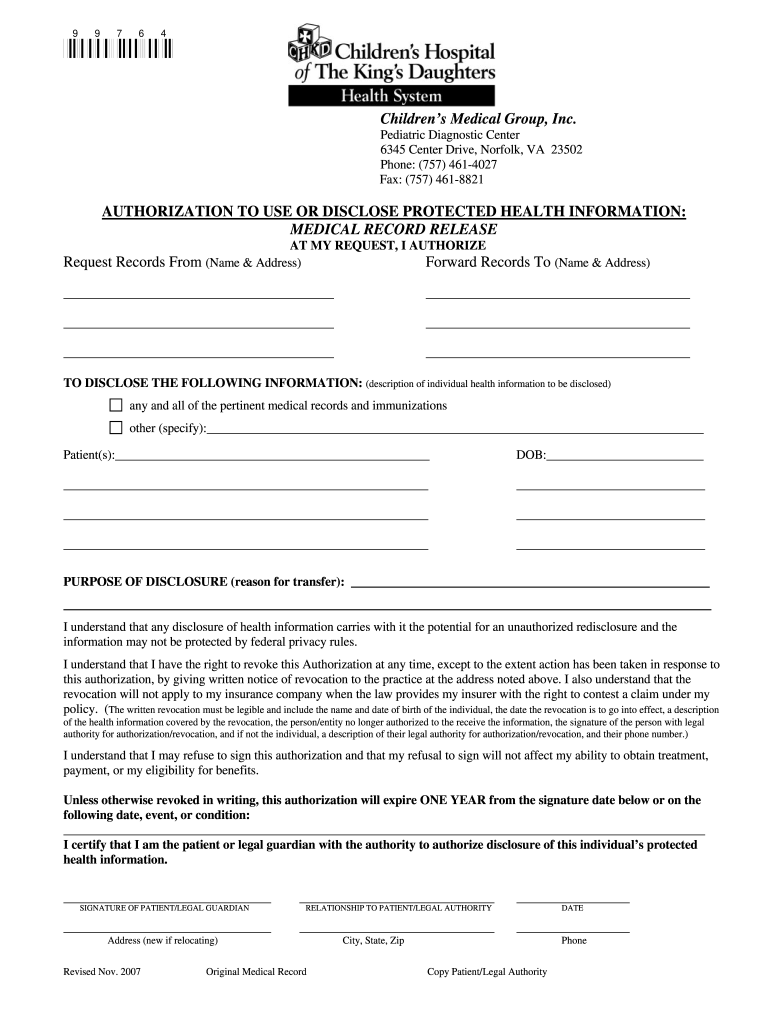
- Begin by filling in the 'Request Records From' section with the name and address of the entity you are requesting records from.
- Next, complete the 'Forward Records To' section with the name and address where you want the records sent.
- In the 'TO DISCLOSE THE FOLLOWING INFORMATION' field, specify any pertinent medical records and immunizations. If there are additional details, include them in the provided space.
- Fill in the patient’s name and date of birth accurately to ensure proper identification.
- State the purpose of disclosure clearly in the designated area to explain why you need these records.
- Finally, sign as either the patient or legal guardian, indicating your relationship to the patient and date of signing.
Start using our platform today for free to streamline your document editing and form completion!
It's free
See more chkd medical records versions
Got questions?
How can I sign my chkd mychart sign up on iOS?
With DocHub, you can easily sign your chkd mychart sign up or any other document on iOS, even without setting up additional programs. You can access your DocHub account from any web-connected browser and fill out and sign your document in any preferred method with just a few clicks.
Can I print my sign up for chkd portal and finish it by myself?
If you choose analog ways of completing your sign up for chkd portal, you can easily download your file for printing. Search DocHub’s Forms & Templates catalog to locate the exact file template you need and open it for editing or download it on your gadget in the format of your liking. It is easy to complete your form electronically and place your handwritten signature on it after printing or eSign your file with DocHub.
Can your doctor share your information with your parents?
What is the number 1 childrens hospital in the world?
Does CHKD deliver babies?
Security and compliance
At DocHub, your data security is our priority. We follow HIPAA, SOC2, GDPR, and other standards, so you can work on your documents with confidence.
Learn more


