Definition & Meaning
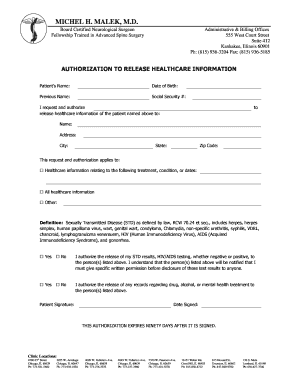
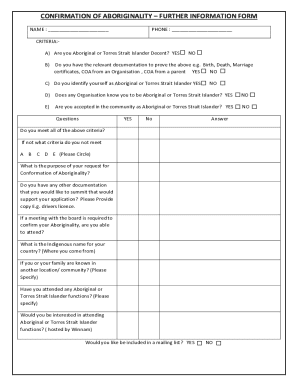
The term "form online" refers to digital versions of traditional forms that can be accessed, filled out, and submitted via the internet. Online forms streamline the process of gathering and sharing information without the need for physical paperwork. They are commonly used in various contexts, including applications, registrations, surveys, and legal agreements. Using forms online allows for ease of access, faster processing, and efficient data management, providing both individuals and organizations with a more convenient way to handle documentation.
Key Elements of the Form Online
When creating or using an online form, certain elements are typically crucial to ensure effective data collection and user interaction:
- Form Fields: Text boxes, checkboxes, dropdown menus, and signature fields are common components that facilitate user input.
- Instructions and Labels: Clear guidance on how to fill out the form ensures users provide the correct information.
- Validation Logic: Built-in checks confirm that users enter data in the correct format before submission.
- Submission Button: This feature completes the process, sending data to the intended recipient or database.
- Confirmation Message: An acknowledgment that the form has been successfully received, often with a reference number for tracking.
Examples of Using the Form Online
Several real-world scenarios highlight how online forms are utilized:
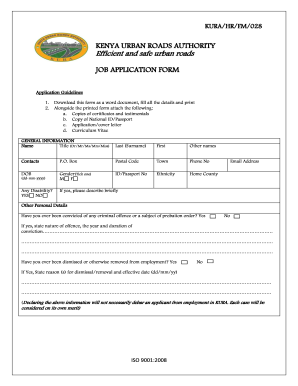
- Employment Applications: Candidates can apply for jobs by filling out standardized forms directly on company websites, streamlining the hiring process.
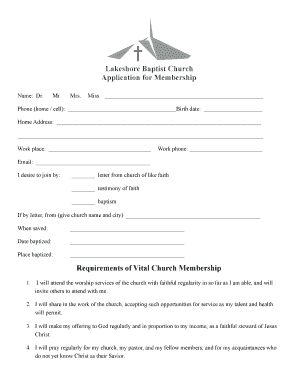
- Event Registrations: Participants use online forms to register for events, providing organizers with necessary details like names, email addresses, and dietary preferences.
- Feedback Surveys: Businesses collect customer opinions via online surveys, helping improve products and services based on user input.
- Contract Approvals: Entities exchange legally binding documents and obtain necessary signatures electronically, reducing the time required for execution.
Steps to Complete the Form Online
To successfully complete an online form, follow these general steps:
- Access the Form: Visit the website or platform hosting the form. Ensure you have a stable internet connection.
- Read Instructions: Carefully review any guidelines or instructions provided to understand the form's requirements.
- Fill Out Fields: Enter required information into each field. Use the correct formats for dates, emails, and numbers as specified.
- Review: Double-check all entries for accuracy and completeness before proceeding.
- Submit: Click the submission button, ensuring any validations are passed. Wait for a confirmation message to appear.
- Save Confirmation: If provided, save or print a copy of the submission confirmation for records.
How to Obtain the Form Online
Different avenues allow users to access online forms:
- Official Websites: Government or organizational websites often host forms related to their services or functions.
- Email Links: Forms may be distributed via email, providing direct access links for recipients.
- Cloud Storage Platforms: Users might find forms on platforms like Google Drive or Dropbox when shared by authorized parties.
Legal Use of the Form Online
Online forms that collect signatures or agreements must adhere to legal standards:
- Compliance: Forms must comply with relevant legislation, such as the Electronic Signatures in Global and National Commerce Act (ESIGN Act) in the U.S.
- Privacy Regulations: Protection of personal data as per laws like the General Data Protection Regulation (GDPR) or the California Consumer Privacy Act (CCPA).
- Audit Trails: A record of actions such as views and submissions should be maintained for legal accountability and transparency.
Digital vs. Paper Version
A comparison of digital and traditional paper forms reveals several differences:
- Accessibility: Digital forms can be accessed anytime and from anywhere with an internet connection, whereas paper forms require physical handling.
- Speed: Online submissions are instantaneous, avoiding delays associated with mailing or transporting paper forms.
- Sustainability: Using less paper contributes to eco-friendly practices, reducing waste and conserving resources.
- Storage: Digital forms save space and can be easily organized and retrieved within electronic systems.
Software Compatibility
An essential consideration for using forms online is compatibility with various software applications:
- Integration with Office Suites: Forms may be designed to work seamlessly with tools like Microsoft Office or Google Workspace, enhancing productivity.
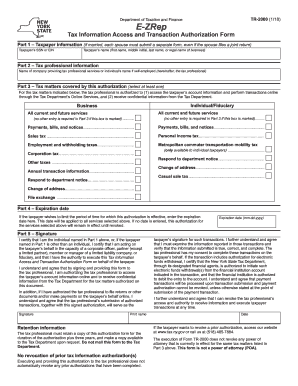
- Compatibility with Tax Software: For tax-related forms, ensuring they integrate with programs like TurboTax or QuickBooks simplifies data transfer and filing.
- Cross-Platform Access: Ensures users can complete forms on different devices, whether desktop, tablet, or smartphone, without facing usability issues.
By offering a thorough understanding across these dimensions, online forms provide a powerful resource for effective information exchange in various professional and personal settings.