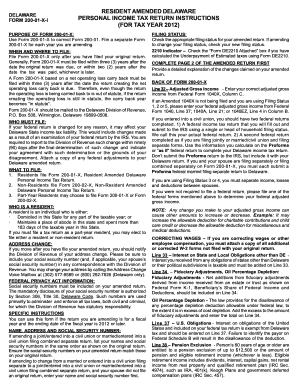
Definition and Meaning
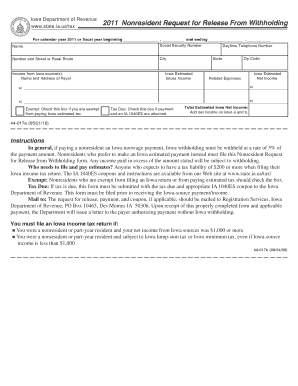
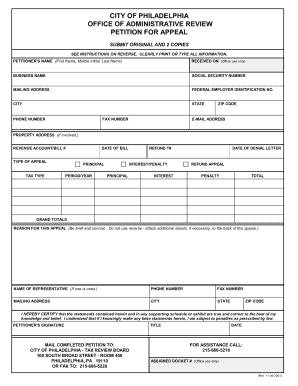
The term "form online" generally refers to digital forms that can be accessed, completed, and submitted via the internet. These forms are designed for ease of use, allowing individuals and businesses to fill in information electronically without the need for physical paper copies. Online forms are prevalent in various contexts, including tax filings, application submissions, and business transactions. They are typically hosted on secure platforms to ensure data safety and may include interactive elements like dropdown menus and checkboxes for efficient information input. This digital approach enhances accessibility and convenience, minimizing the need for physical interactions.
Steps to Complete the Form Online
Completing a form online involves several simple steps to ensure accuracy and submission.
-
Access the Form: Navigate to the website hosting the form. This could be a government portal, a business website, or a specialized service provider like DocHub.
-
Read Instructions: Carefully read all instructions provided with the form to understand specific requirements or necessary documentation.
-
Fill in Required Fields: Enter data into mandatory fields, which are typically marked with an asterisk. Use dropdown menus, checkboxes, and text fields as required.
-
Review Information: Double-check the entered information to avoid errors. Most platforms allow you to edit your entries before submission.
-
Attach Supporting Documents: If required, attach any necessary documents by uploading them from your computer or cloud storage.
-
Submit the Form: Click the submit button to send your completed form. After submission, a confirmation message or email is often provided to confirm receipt.
-
Save a Copy: Download or print a copy of the submitted form for your records. Many platforms offer the option to save directly to cloud storage services.
How to Obtain the Form Online
Obtaining a form online often starts with identifying the correct website where the form is hosted.
-
Official Websites: For government-related forms, such as tax documents or permits, visit the relevant agency's official website. Look for sections typically labeled "Forms" or "Documents."
-
Service Providers: Platforms like DocHub offer a myriad of forms that can be customized and filled online. Visit their website to explore available templates.
-
Emails and Notices: Some forms are distributed via email or through official notices. Check your inbox if you expect a form from a company or government agency.
-
Search Engines: Use search engines with specific queries, such as the form's name, to locate its online version.
A well-organized portal will have forms categorized or searchable by name or purpose, helping users find what they need efficiently.
Legal Use of the Form Online
Forms submitted online must comply with legal standards to ensure their authenticity and legitimacy.
-
Electronic Signatures: Platforms like DocHub allow for legally binding electronic signatures that comply with the ESIGN Act.
-
Security Measures: Forms must be hosted on secure, encrypted platforms to protect sensitive information during transmission.
-
Compliance with Regulations: Ensure that the form is recognized by the relevant legal authorities, especially if related to legal, financial, or governmental activities.
Using online forms legally requires understanding the laws around electronic submissions and confirming that they are acceptable for your specific needs.
Key Elements of the Form Online
Online forms come with essential components that facilitate easy completion and submission.
-
Interactive Fields: Textboxes, checkboxes, dropdown menus, and signature fields are common interactive elements.
-
Guidance and Instructions: Clear instructions are usually provided to help users fill out the form correctly.
-
Validation Checks: Built-in validation prevents the submission of incomplete or incorrect formats. For example, an email field might require the "@" symbol.
-
Customizable Sections: Depending on the platform, forms can include customizable sections to tailor the form to specific needs or industries.
These elements enhance the user experience, making forms more accessible and easier to complete accurately.
State-Specific Rules for the Form Online
Certain forms, particularly legal or tax-related, may have state-specific rules governing their use and submission.
-
Tax Forms: Tax filing forms like the W-2 or 1099 may have additional state-specific requirements separate from federal stipulations.
-
Business Licenses: States may have unique requirements for business registration forms that differ from federal guidelines.
-
Permit Applications: Requirements for permits, such as driver’s licenses or construction permits, often vary by state.
Review the specific requirements for your state by consulting the respective state government's website or consulting a legal professional to ensure compliance.
Examples of Using the Form Online
Online forms are extensively used across various scenarios to streamline processes.
-
Tax Filings: Many individuals and companies use online platforms to submit tax forms such as the 1040 or W-9 electronically.
-
Job Applications: Organizations often require job candidates to fill out application forms online.
-
Loan Applications: Financial institutions use online forms for loan applications, often including digital signature requirements.
These examples highlight the convenience and efficiency of using online forms across different industries and functions.
Form Submission Methods (Online/Mail/In-Person)
Forms can be submitted via several methods, but online submission is increasingly favored for its efficiency.
-
Online Submission: Allows for instant submission and confirmation. Many platforms provide an email confirmation and a reference number upon completion.
-
Mail: Traditional paper forms can be sent through postal services, which may be subject to delivery timeframes and mail delays.
-
In-Person: Some forms may require physical submission at a designated location, particularly when original documents or verified signatures are needed.
Understanding the available submission methods ensures that your form reaches the intended recipient in a timely and secure manner.