Definition & Meaning
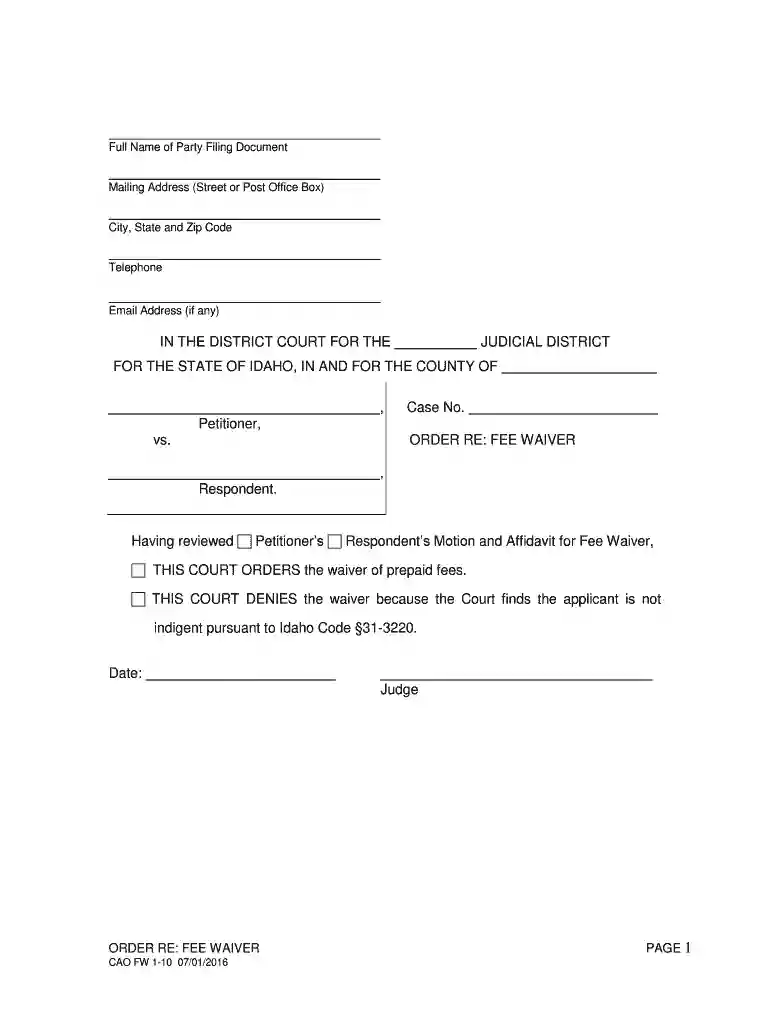
The term "Full Name of Party Filing This Document Mailing Address - DocHub" refers to a form or section within a document used to identify the individual or organization submitting a particular document through the DocHub platform. This information is essential for official record-keeping and often includes both the complete name and the mailing address of the party involved, ensuring accurate document processing and correspondence.
Importance of Accurate Details
- Correctly filling out this section ensures that any communication related to the document is directed to the appropriate party.
- It helps validate the identity of the person or entity responsible for filing the document, which is crucial in legal and administrative contexts.
Common Uses
- This form is often used in legal settings, such as court filings or government submissions, where precise identification information is required.
- It is also significant in business transactions, particularly when agreements or contracts are involved.
Steps to Complete the Full Name of Party Filing This Document Mailing Address - DocHub
- Enter the Full Name: Type in the complete legal name of the individual or business entity filing the document. Ensure there are no abbreviations unless they are part of the legal name.
- Provide the Mailing Address: Include the full mailing address, beginning with the street address, then city, state, and ZIP code. Double-check for accuracy as this is essential for future correspondence.
- Review and Verify: Confirm all entered details are correct and complete before proceeding with the submission process.
Tips for Accurate Completion
- Double-check spellings and numerical entries, specifically the ZIP code.
- If a business entity is filing, ensure that the business name matches official records.
- Use standard address formats to avoid delivery issues from postal services.
Key Elements of the Full Name of Party Filing This Document Mailing Address - DocHub
- Full Legal Name: Must be the exact name as registered legally or recognized in official documents.
- Mailing Address: Needs to be current and complete, including any necessary suite or apartment numbers.
- Contact Information: Although often part of separate sections, confirming phone numbers or email in proximity ensures no disruption to communication.
Typical Contact Information
- Phone numbers may sometimes be included for quick clarification from the filing party.
- Email addresses provide a digital communication channel that can be effective for rapid exchanges.
Legal Use of the Full Name of Party Filing This Document Mailing Address - DocHub
Compliance and Verification
- Ensuring the authenticity of the information protects against fraudulent filings and maintains the integrity of legal processes.
- In court documents, this section helps in serving notices and communication related to case developments.
Legal Consequences
- Misrepresentation or incorrect information in this section can lead to delays, legal penalties, or dismissal of documents in a proceeding.
Business Entity Utilization
- Corporations often complete these forms when legally binding documents or official records are required.
- LLCs and other entities utilize it to maintain transparency and accountability within various transactions.
Examples of Using the Full Name of Party Filing This Document Mailing Address - DocHub
Practical Examples
- Court Filings: Used when submitting case documents to clearly identify the litigant or respondent.
- Business Contracts: Utilized to establish official correspondence addresses for future communications.
- Government Records: Essential during the filing of annual reports or compliance documentation.
Real-World Scenarios
- A law firm may use this during the preparation of court filings to ensure all parties involved are correctly identified and reached.
- Businesses might employ this format during merger and acquisition processes, where all parties need precise identification.
Required Documents
- Official Identification: This might include a government-issued ID or business registration documents to support the filing party's identity.
- Supporting Documents: Any relevant documents that may be necessary based on the context, such as tax identification numbers for businesses.
Verification Process
- Documents that verify the identity and address should be current and match exactly with the entries on the form.
- Businesses should have registration paperwork from an official state or federal database.
Form Submission Methods (Online / Mail / In-Person)
- Online: Submissions through platforms like DocHub where forms can be filled out digitally and submitted electronically.
- Mail: Traditional method involving sending physical documents via postal services.
- In-Person: Direct submission at designated office locations, often required in sensitive or confidential matters.
Advantages of Online Submission
- Speed and efficiency with immediate acknowledgment of receipt.
- Enhanced security features like encryption and password protection during transmission.
Understanding these elements ensures that the "Full Name of Party Filing This Document Mailing Address - DocHub" is completed accurately, maintaining compliance across various contexts.