Downloadable Paper Forms - S C Secretary of State 2026

Get Form
Downloadable Paper Forms - S C Secretary of State Preview on Page 1

Here's how it works

01. Edit your form online
Type text, add images, blackout confidential details, add comments, highlights and more.

02. Sign it in a few clicks
Draw your signature, type it, upload its image, or use your mobile device as a signature pad.

03. Share your form with others
Send it via email, link, or fax. You can also download it, export it or print it out.

Definition and Meaning

Downloadable Paper Forms from the South Carolina Secretary of State are official documents required for various administrative and legal processes within the state. These forms are essential for tasks such as business registrations, nonprofit filings, and other official submissions. Understanding the specific purpose of each form is crucial for ensuring compliance with state regulations and precise completion.

How to Use the Downloadable Paper Forms

Using the downloadable paper forms from the South Carolina Secretary of State involves several steps to ensure correct submission:

  1. Identify the Required Form: Determine the specific form needed for your particular legal or administrative task. For instance, if you are registering a business, you might need a different form than if you are filing a nonprofit charter.

  2. Download and Print: Access the form from the Secretary of State's website and download it to your computer. Ensure you have a printer capable of producing clear, legible copies.

  3. Fill Out the Form: Use a blue or black ink pen to manually fill out the form, ensuring all fields are completed accurately. Alternatively, you can type in the details if the PDF format allows text input.

  4. Submit the Form: Depending on the form type, submission options may include mailing the completed document to the Secretary of State’s office or delivering it in person. Ensure that all required documentation is included to avoid delays.

How to Obtain the Downloadable Paper Forms

Downloadable paper forms can be obtained through the South Carolina Secretary of State's official website:

  • Website Navigation: Visit the official Secretary of State website and navigate to the forms section.
  • Search Functionality: Utilize the search bar to enter keywords related to the specific form you need.
  • Form Categories: Forms are often categorized by purpose, such as business entities, notaries, and charities, making it easier to locate the proper form.

Steps to Complete the Downloadable Paper Forms

Completing these forms accurately is crucial for acceptance:

  1. Read the Instructions: Each form typically comes with detailed instructions. Before filling out any sections, thoroughly read the instructions to understand the specific information required.

  2. Accurate Information: Ensure all information provided is accurate, as errors can lead to delays or rejection.

  3. Signature and Date: Once the form is completed, sign and date it where applicable. Some forms may require signatures from multiple parties.

  4. Required Attachments: Include any necessary supplementary documents specified in the form’s instructions, such as identification copies or additional certificates.

  5. Recheck the Form: Before submission, double-check each section to ensure completeness and accuracy.

Key Elements of the Downloadable Paper Forms

Each form typically includes several key elements:

  • Title and Purpose: Clear identification of what the form is used for and why it’s necessary.
  • Personal or Entity Information: Sections requesting detailed information about individuals or entities filing the form.
  • Filing Fees: Some forms require a filing fee, which must accompany the submission.
  • Authentication Requirements: Instructions regarding notary or witness requirements, if applicable.

Form Submission Methods

There are multiple ways to submit the downloadable paper forms:

  • Mail Submission: Forms can be mailed to the Secretary of State’s office. Ensure envelopes are addressed accurately and that the correct postal fees are paid.
  • In-Person Submission: Directly delivering forms to the office can expedite processing times and allows for immediate confirmation of acceptance.

Important Terms Related to Downloadable Paper Forms

Understanding key terms related to these forms is essential for proper completion:

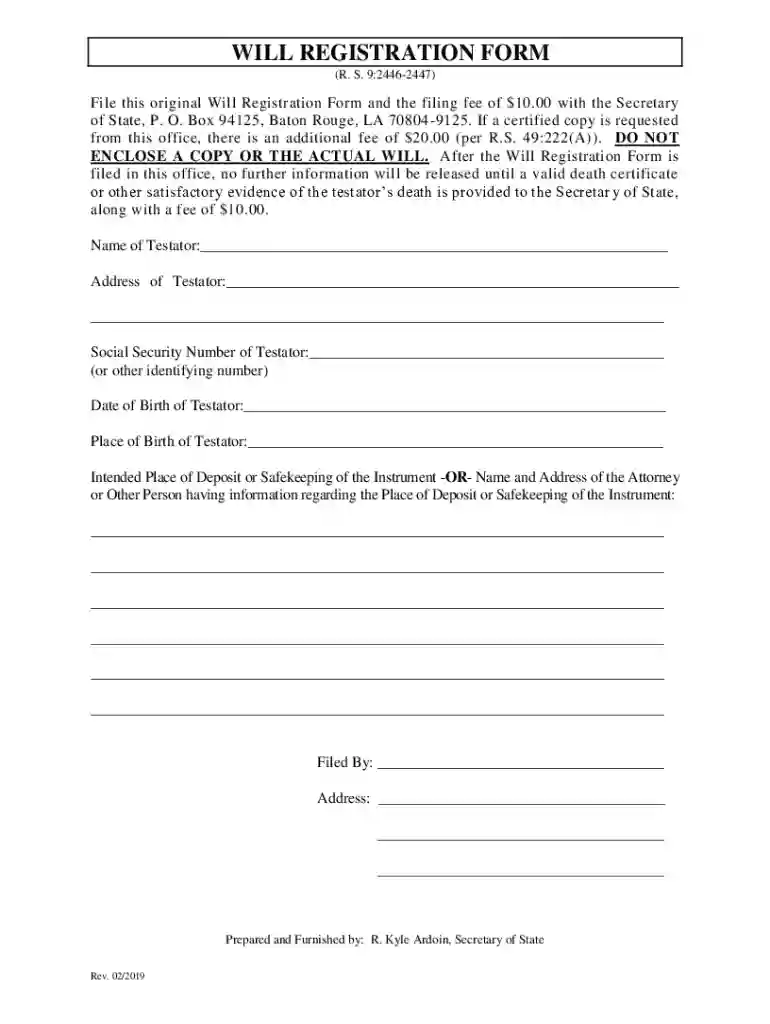
  • Testator: Refers to an individual who has made a will or given a legacy.
  • Notary Public: A person authorized to perform legal formalities, especially to draw up or certify contracts, deeds, and other documents.

State-Specific Rules for the Downloadable Paper Forms

Different states have unique rules and requirements for filing forms:

  • South Carolina-Specific Regulations: Ensure compliance with any specific state mandates or guidelines, such as submission deadlines or state-specific fee structures.
  • Proof of Compliance: Some forms may require proof of compliance with South Carolina state laws or verification of certain conditions.

Filing Deadlines and Important Dates

Being aware of filing deadlines ensures timely processing:

  • Annual Reports: Many business-related forms have annual filing requirements. Check the Secretary of State’s calendar for specific deadlines.
  • Extensions: Some forms or taxes may offer extension options. Consult local guidelines for procedures on requesting extra time.
be ready to get more

Complete this form in 5 minutes or less

Get form

Got questions?

We have answers to the most popular questions from our customers. If you can't find an answer to your question, please contact us.
Contact us
Ongoing Compliance After Registration Key obligations include: CL-1 Initial Annual Reports: Corporations must file a CL-1 Initial Annual Report form and pay a $25 fee. Other business entities have no such requirement. Pay on time to avoid penalties.
The CL-1 form is an Initial Annual Report that must be filed by LLCs and corporations operating in South Carolina. How do I edit the CL-1 PDF? You can edit the CL-1 PDF directly in our PrintFriendly editor by clicking on the text fields. What is the filing fee for the CL-1 form?
Your LLC remains in good standing without any annual state fees. Theres no separate annual report to file with the Secretary of State, and no franchise tax obligation for LLCsmaking South Carolina one of the most business-friendly states for ongoing compliance.
Website: Phone: (803) 734-2170. Physical Address. South Carolina Secretary Of State. 1205 Pendleton St, Suite 525. Columbia, SC 29201. Hours. Mailing Address. South Carolina Secretary Of State. 1205 Pendleton St, Suite 525. Columbia, SC 29201.
The CL1 as a platform technology to leverage biological neural system functions. The CL1 is a scalable device for interacting with in vitro neural cell cultures via electrical activity in a closed-loop real-time environment coupled with an integrated life-support perfusion circuit.

Security and compliance

At DocHub, your data security is our priority. We follow HIPAA, SOC2, GDPR, and other standards, so you can work on your documents with confidence.
Learn more
ccpa2
pci-dss
gdpr-compliance
hipaa
soc-compliance

People also ask

You are required to file a CL-1 (Initial Annual Report of Corporations) and pay a one-time $25 initial corporate License Fee within 60 days of doing business or using capital in the state of South Carolina.
The CL-1 form is an Initial Annual Report that must be filed by LLCs and corporations operating in South Carolina. How do I edit the CL-1 PDF? You can edit the CL-1 PDF directly in our PrintFriendly editor by clicking on the text fields.

Related links