






Definition & Meaning
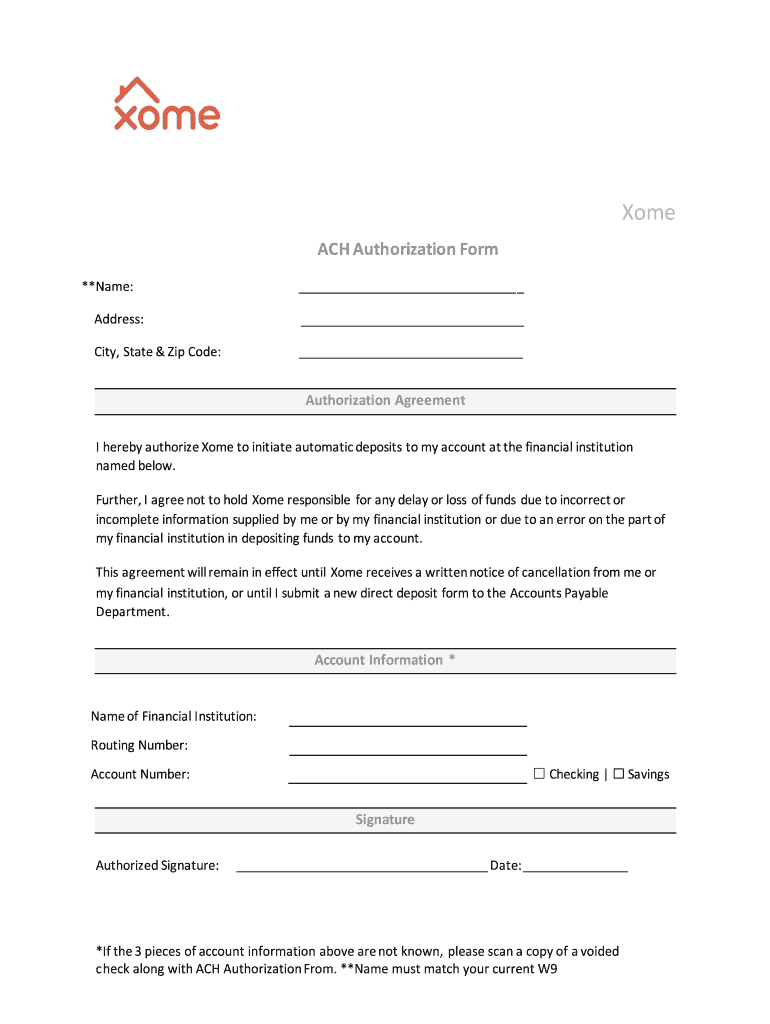
The form titled "I hereby authorize Xome to initiate automatic deposits to my account at the financial institution" is formally an ACH Authorization Form. This document serves as a formal agreement that permits Xome, a property solutions provider, to make automatic deposits into a bank account specified by the form's signer. This authorization is crucial for automating the transfer of funds, ensuring timely and efficient financial transactions without the need for manual intervention.
Key Elements of the Authorization Form
This form comprises several essential components that facilitate the automatic deposit process. The primary sections include:
- Personal Information: This section requires the depositor's full name, address, and contact details to verify identity and ensure accurate transaction processing.
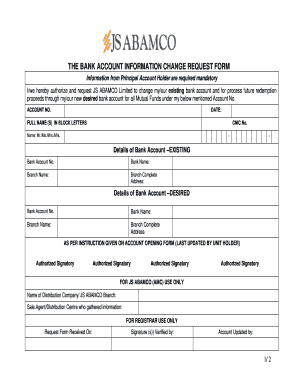
- Account Details: The form mandates precise banking information, including the bank name, account number, and routing number, which are critical for directing funds to the correct financial institution.
- Approval and Signature: Finalizing the authorization necessitates a signature from the account holder. This legal consent is pivotal in authorizing Xome to initiate deposits on behalf of the individual or entity.
Steps to Complete the Authorization Form
To effectively fill out the ACH Authorization Form for Xome, follow these steps:
- Gather Required Information: Ensure you have access to your bank details, such as account and routing numbers.
- Fill Personal Information: Enter your complete personal data in the designated section to confirm your identity.
- Input Banking Details: Carefully enter your financial institution's details to avoid errors that may lead to deposit delays.
- Sign the Form: Once all sections are complete, sign and date the form to confirm your authorization.
How to Use the Authorization Form
Upon completing the form, submit it to Xome for processing. This document is used to manage transactions seamlessly between Xome and the specified financial institution. It ensures that any funds related to property management activities, real estate transactions, or other services rendered by Xome are deposited smoothly and without delay directly into the designated account.
Why Authorize Automatic Deposits with Xome
Authorizing Xome to initiate automatic deposits offers several advantages:
- Convenience: Eliminates the need for manual handling of deposits, saving time and reducing administrative burdens.
- Timeliness: Guarantees that funds are deposited on schedule, supporting cash flow management.
- Accuracy: Minimizes errors associated with manual deposits, ensuring accuracy in fund transfers.
Legal Use of the Authorization Form
The ACH Authorization Form adheres to U.S. federal regulations, ensuring compliance with laws governing electronic funds transfer. By completing this form, you legally permit Xome to manage deposits, subject to the terms outlined within the document. The legal adherence ensures all transactions follow protocol, safeguarding both Xome and the account holder against unauthorized transactions.
Who Typically Uses This Form
Typically, this form is used by individuals or businesses engaged with Xome in property management, real estate, or related financial activities. It is especially beneficial for landlords, property owners, and real estate agents who require streamlined financial transactions for managing funds related to property operations.
State-Specific Rules for the Form
While the federal government provides overarching regulations around the use of ACH forms, state-specific guidelines may also apply. It is essential to review state laws that might affect how authorization forms are completed or processed, particularly in states with unique financial transaction regulations.
Examples of Using the Authorization Form
The form is instrumental in various scenarios, such as:
- Real Estate Transactions: Used when buying or selling property, ensuring funds are swiftly deposited by Xome into the appropriate parties' accounts.
- Property Management: Facilitates the seamless transfer of rental payments from tenants to landlords.
- Corporate Real Estate Services: Utilized by companies managing numerous properties to automate and streamline financial operations.
Form Submission Methods
Forms can be submitted through various channels, enhancing flexibility:
- Online: Uploading the completed form via Xome's secure online portal for fast processing.
- Mail: Mailing the physical document to Xome's designated address.
- In-Person: Hand-delivering the form during a scheduled visit to Xome's office for immediate acknowledgment.
Digital vs. Paper Version
Xome provides both digital and paper formats for this form. The digital version contributes to faster processing times and easier tracking of submissions. However, the paper version might be preferred by those who require a tangible copy for their records or who lack access to digital submission tools.