01. Edit your form online
Type text, add images, blackout confidential details, add comments, highlights and more.

Type text, add images, blackout confidential details, add comments, highlights and more.

Draw your signature, type it, upload its image, or use your mobile device as a signature pad.

Send it via email, link, or fax. You can also download it, export it or print it out.
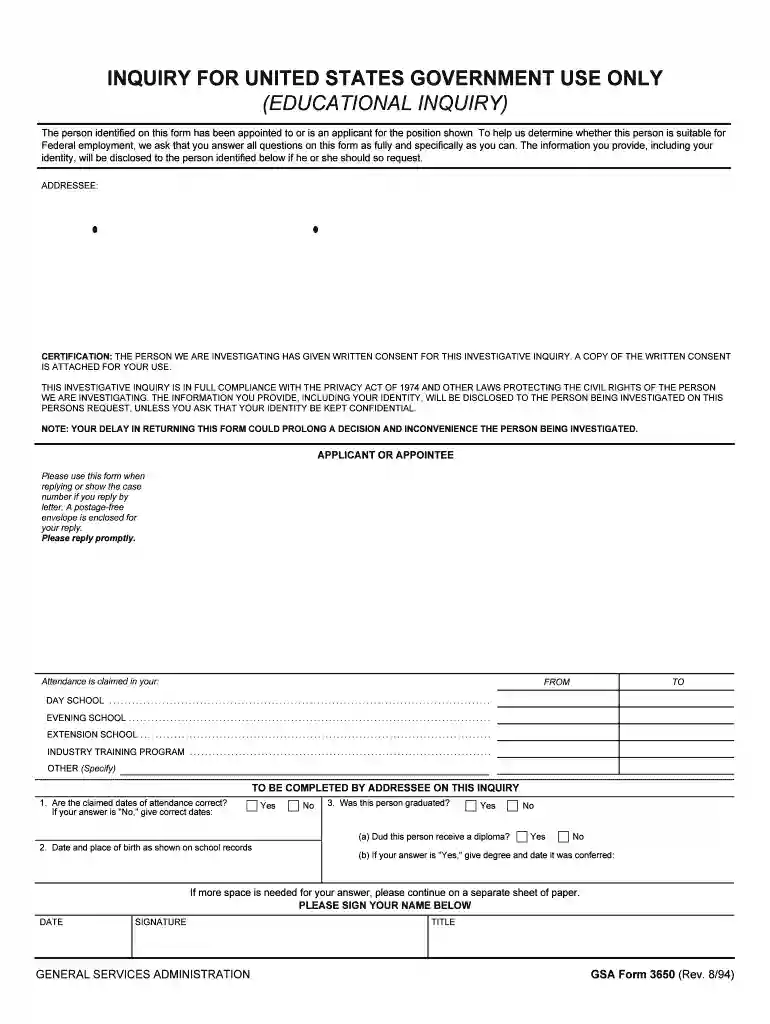
The "Inquiry for United States Government Use Only" form is an official document utilized by federal agencies to gather crucial information about individuals seeking or appointed to government positions. This form plays a pivotal role in the hiring process, ensuring that candidates meet all statutory requirements for federal employment. It includes sections that thoroughly vet an applicant's background, education, and qualifications. The form aligns with United States privacy regulations, thereby ensuring that personal information is treated with the utmost confidentiality.
To effectively use the "Inquiry for United States Government Use Only" form, you need to understand its sections and respond precisely to each question. Users should carefully read the instructions provided with the form to avoid making errors. It's necessary to fill out the form comprehensively, including all required fields, to help expedite the background check and approval process. Respondents are encouraged to provide accurate information to prevent potential delays that may arise from incomplete or incorrect entries.
You can obtain the "Inquiry for United States Government Use Only" form through a federal agency website, such as USAJobs, when applying for a federal position. Alternatively, it may be provided during the recruitment process if required by the relevant federal department. Some agencies may also dispatch the form directly to shortlisted candidates when necessary. Always ensure that you're accessing the latest version of the form and follow any agency-specific instructions for submission.
This form holds legal significance as it ensures compliance with federal employment statutes and regulations. Its application is governed by the Privacy Act of 1974, safeguarding the applicant’s sensitive information. Legal use of the form is confined to vetting individuals for public sector employment, and unauthorized use can result in legal penalties.
Primarily, federal government agencies require this form during the vetting process for potential employees. The form is particularly relevant for positions sensitive to national security or roles that require access to classified information. It is also employed by governmental committees tasked with evaluating candidates for federal appointments.


When submitting the "Inquiry for United States Government Use Only" form, applicants may also need to attach supporting documentation such as:
Applicants can submit the completed form through various methods as dictated by the hiring agency:
Ensuring that the proper submission protocol is followed is crucial to meet deadlines and maintain qualification for the position.
Failure to complete and submit the "Inquiry for United States Government Use Only" form accurately can lead to significant consequences, including:
Adherence to instructions and timelines is essential to maintain eligibility for federal appointments.
We've got more versions of the INQUIRY FOR UNITED STATES GOVERNMENT USE ONLY form. Select the right INQUIRY FOR UNITED STATES GOVERNMENT USE ONLY version from the list and start editing it straight away!
| Versions | Form popularity | Fillable & printable |
|---|---|---|
| 1994 | 4.8 Satisfied (87 Votes) |
At DocHub, your data security is our priority. We follow HIPAA, SOC2, GDPR, and other standards, so you can work on your documents with confidence.