01. Edit your form online
Type text, add images, blackout confidential details, add comments, highlights and more.

Type text, add images, blackout confidential details, add comments, highlights and more.

Draw your signature, type it, upload its image, or use your mobile device as a signature pad.

Send it via email, link, or fax. You can also download it, export it or print it out.
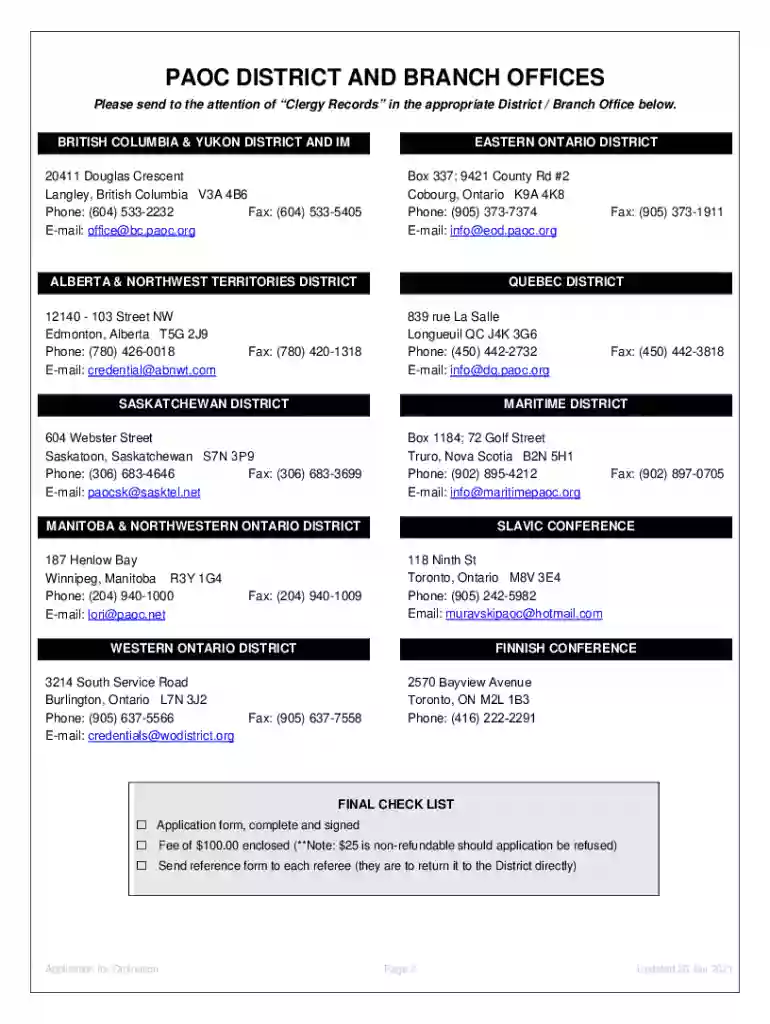
The "Fillable Online ORDINATION Fax Email Print" form is designed for applicants seeking ordination with the Pentecostal Assemblies of Canada (PAOC). This form facilitates the collection of essential data from prospective ministers, including personal, spiritual, and professional information, which are crucial for evaluating their eligibility for credentialed ministry. The form outlines not only the applicant’s qualifications but also manages the confidentiality and ensures adherence to PAOC guidelines.
To effectively utilize this form, applicants should:
Download the Form: Access the fillable online version of the ORDINATION form via the provided digital platforms.
Complete the Required Sections: Provide details across various sections, including personal information, ministerial experience, spiritual journey, and doctrinal agreement.
Save Progress: Use the save function to keep track of completed sections and ensure all information is current and accurate before submission.
Submit as Required: Following form completion, submit it through the designated method (fax, email, or print and mail) as instructed by PAOC.
To gain access to the form:
Follow these steps for successful form completion:
Preparation: Gather all necessary documents and information beforehand, such as identification and ministry-related credentials.
Fill in Personal Information: Enter your full name, contact details, and personal identifiers accurately.
Spiritual and Professional Background: Detail your ministerial experiences, spiritual beliefs, and relevant educational background.
Review and Confirm: Thoroughly review all sections for accuracy. Confirm that mandatory fields are completed.
Finalize and Submit: Complete any additional required sections, sign digitally or manually if required, and submit the form via the chosen method.
This form is integral for:
Official Recognition: Achieving ordination within PAOC, a significant step in formalizing your ministry.
Proper Record-Keeping: Ensuring all necessary information is documented for future reference and continual credential management.
Standardization of Process: Offering a standardized method for PAOC to evaluate and credential ministerial candidates, thus maintaining high standards.
The primary users include:
Aspiring Pastors: Individuals pursuing credentialed ministry within PAOC.
Current Ministers: Those seeking to update or renew their credentials with updated personal or professional information.
Church Administrators: Facilitating the application process for church members aspiring to formalize their ministry.


Essential components include:
Personal and Contact Information: Basic information critical for identification and future communication.
Ministerial History: Previous ministry roles and experiences that qualify the candidate for ordination.
Theological Agreement: Sections seeking affirmation of theological beliefs in line with PAOC’s doctrines.
Applicants have multiple submission options:
Online Submission: Via email or PAOC’s designated digital submission platform.
Fax Submission: For quick, direct transmission to the relevant PAOC office.
Mail Submission: Print and send the completed form through postal services, ensuring it reaches the intended district office.
Key terminology related to the form includes:
Credentials: Official endorsement of a minister’s qualifications.
Ordination: The process of officially declaring a minister’s readiness for spiritual responsibilities.
Doctrinal Beliefs: The specific theological stances required by the PAOC for credential holders.
This form upholds legal standards for:
Privacy: Compliance with confidentiality requirements regarding applicant data.
Verification: Ensuring all provided information can be authenticated and validated to prevent fraud.
To be eligible to complete the form, applicants must:
Meet Age Requirements: Typically be adults legally capable of assuming ministerial responsibilities.
Possess Required Background: Have an established spiritual and ministerial background that aligns with PAOC standards.
Agree with Doctrinal Positions: Affirm their theological positions are consistent with PAOC’s beliefs as outlined in the form.

We've got more versions of the Fillable Online ORDINATION Fax Email Print form. Select the right Fillable Online ORDINATION Fax Email Print version from the list and start editing it straight away!
At DocHub, your data security is our priority. We follow HIPAA, SOC2, GDPR, and other standards, so you can work on your documents with confidence.