






Definition and Meaning
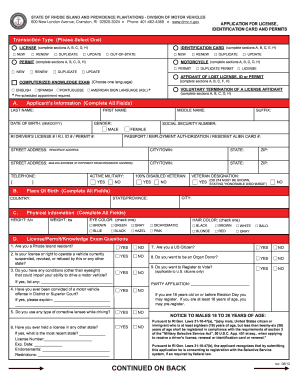
The term "easytrip registration form" typically refers to a document utilized to register for Easytrip services, which are often related to electronic toll collection. This form is essential for individuals or businesses looking to streamline their toll payment processes, enabling them to attach their vehicles to the Easytrip system, thereby gaining the convenience of automated toll payments. It gathers necessary details from the user, such as personal information, vehicle credentials, and payment preferences. Understanding the significance of this form helps users recognize its role in facilitating seamless travel experiences by minimizing manual toll transactions.
How to Use the Easytrip Registration Form
- Review the Form Requirements: Start by thoroughly examining the form to understand what information and documents are needed for successful completion.
- Complete Personal Information: Enter required details such as your full name, address, and contact information.
- Provide Vehicle Details: Accurately fill in the specifics of the vehicle being registered, such as make, model, year, and license plate number.
- Payment Option Selection: Choose a preferred method of payment for toll transactions, which may involve providing credit or debit card information or linking a bank account.
- Certification Statement: Carefully read and sign the certification statement, which confirms the accuracy of the provided information and your agreement to the form terms.
- Submit the Form: Follow the specified instructions for submission, which may include options like mailing the completed form or submitting it online through a secure platform.
Steps to Complete the Easytrip Registration Form
Filling out the Easytrip registration form requires attention to detail and adherence to instructions. Here's a step-by-step guide:
- Gather Required Information: Before filling out the form, ensure you have all necessary documents, including personal identification and vehicle registration details.
- Access the Form: Obtain the form through the designated website or request a paper version if preferred.
- Fill in Personal Information: Input personal details like name, address, and contact number in the specified sections.
- Input Vehicle Information: Document all relevant vehicle data as required by the form guidelines.
- Choose a Payment Method: Opt for a payment method that suits your needs, ensuring you provide correct financial information.
- Review and Sign: Double-check all filled sections for accuracy, then sign the form where required to validate your information.
- Submit via Preferred Channel: Send the completed form through the official submission channels, whether via mail, online, or in person, as instructed.
Important Terms Related to Easytrip Registration Form
Understanding specific terminology related to the easytrip registration form is crucial:
- Holder Name: The registered individual or entity responsible for the account.
- Vehicle Details: Information regarding the vehicle being registered, including make, model, and license number.
- RFID Tag: A device used for electronic toll collection, often linked to the registered vehicle within the easytrip system.
- E-wallet: A digital method for storing funds used in toll transactions.
- Certification Statement: A declaration within the form confirming all provided information is accurate and truthful.
Key Elements of the Easytrip Registration Form
When completing the easytrip registration form, several essential elements ensure accurate registration:
- Personal Information Section: Captures primary details about the user.
- Vehicle Information Field: Requires accurate vehicle data entry.
- Payment Information Section: Indicates payment choice and associated details.
- Authorization and Certification: Includes the user’s consent to terms and certification of truthfulness.
Each element ensures the form's validity and the efficiency of the Easytrip service application.
Legal Use of the Easytrip Registration Form
Using the Easytrip registration form legally involves several factors:
- Accurate Information Provision: Ensure all entered information is truthful and reflective of your current details.
- Compliance with Terms: Acknowledge and adhere to the specific terms and conditions associated with using the Easytrip service.
- Regulatory Adherence: Stay informed of any legal requirements or regulations that may impact your use of the Easytrip system within your state or locality.
Compliance ensures that toll services are conducted both legally and expediently.
Examples of Using the Easytrip Registration Form
The Easytrip registration form is pivotal in various scenarios:
- Frequent Travelers: Ideal for individuals who regularly drive through toll highways and want a more efficient payment method.
- Fleet Managers: Beneficial for businesses managing multiple vehicles who require centralized and streamlined toll billing.
- New Residents: Useful for newcomers integrating into areas with substantial toll paths, facilitating seamless vehicle registration.
These examples illustrate the form's broad applicability in catering to different user needs.
State-by-State Differences
While the process of utilizing the Easytrip registration form is generally similar across locations, there may be state-specific nuances. These differences can involve:
- Regulatory Variations: Different states may have unique regulations concerning toll road usage and electronic toll collection.
- Pricing and Discounts: Some states might offer variable pricing models or discounts for specific user categories, impacting the registration process.
- Technology Requirements: Varying requirements regarding the technological infrastructure supporting toll collection could alter registration or usage.
Understanding these differences is crucial for ensuring compliance and optimizing the use of Easytrip services tailored to specific regional needs.