




Here's how it works

01. Edit your milwaukee zoo map online
Type text, add images, blackout confidential details, add comments, highlights and more.

02. Sign it in a few clicks
Draw your signature, type it, upload its image, or use your mobile device as a signature pad.

03. Share your form with others
Send mke zoo map via email, link, or fax. You can also download it, export it or print it out.
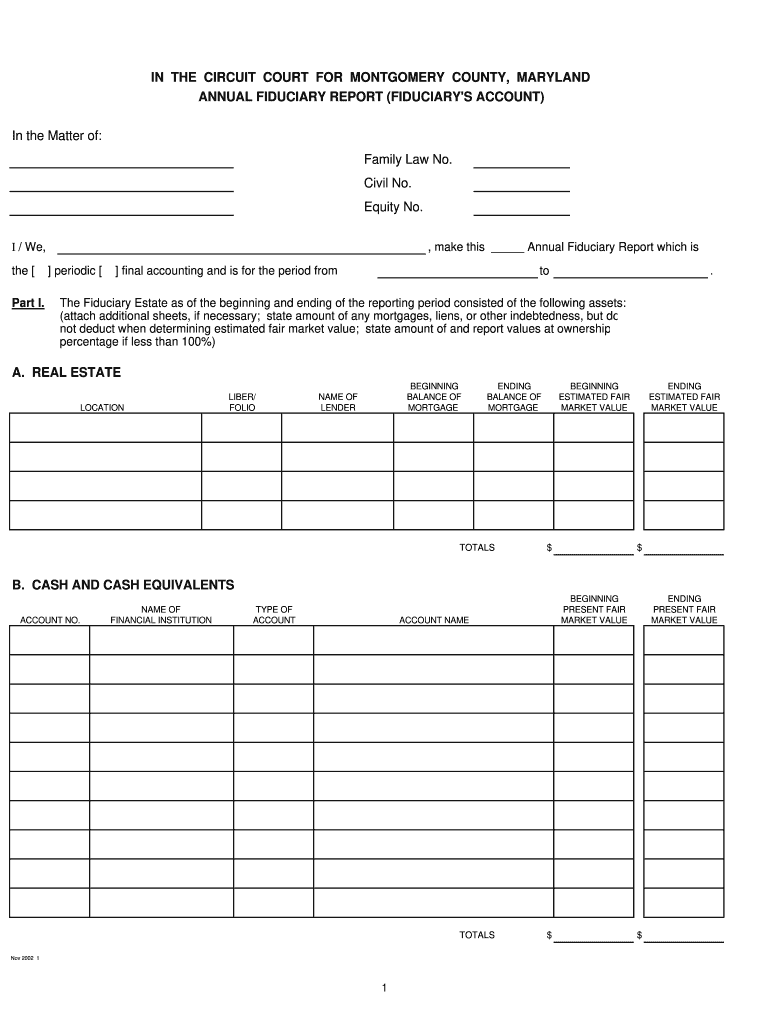
How to use or fill out cc gn 012 with our platform

- Click ‘Get Form’ to open the cc gn 012 in the editor.
- Begin by filling in your name and the relevant case numbers at the top of the form. This identifies your report clearly.
- In Part I, list all assets under each category: Real Estate, Cash and Cash Equivalents, Personal Property, Stocks, Bonds, and Other Assets. Be sure to provide accurate values for both beginning and ending periods.
- For income and disbursements in Part II, detail each transaction by date, source or payee, type of income or purpose, and total amount. Attach additional sheets if necessary.
- In Part III, document any changes in assets since the last accounting. Include descriptions of transactions along with their respective values.
- Complete Part IV by reconciling totals from previous sections to ensure accuracy. Verify that your final amounts match.
- Finally, sign and date the verification section to affirm that all information is true and complete.
Start using our platform today for free to streamline your form completion process!
Fill out cc gn 012 online
It's free
It's free
See more cc gn 012 versions
We've got more versions of the cc gn 012 form. Select the right cc gn 012 version from the list and start editing it straight away!
| Versions | Form popularity | Fillable & printable |
|---|---|---|
| 2002 | 4.9 Satisfied (47 Votes) |
Security and compliance
At DocHub, your data security is our priority. We follow HIPAA, SOC2, GDPR, and other standards, so you can work on your documents with confidence.
Learn more


