Epsq 2002 form-2026

Get Form
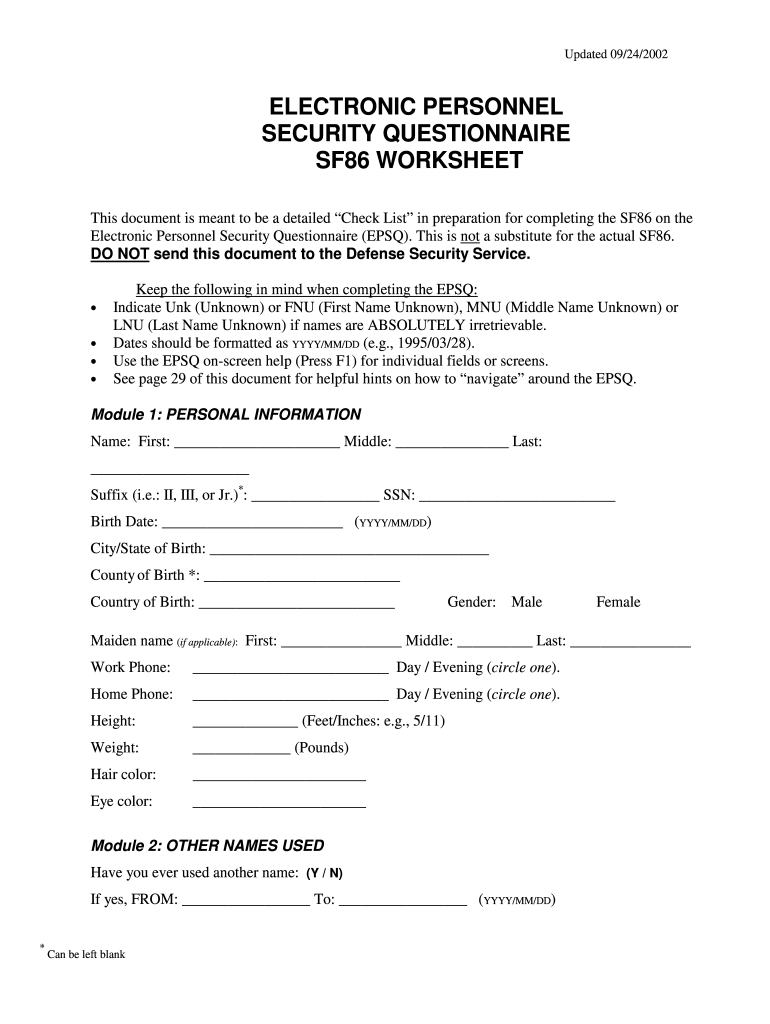
epsq 2002 form Preview on Page 1

Here's how it works

01. Edit your form online
Type text, add images, blackout confidential details, add comments, highlights and more.
02. Sign it in a few clicks
Draw your signature, type it, upload its image, or use your mobile device as a signature pad.
03. Share your form with others
Send it via email, link, or fax. You can also download it, export it or print it out.

How to use or fill out epsq 2002 form with our platform

Form edit decoration
9.5
Ease of Setup
DocHub User Ratings on G2
9.0
Ease of Use
DocHub User Ratings on G2
  1. Click ‘Get Form’ to open the epsq 2002 form in the editor.
  2. Begin with Module 1: Personal Information. Fill in your first, middle, and last names, along with your suffix if applicable. Enter your Social Security Number (SSN) and birth date in the format YYYY/MM/DD.
  3. Proceed to Module 2: Other Names Used. Indicate if you have ever used another name and provide the relevant dates.
  4. In Module 3: Citizenship, select your current citizenship status and answer follow-up questions based on your selection.
  5. Continue through each module, ensuring all required fields are completed accurately. Use the on-screen help feature by pressing F1 for guidance on specific fields.
  6. Review all entries for accuracy before submitting. Utilize our platform's editing features to make any necessary adjustments easily.

Start filling out your epsq 2002 form today for free using our platform!

See more epsq 2002 form versions

We've got more versions of the epsq 2002 form form. Select the right epsq 2002 form version from the list and start editing it straight away!
Versions Form popularity Fillable & printable
2005 4.9 Satisfied (44 Votes)
2002 4 Satisfied (27 Votes)
be ready to get more

Complete this form in 5 minutes or less

Get form

Got questions?

We have answers to the most popular questions from our customers. If you can't find an answer to your question, please contact us.
Contact us

Of course, you’ll find many different apps for this on the web. Nonetheless, if you need to eSign your epsq 2002 form without installing additional software, DocHub is the best choice you can make. This powerful editor works on mobile devices just as on desktops. Open our editor in your preferred internet browser, register or sign in to your account, and start processing your documents.

If you need to edit your epsq 2002 form on the internet swiftly, it does not matter what internet browser you use. DocHub’s simple editing tools are accessible using any internet browser. Simply open the appropriate tab in the editor, add your file, and fill it out without stress.

be ready to get more

Complete this form in 5 minutes or less

Get form