Purpose and Definition of Online Forms
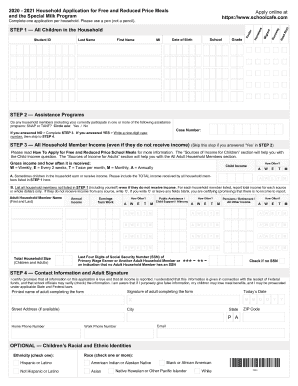
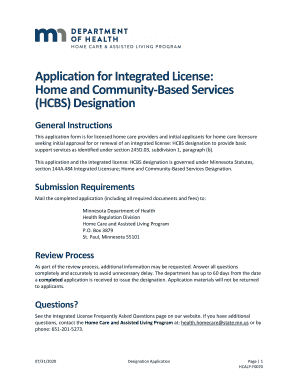
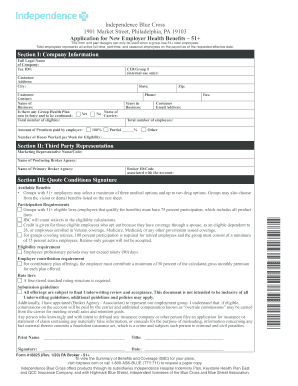
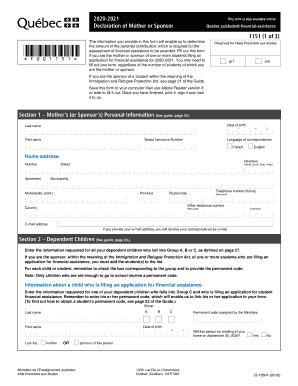
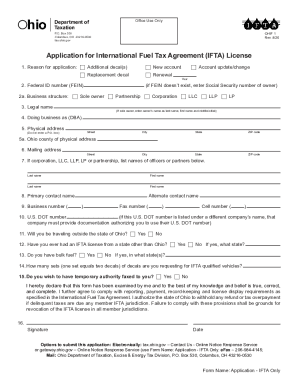
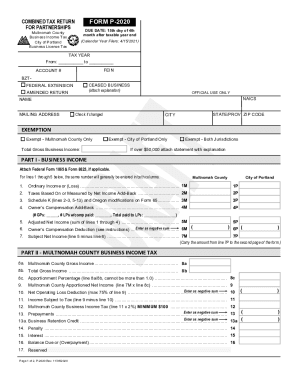
Online forms serve as digital tools to collect and record information efficiently. Typically utilized by businesses, institutions, and individuals, these forms streamline data gathering by replacing traditional paper forms with electronic alternatives. Online forms are versatile, handling tasks from simple surveys to complex applications. Their primary purpose is to save time, reduce errors, and enhance accessibility for users.
Online forms are embedded onto websites or shared via links, enabling users to fill them out through web browsers on various devices. They can also integrate with databases and analytics tools to automatically store and analyze data, improving overall workflow efficiency.
How to Use Online Forms Effectively
Effectively using online forms involves understanding both the design and function of the form. Users should carefully read each section to ensure accurate data entry. Online forms often include mandatory fields that must be filled to proceed. It's crucial to review submissions for completeness and correctness.
Several steps to enhance usability include:
- Understanding Form Structure: Familiarize yourself with different sections and input fields.
- Providing Accurate Information: Ensure all information entered is correct and up-to-date.
- Reviewing Before Submission: Double-check entries to avoid errors that could delay processing.
- Utilizing Auto-Save Features: Many platforms offer auto-save, protecting data from being lost.
- Consulting Help Sections: Use available guides or customer support for clarification.
How to Obtain Online Forms
Accessing online forms typically requires an internet connection and a compatible device. These forms can be obtained in several ways, depending on the provider:
- Direct Website Access: Forms are often hosted on the organization’s official website. Navigate to the relevant page to locate the form.
- Email Distribution: Forms may be sent as a link or an attachment via email from the provider or relevant organization.
- Cloud Storage and Applications: Utilize cloud services or dedicated applications that offer form templates, such as Google Forms or DocHub.
- Third-party Platforms: Some companies aggregate relevant forms, providing a centralized access point.
Steps to Complete an Online Form
Completing an online form involves several straightforward steps, optimized for accuracy and efficiency:
- Initialization: Access the form via a provided link or platform.
- Filling Out Details: Input personal or organizational data as required, paying attention to mandatory fields.
- Attachments: Upload any necessary documents or files as requested by the form.
- Review: Carefully check all entered information for accuracy and completeness.
- Submission: Follow the instructions to formally submit the completed form, ensuring any confirmation prompts are not missed.
- Confirmation and Record Keeping: Save or print the confirmation receipt as proof of submission for future reference.
Advantages of Using Online Forms
Online forms offer several benefits compared to their paper counterparts, making them a preferred option for many users:
- Convenience: Accessible anytime and anywhere with an internet connection, allowing flexibility for users and contributors.
- Efficiency: Automated data entry and processing reduce manual labor and errors associated with physical forms.
- Integration with Analytics: Forms can automatically feed into data analysis tools, offering insights and trends.
- Environmentally Friendly: Minimizes paper usage, reducing environmental impact and promoting sustainability.
Common Users of Online Forms
A broad spectrum of users benefits from online forms, each applying them to different needs:
- Businesses: Use them for employee onboarding, surveys, and client data collection.
- Educational Institutions: Implement them for student registrations, feedback, and assessments.
- Government Agencies: Use forms for tax filings, applications, and census data collection.
- Healthcare Providers: Gather patient information and consent online.


Key Elements of Effective Online Forms
Several components contribute to the efficacy and reliability of online forms:
- Visibility: Clear labels and instructions guide users smoothly through required actions.
- Accessibility: Forms should be optimized for both desktop and mobile devices.
- Security: Robust security measures, like encryption, protect user data.
- Validation: Real-time input validation prevents errors and ensures data integrity.
Legal Considerations and Compliance
Online forms must comply with relevant legal standards to ensure data protection and legitimacy:
- Data Protection Laws: Compliance with laws like the General Data Protection Regulation (GDPR) is essential for processing personal data.
- Electronic Signature Legality: Forms that require signatures hold legality under acts such as the ESIGN Act, ensuring they are enforceable.
- Privacy Notices: Clear privacy policies inform users how their data will be used and protected.
Understanding and implementing these aspects lead to efficient and successful online form utilization, enabling businesses and individuals to harness their full potential.