Supabarn employment form 2026

Get Form
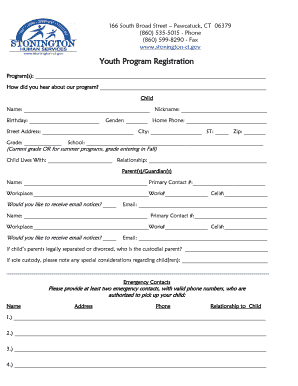
supabarn employment form Preview on Page 1

Here's how it works

01. Edit your form online
Type text, add images, blackout confidential details, add comments, highlights and more.

02. Sign it in a few clicks
Draw your signature, type it, upload its image, or use your mobile device as a signature pad.

03. Share your form with others
Send it via email, link, or fax. You can also download it, export it or print it out.

Key Elements of the Supabarn Employment Form

The Supabarn employment form is a comprehensive document utilized to gather essential information from potential employees during the hiring process. The form includes several key elements designed to assess candidate qualifications and their suitability for the job role. These elements ensure that Supabarn aligns with its business needs while adhering to legal compliance.

  • Personal Information: This section collects fundamental details such as name, address, contact information, and Social Security number. It's essential for verifying identity and contacting applicants during the recruitment process.
  • Qualifications: Here, applicants list their academic achievements and any relevant certifications, providing insight into their educational background and professional capabilities.
  • Work History: This section captures past employment details, including previous positions, roles and responsibilities, and reasons for leaving. It helps determine the candidate's experience and longevity in similar roles.

Steps to Complete the Supabarn Employment Form

Completing the Supabarn employment form involves several systematic steps to ensure that all necessary information is accurately provided for consideration.

  1. Gather Personal Documents: Collect essential documents such as identification, proof of qualifications, and references before starting to fill out the form.
  2. Fill Out Personal Details: Enter your full legal name, address, and contact information. Double-check for accuracy, as errors may delay your application.
  3. Detail Work Experience: List each previous employment stint, including job titles, duties, and durations. Be honest and concise to give a clear picture of your career history.

How to Use the Supabarn Employment Form

The employment form serves multiple purposes throughout the recruitment cycle, providing a structured approach for candidates to present their eligibility for employment.

  • Candidate Screening: HR personnel use the form to quickly screen applicants, ensuring that only those meeting the basic job requirements proceed to the interview stage.
  • Documentation for Interviews: Interviewers rely on details from the form to tailor questions aimed at understanding candidate compatibility with the company culture.
  • Data Storage and Compliance: The form is part of the company's records, supporting compliance with employment laws and serving as evidence of due diligence in the hiring process.

How to Obtain the Supabarn Employment Form

Accessing the Supabarn employment form is a straightforward process, ensuring ease of availability for potential applicants.

  • Online Access: Visit the official Supabarn website to download a digital version of the form. The online document is compatible with various file formats and can be filled out electronically.
  • In-Store Collection: You can also pick up a paper copy of the form at any Supabarn store location, ensuring accessibility for applicants who may prefer traditional methods of application.

Legal Use of the Supabarn Employment Form

Understanding the legal context of the employment form is crucial to prevent any potential legal implications or non-compliance issues.

  • Equal Employment Opportunity Compliance: The form is designed to avoid discrimination based on age, gender, race, or disability, adhering to equal employment opportunity laws.
  • Privacy Compliance: Handling applications involves compliance with privacy regulations to ensure that sensitive applicant information is secure and only used for its intended purpose.

Who Typically Uses the Supabarn Employment Form

The form is primarily utilized by job applicants and Human Resources personnel within Supabarn for various roles within the company structure.


  • Job Applicants: Individuals seeking employment at Supabarn use the form to present their credentials when applying for a position.
  • HR and Recruitment Team: HR staff utilize the form to gather necessary data from applicants, aiding in the decision-making process for hiring.
decoration image ratings of Dochub

Important Terms Related to the Supabarn Employment Form

Familiarity with certain terms can enhance the understanding and accurate completion of the employment form.

  • Declaration of Truth: A section affirming all information provided by the applicant is accurate to the best of their knowledge.
  • Reference Check Authorization: Applicants permit Supabarn to contact listed references for additional input on their qualifications and character.

Required Documents

Completing the Supabarn employment form typically requires several supporting documents to verify the information provided and facilitate a thorough evaluation of the candidate.

  • Proof of Identification: Government-issued ID such as a driver's license or passport to confirm identity.
  • Educational Certificates: Copies of diplomas or certifications to substantiate educational qualifications.
  • References: Names and contact details of credible professional references who can vouch for the applicant's work ethic and experience.

By focusing on these areas, the Supabarn employment form ensures a smooth, comprehensive hiring process that aligns with organizational goals and legal requirements.

be ready to get more

Complete this form in 5 minutes or less

Get form

Security and compliance

At DocHub, your data security is our priority. We follow HIPAA, SOC2, GDPR, and other standards, so you can work on your documents with confidence.
Learn more
ccpa2
pci-dss
gdpr-compliance
hipaa
soc-compliance
be ready to get more

Complete this form in 5 minutes or less

Get form