




01. Edit your form online
Type text, add images, blackout confidential details, add comments, highlights and more.

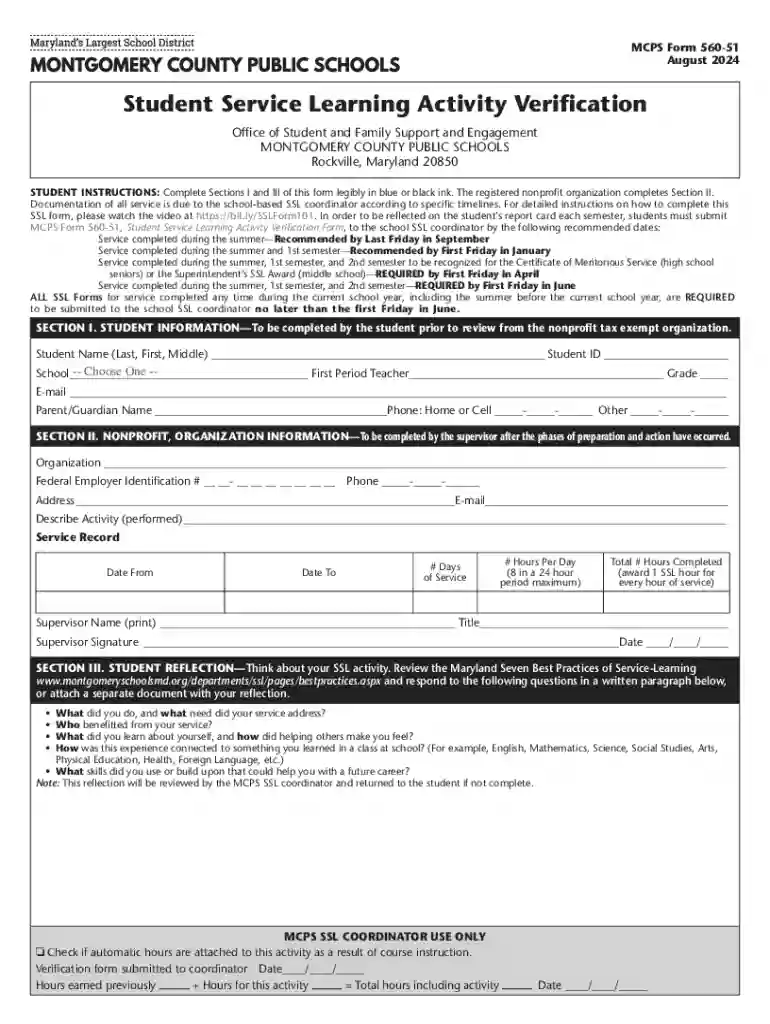
Type text, add images, blackout confidential details, add comments, highlights and more.

Draw your signature, type it, upload its image, or use your mobile device as a signature pad.

Send it via email, link, or fax. You can also download it, export it or print it out.
The term "form online" refers to digital versions of documents that users can fill out and submit via the internet. These forms are designed to simplify data collection processes by allowing individuals and businesses to complete necessary paperwork through a web browser, reducing the need for physical documents and in-person submissions. The transition to online forms enhances accessibility and efficiency, facilitating real-time data entry and processing across various platforms without geographical limitations.
Using an online form involves several straightforward steps. First, access the form through a web link provided by the issuing organization or platform, such as DocHub. Users can fill in fields directly on the form, either by typing information into text boxes, selecting options from dropdown menus, or adding their signatures. After completing the form, it can often be saved and submitted with a simple button click, making the entire process fast and user-friendly. Many online platforms also allow for collaborative editing, where multiple users can contribute to the form simultaneously.
The shift to online forms offers numerous benefits compared to traditional paper forms. Firstly, they significantly reduce the time and effort needed for data entry and submission, as users can quickly complete and submit forms from any location. Online forms are also easy to update and correct, with real-time modifications ensuring accuracy. Furthermore, the digital nature of online forms allows for seamless integration with data management systems, enhancing overall efficiency and record-keeping. This method also supports environmental sustainability by reducing paper use.
Online forms are utilized by a wide audience, including individuals, businesses, educational institutions, and government agencies. Individuals use them for various applications such as job applications, tax filings, or service requests. Businesses rely on them for employee onboarding, client registration, and feedback collection. Schools and universities use online forms to handle admissions and student data collection, while government bodies offer forms for licenses, permits, and voter registration. The versatility of online forms makes them suitable for any scenario that requires structured data collection.
Online forms are designed with several essential components to ensure ease of use and functionality:
The legality of online forms is well established to ensure their effectiveness in replacing traditional paper forms. Many forms comply with regulations such as the ESIGN Act, ensuring electronic signatures' legal equivalency to handwritten ones. Online forms also often include authentication methods to verify user identities, safeguarding against unauthorized access. With appropriate security measures in place, online forms are legally recognized for numerous applications, ranging from contracts to government filings.
Each use case demonstrates the versatility of online forms in automating and simplifying routine documentation needs across different fields and contexts.
We've got more versions of the MCPS Student Service Learning Activity Verification Form form. Select the right MCPS Student Service Learning Activity Verification Form version from the list and start editing it straight away!
At DocHub, your data security is our priority. We follow HIPAA, SOC2, GDPR, and other standards, so you can work on your documents with confidence.

MCs Service-Learning Program engages students, faculty, and community organizations in meaningful, collaborative, and mutually beneficial projects. StudentsRead more
Submit your SSL Activity Verification Form to your school-based SSL coordinator. parent or guardian permission to create an account. For more information


