Definition and Meaning of Form Online
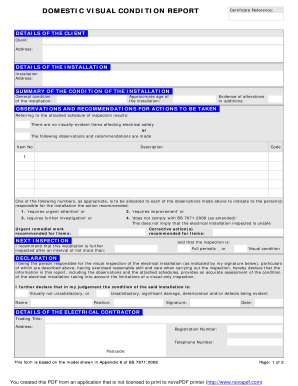
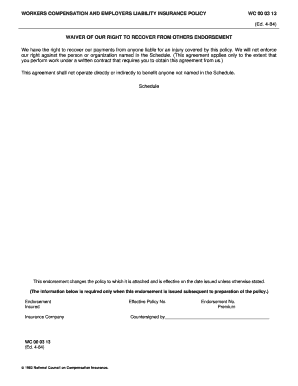
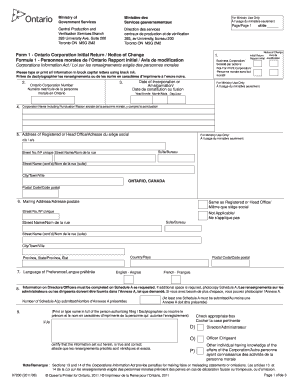
Forms online refer to digital documents that are accessible, fillable, and submittable via electronic devices, usually through web-based platforms. These forms eliminate the need for physical paperwork, streamlining processes for both individual and organizational needs. Whether you are applying for a passport, submitting a tax form, or completing a job application, the digital nature of online forms simplifies and accelerates traditionally lengthy procedures. By leveraging technology, forms online provide accessible, user-friendly solutions for creating, managing, and submitting various types of documents over the internet.
How to Use the Form Online
Utilizing online forms typically involves several straightforward steps. First, access the form through a reliable website or platform such as DocHub. Next, either fill in the available fields directly on the platform or download and save the document for offline completion. Digital platforms often provide editing tools, allowing users to modify text, add images, or include annotations as needed. Once filled out, forms can be saved and stored digitally, submitted through electronic communication, or printed for physical submission if necessary.
- Fillable Fields: Input text, select options, and add signatures directly on the platform.
- Customization: Modify and annotate forms with essential details to suit your requirements.
- Submission Options: Choose between direct electronic submission or printing for offline use.
Steps to Complete the Form Online
- Access the Form: Navigate to the specific platform hosting the form and download or open it.
- Review Instructions: Ensure you understand the form's purpose, required fields, and any guidelines.
- Fill Out Details: Enter information into the designated fields, ensuring accuracy and completeness.
- Add Additional Elements: Include necessary attachments, images, or signatures using available tools.
- Review and Edit: Double-check all entered details for typos or errors and make necessary corrections.
- Save and Submit: Upon completion, save the form securely and choose your preferred method of submission.
Important Terms Related to Form Online
Understanding the terminology associated with online forms is crucial for efficient use. Key terms include:
- Fillable Fields: Pre-defined areas in a form designed to capture specific types of information, such as text, dates, or selections.
- Digital Signature: An electronic form of a handwritten signature used to authenticate a document.
- Encryption: Protecting sensitive data within a form using advanced techniques to prevent unauthorized access.
Why Should You Use Forms Online
Utilizing forms online offers numerous advantages:
- Efficiency: Expedites processes by reducing time spent on physical paperwork.
- Convenience: Accessible anywhere with internet connectivity, allowing completion on multiple devices.
- Accuracy: Minimizes errors with pre-defined fields and real-time data validation.
- Eco-Friendly: Reduces paper use, contributing to environmental conservation.
State-Specific Rules for the Form Online
Understanding that rules can vary by U.S. state, complying with local regulations is essential when submitting online forms. For instance, certain tax forms may have different filing deadlines or eligibility criteria depending on the state jurisdiction. Research in advance to ensure all components meet state-specific requirements, especially for legal or governmental forms.
- Research Local Laws: Ensure compliance with regional legislation and deadlines.
- Consult Professionals: Seek guidance from legal or tax experts familiar with state-specific conditions.
Examples of Using Forms Online
Numerous scenarios illustrate the utility of online forms:
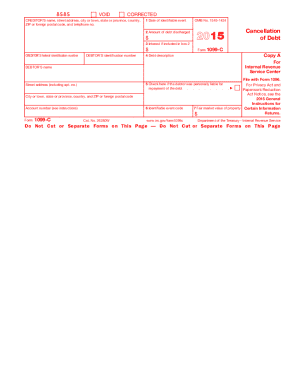
- Tax Filings: Individuals and businesses can submit various tax-related documents electronically.
- Job Applications: Applicants often fill out detailed employment forms online and submit them directly to employers.
- Educational Enrollments: Students complete registration or scholarship applications via digital forms.
Legal Use of Forms Online
The legality of using forms online is well-established, given adherence to relevant laws and regulations. For forms requiring signatures, platforms often comply with the Electronic Signatures in Global and National Commerce (ESIGN) Act, ensuring legal validity and enforceability of electronic signatures. Understanding the potential legal implications is vital, particularly for contracts or official agreements.
- Compliance with ESIGN: Ensures electronic signatures are legally recognized.
- Data Protection: Adheres to legal standards for safeguarding personal information and document content.
Software Compatibility for Forms Online
Online forms may require compatibility with specific software or tools for optimizable use:
- Platform Integration: Systems such as DocHub enable seamless compatibility with Google Workspace, enhancing user experience through direct imports and exports.
- Application Support: Various software like TurboTax or QuickBooks facilitate automatic data population, significantly simplifying processes.
Understanding compatibility ensures efficient use and successful form submissions across diverse platforms.