
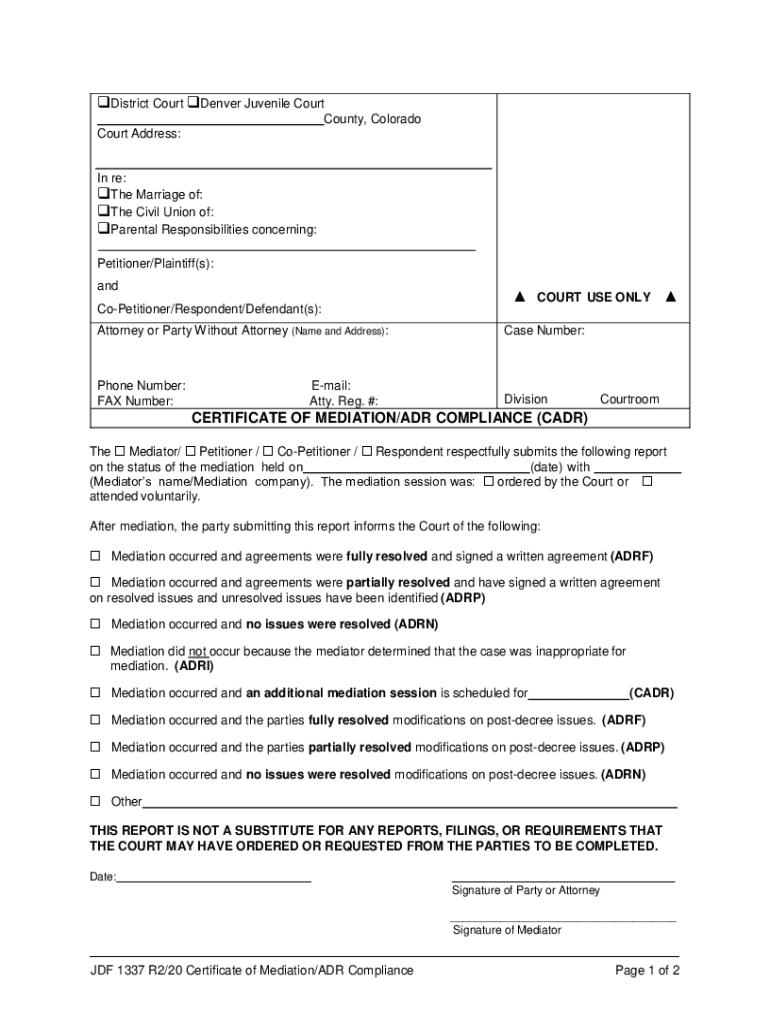







Definition and Meaning of Form Online
The term "form online" refers to digital versions of traditional paper forms that can be filled out, submitted, and processed over the internet. These forms are widely utilized across various sectors, including legal, business, governmental, and educational fields. Online forms are designed to streamline the process of data collection by providing a user-friendly, efficient, and seamless experience for users. They typically include interactive fields such as text boxes, checkboxes, and dropdown menus, making it easy to input information accurately. With the increasing shift towards online platforms, "form online" solutions have become a critical part of digital transformations, allowing users to manage their submissions conveniently from any location with internet access.
How to Use the Form Online
Using an online form generally involves several straightforward steps that cater to users of varying technological expertise. The essential process includes:
- Accessing the Form: Locate the form on a relevant website or platform, often through direct links or search functionalities.
- Filling Out the Form: Enter the required information into the interactive fields. Many forms are equipped with in-built guides or tooltips that help users complete them precisely.
- Reviewing Information: Before submission, there is usually an option to review the entered data to correct any mistakes or omissions.
- Submitting the Form: Once satisfied with the information, submit the form by clicking the designated button. Some systems provide a confirmation message or email to verify successful submission.
- Receiving Confirmation: After submission, users often receive a confirmation number or email, ensuring the data has been received and is being processed.
Steps to Complete the Form Online
Completing an online form successfully involves systematic steps to ensure all required fields are accurately filled before submission. Below is a detailed guide:
- Preparation: Gather all necessary documentation and information beforehand, which might include identification numbers, contact details, or financial data, depending on the form type.
- Formulation: Start by accessing the form and reading instructions or guidelines accompanying the online document to understand requirements.
- Input: Carefully enter information into each designated field. Pay attention to mandatory fields marked with an asterisk (*) and ensure all required data is complete.
- Verification: Regularly save progress if the platform allows, and review entries for errors or incomplete sections.
- Finalization: Submit the form, and take note of any reference or submission number provided for future follow-ups or inquiries.
Why Should You Form Online
Engaging with forms online offers various advantages, which include:
- Convenience: Complete and submit forms from any location, removing the need for physical presence at an office or institution.
- Efficiency: Streamlined processes reduce the time needed for completion and processing, often enabling quicker responses or actions.
- Accuracy: Interactive fields limit the risk of errors, and immediate feedback or corrections are often available, improving data quality.
- Cost-effective: Reduces the need for paper, postage, and transportation, leading to budget savings for both individuals and organizations.
Legal Use and Compliance of Form Online
Online forms are subject to legal standards to ensure data integrity, privacy, and authenticity. These legalities include:
- Data Protection: Adherence to laws such as the General Data Protection Regulation (GDPR) or similar U.S. privacy laws, safeguarding personal information from unauthorized access.
- Electronic Signatures: Forms can include legally binding electronic signatures in compliance with the ESIGN Act, which grants electronic signatures the same legality as traditional handwritten ones.
- Authentication: Forms may incorporate authentication steps, like password-protected access or multi-factor authentication, to verify user identity.
Key Elements of Online Forms
Several essential features allow online forms to perform their intended function effectively:
- Interactive Fields: Includes text fields, checkboxes, radio buttons, dropdowns, and signature fields, facilitating user input.
- Validation Tools: Features that check the correctness of data as it is entered, alerting users to errors in real-time.
- User Guidance: Tooltips, pop-up instructions, or dedicated help sections to guide users through complex sections of the form.
- Security Measures: Includes SSL encryption, secure data storage, and other cybersecurity measures to protect user data.
State-Specific Rules and Regulations
The use and submission of online forms can be subject to specific state regulations in the United States:
- State-Specific Guidelines: State governments may mandate specific forms for regional issues. For example, certain tax forms may differ significantly between states based on local tax laws.
- Unique Privacy Laws: States like California have specific privacy laws that might affect how online forms can be used or share data with third parties.
Examples of Using Forms Online
Online forms find utility in various scenarios:
- Tax Filing: IRS forms can often be filled and submitted online, simplifying processes for taxpayers.
- Job Applications: Employers use online forms to efficiently gather candidate information and select potential hires.
- Event Registrations: Online registration forms streamline the sign-up process for conferences, workshops, and community events.
Through these diverse use cases, online forms demonstrate their capability to enhance both individual and organizational workflows.




