



Here's how it works



How to use or fill out domino's franchise application form with our platform

- Click ‘Get Form’ to open the domino's franchise application form in the editor.
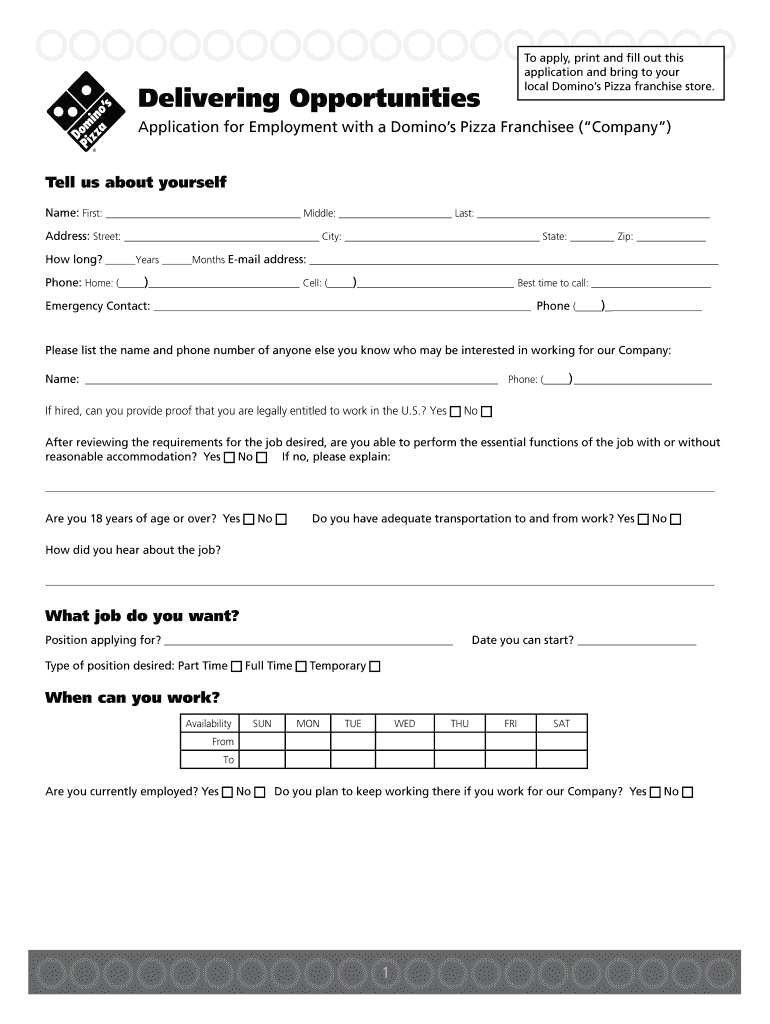
- Begin by filling out your personal information in the 'Tell us about yourself' section. Include your name, address, email, and phone numbers.
- Indicate your employment history and availability. Specify the position you are applying for and your preferred working hours.
- Complete the education section by listing your last attended school and whether you graduated. If applicable, include college details.
- Provide references by listing three names along with their phone numbers in the designated area.
- If applicable, fill out the driving history section if you're applying for a position that requires driving.
- Review all sections carefully to ensure accuracy before signing at the end of the document.
Start using our platform today to easily complete your domino's franchise application form online for free!
It's free
Got questions?
Is it safe to sign my dominos pizza job application electronically?
You need to use only trusted software solutions with strong data protection compliance to approve your paperwork electronically. DocHub is just the type of editor you need! It stores data on Amazon Web Servers and complies with all required security criteria and eSignature regulations, so it’s a reliable way to eSign your dominos pizza job application or other documents with this tool.
Can I print my dominos pizza application form and finish it on my own?
When you go for analog ways of completing your dominos pizza application form, it is simple to download your file for printing. Search DocHub’s Forms & Templates catalog to locate the exact document template you require and open it for editing or download it on your gadget in the format of your liking. It is easy to complete your form electronically and put your handwritten signature on it right after printing or eSign your document with DocHub.
Security and compliance
At DocHub, your data security is our priority. We follow HIPAA, SOC2, GDPR, and other standards, so you can work on your documents with confidence.
Learn more