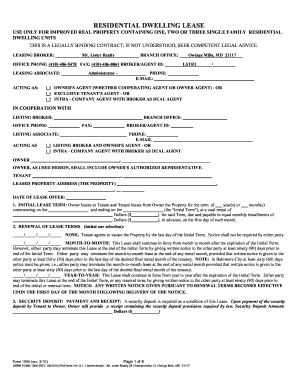
Definition & Meaning
A form online is a digital equivalent of traditional paper forms, designed to be completed electronically. These forms, accessible through various platforms such as DocHub, provide a user-friendly interface for collecting and submitting data without the need for physical paperwork. They cater to a wide range of uses, from administrative applications to legal documents, allowing for efficient data entry and management.
Advantages of Using Forms Online
- Efficiency: Forms can be filled out and submitted faster than traditional paper forms.
- Accessibility: Accessible from any device with internet access, eliminating geographical constraints.
- Real-Time Updates: Instant synchronization ensures all parties have the most current version of the form.
How to Use the Form Online
Using a form online involves a series of straightforward steps. Users first access the form via a platform like DocHub. The interface is intuitive, allowing individuals to navigate sections seamlessly. Instructions are typically included within the form, guiding users on what information is needed and how to input it correctly.
Steps to Fill Out an Online Form
- Access the Platform: Navigate to the online form platform you will be using.
- Open the Form: Select the specific form you need and click to open it.
- Fill in Required Fields: Enter all necessary data in the specified fields.
- Review for Accuracy: Double-check entries for correctness and completeness.
- Submit: Follow the platform's submission process to finalize.
How to Obtain the Form Online
Securing a form online involves accessing a digital platform. Websites like DocHub allow users to download or directly access various forms, eliminating the need for physical collection from government offices or service providers.
Ways to Obtain Forms
- Government Websites: Most forms are available for direct download from official websites.
- Form Platforms: Comprehensive platforms like DocHub offer easy access to a wide array of online forms.
- Email or Direct Link: Forms may be shared via email or a direct link from an organization or individual.
Steps to Complete the Form Online
Completing a form online is a process streamlined for user convenience. Interactive fields guide users through the information needed, and digital signatures can be applied to validate submissions.
Detailed Completion Process
- Start the Form: Initiate the process by accessing the form on a platform like DocHub.
- Provide Personal Information: Accurately fill in personal data where required.
- Include Relevant Documentation: Attach necessary documents by uploading them to the form.
- Apply Digital Signature: Use electronic signing options within the platform to authenticate submissions.
- Final Review and Submission: Ensure all fields are completed and submit the form electronically.
Why Should You Use Online Forms
The shift towards online forms is driven by the flexibility and security they offer. Users benefit from a reduction in errors and faster processing times.
Benefits of Online Forms
- Reduced Errors: Automated validation checks minimize input errors.
- Secure Processing: Encrypted submissions protect personal information.
- Environmentally Friendly: Reduces paper use and waste.
Who Typically Uses the Form Online
The use of online forms spans various demographics and industries, catering to both individual and organizational needs.


Common Users
- Businesses: Streamlining employee onboarding and client data collection.
- Educational Institutions: Facilitating online enrollment and administrative processes.
- Individuals: Accessing government services and personal applications.

Legal Use of the Form Online
Online forms must adhere to legal standards to ensure their validity and compliance. Platforms like DocHub integrate legal frameworks to support legitimacy.
Key Legal Aspects
- Electronic Signature Laws: Compliance with acts such as ESIGN for legally binding signatures.
- Privacy Regulations: Adhering to data protection laws safeguarding user information.
- Audit Trails: Traceable records that support legal scrutiny.
Key Elements of the Form Online
Key components of online forms ensure comprehensive data collection and efficient processing. Understanding these elements is crucial for effective usage.
Vital Components
- Interactive Fields: Enable dynamic input and adjustment for user convenience.
- Conditional Logic: Tailors form fields according to user responses, streamlining the process.
- Submission Confirmation: Provides receipt and summary of form submission for record-keeping.
Required Documents
The completion of online forms often requires supplementary documents to verify information or provide additional detail.
Necessary Document Types
- Identification: Scans or photos of IDs, passports, or driving licenses.
- Financial Records: Bank statements or pay stubs as income proof.
- Legal Documents: Contracts or letters of authority to verify claims or responsibilities.
State-Specific Rules for the Form Online
Some online forms have state-specific requirements or variations, considering legal and procedural differences across states.
Navigating State-Specific Requirements
- Consult Local Guidelines: Review state-specific instructions linked on form portals.
- Use Correct Versions: Ensure the form matches the state's legal requirements.
- State Authority Verification: Cross-check with local government offices for updates or changes.
Form Variants and Alternatives
As systems update, new versions of forms online become available, offering enhanced features or updated regulatory compliance.
Identifying and Using Variants
- Keep Up-to-Date: Regularly check for new form releases or updates.
- Understand Alternatives: Explore different form solutions to find the optimal fit for your needs.
- Consult Archival Copies: Use older versions where applicable, recognizing their limitations.
Examples of Using the Form Online
Practical applications demonstrate the versatility and adaptability of online forms across various domains.
Real-World Applications
- Job Applications: Digital submission of resumes and cover letters.
- E-commerce Transactions: Online order forms for better customer experience.
- Surveys and Data Collection: Research forms for academic and market studies.
Application Process & Approval Time
The efficiency of online forms enhances the application and approval timelines, offering a streamlined approach for various submissions.
Typical Processes
- Application Submission: Fill and submit forms online with necessary documentation.
- Review Period: Expect a specified duration for form processing.
- Receive Confirmation: Notification upon application approval or request for additional information.