
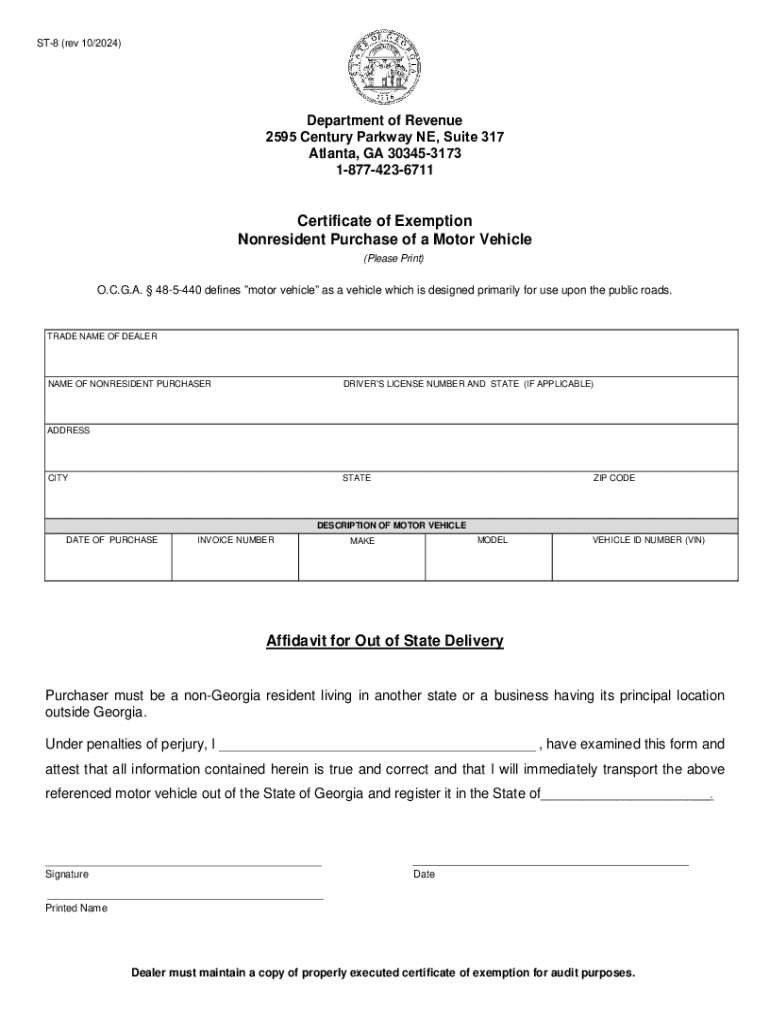







Step-by-Step Instructions to Complete the Form Online
Completing a form online can streamline documentation processes, especially when using platforms like DocHub. Follow these steps for a seamless experience:
-
Access the Form: Start by selecting and opening the desired form from the DocHub platform. You can import it from your computer, or cloud storage services like Google Drive or Dropbox.
-
Familiarize Yourself with the Form: Before filling in any details, inspect the form to understand its sections and required fields. This ensures you're aware of any specific information needed.
-
Input Data: Use the platform's fillable form fields to enter the necessary data. You can type directly into text boxes or use dropdown menus and checkboxes as required.
-
Attach Digital Signatures: If the form requires a signature, utilize DocHub's electronic signature feature. Options include drawing with a mouse, typing a signature, or uploading an image.
-
Review Your Entries: Double-check all entered information for accuracy and completeness. This prevents errors and potential delays in processing.
-
Submit or Save the Form: Once satisfied, either submit the form directly through the platform if there is an integrated submission option or download it for manual submission.
Legal Use of Forms Online
Understanding the legal implications of filling out and submitting forms online is crucial. Here’s what you need to know:
-
Electronic Signatures: Under the ESIGN Act, electronic signatures are legally binding in the United States. DocHub's signatures comply with this act, ensuring your forms have the same legal standing as traditionally signed documents.
-
Privacy and Security: Online forms should be handled with care to protect sensitive information. DocHub utilizes 256-bit SSL encryption for data transfer and storage, enhancing security for confidential details.
-
Authorization and Consent: Ensure you have the required permissions or authority to complete and submit forms on behalf of a business or another individual.
Important Terms Related to Online Forms
When handling online forms, becoming familiar with key terminologies can enhance your understanding and efficiency:
-
Fillable Fields: Interactive elements within an online form, such as text boxes, checkboxes, and dropdowns, where users input their information.
-
E-Signature: A digital version of a handwritten signature used to authenticate or consent to an electronic document.
-
Encryption: A method of protecting data by converting it into a secure code to prevent unauthorized access.
-
OAuth 2.0: An authentication protocol allowing secure access between applications, commonly used to enable login and data exchange features.
Software Compatibility for Online Forms
Ensuring software compatibility is essential for a smooth online form experience. Consider these aspects:
-
Internet Browsers: DocHub is compatible with modern web browsers, including Chrome, Firefox, Safari, and Edge. Ensure your browser is up to date to avoid compatibility issues.
-
Mobile and Desktop: The platform operates seamlessly on both mobile and desktop devices without needing additional software installation.
-
Integration with Tools: DocHub's integration with Google Workspace facilitates direct file management from Gmail or Google Drive, enhancing productivity.
Examples of Using Forms Online
Real-life scenarios can illustrate the versatility of online forms:
-
Human Resources: Employment applications, performance evaluations, and leave requests can be digitized for easy access and processing.
-
Legal Documents: Contracts and agreements can be signed and shared electronically, expediting business transactions.
-
Education: Enrollment forms, permission slips, and consent forms are examples where online forms simplify administration.
State-Specific Rules for Online Forms
Navigating state-specific regulations is essential for compliance:
-
Residency Requirements: Certain forms, such as tax documents or vehicle registrations, might have differing rules depending on the state of residence or registration.
-
Digital Consent: Verify that the state in which you are submitting the form recognizes e-signatures for specific types of documents.
-
Filing Dates: Some forms, particularly tax-related, may have deadlines that vary by state.
Examples and Practical Scenarios for Using Forms Online
Utilizing online forms can be advantageous in various contexts. Here are several scenarios where they prove beneficial:
-
Tax Filing: Submit W-9, 1099, or state tax forms efficiently using DocHub's editing and signature tools without printing or mailing.
-
Business Contracts: Electronic completion and signing streamline negotiations and formal agreements, reducing turnaround time.
-
Real Estate Transactions: Lease agreements and purchase offers can be completed digitally, expediting processes and reducing paper usage.
Required Documents for Completing the Form Online
Gathering necessary documents beforehand ensures a smooth form completion process:
-
Identification: A government-issued ID might be required for some forms to verify identity.
-
Previous Records: Tax or financial forms may need past years' documentation as reference or proof of prior submissions.
-
Consent Forms: If submitting on behalf of someone else, documentation of consent or power of attorney might be needed.
Following these steps and guidelines ensures you can efficiently navigate and complete forms online using DocHub, enhancing productivity and maintaining compliance with legal standards.


