






Understanding a Favorite Things List
A favorite things list, particularly the just a few of my favorite things list, serves as a tool to share personal preferences across various categories. It can foster deeper connections in personal and professional environments. By compiling a list of favorites, individuals can participate in meaningful discussions, encourage teamwork, and create an appreciation for diverse tastes.
Importance of a Favorite Things List
Creating a list of favorites plays a crucial role in building relationships. By inviting others to share their preferences, you enhance social interactions and create a sense of community. This is especially true in educational settings, workplaces, or special events where knowledge of individual likes can lead to more tailored experiences.
- Relationship Building: Understanding what others appreciate can establish stronger bonds and collaboration.
- Engagement: Sharing favorites can serve as an icebreaker, prompting conversations and enhancing group dynamics.
Categories Commonly Included in the List
Your favorite things list can cover a wide range of categories that reflect your personality and interests. Some essential categories often considered include:
- Food and Drinks: Meals and beverages that bring joy, which can lead to shared moments over dining experiences.
- Hobbies and Activities: Pastimes that individuals are passionate about, providing insight into personality traits.
- Entertainment Choices: Movies, shows, books, and music preferences that can be a window into someone’s cultural interests.
- Travel Destinations: Favorite vacation spots that can inspire future travel plans or discussions.
How to Create Your Just a Few of My Favorite Things List
Creating a favorites list involves reflection and consideration. Here are some steps to guide you through the process:
- Identify Categories: Decide which areas you want to cover (e.g., food, entertainment, hobbies).
- Brainstorm: Write down items or activities that resonate with you in each category.
- Select Favorites: Narrow down your choices to a few standout items that best represent your preferences.
- Format Your List: Determine how you want to present your favorites. You might consider a printable format for easy sharing.
- Share with Others: Distribute your favorites list to friends, coworkers, or team members to stimulate discussions and share interests.
Utilizing Printable Templates for Your Favorites List
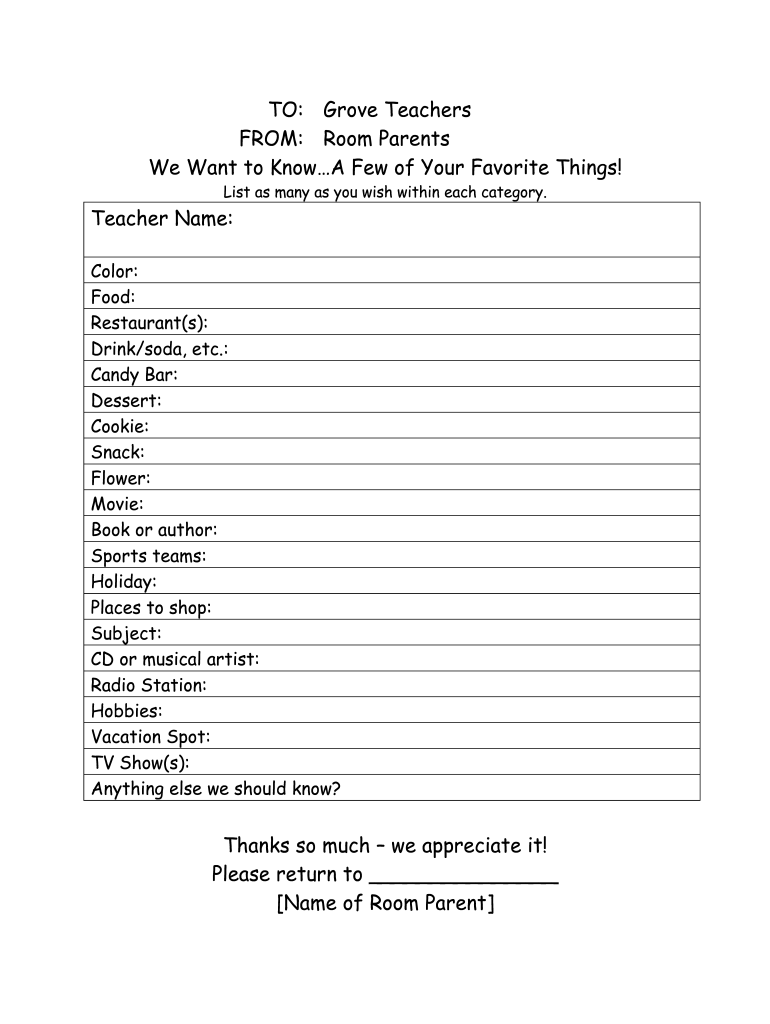
Printable templates for a just a few of your favorite things list can simplify the process of organizing and presenting your favorites. Many templates allow for customization, enabling you to adjust categories or include additional details that reflect your unique personality.
- Benefits of Using Templates: Streamlines the creation of your list while ensuring it remains visually appealing for sharing.
- Versatility: These templates can be used in various settings, from classrooms to corporate environments.
Examples of Favorite Things Lists
Real-world examples can provide inspiration for creating a personal favorites list. Here are diverse scenarios highlighting different preferences:
- Classroom Engagement: Teachers might create a favorite things list to find common interests with students, fostering a comfortable and engaging learning environment.
- Workplace Activities: Team members can share their favorites during team-building activities, helping to improve camaraderie and morale.
Tips for Collecting Favorites in Group Settings
When compiling favorites in group settings, consider employing strategies to ensure everyone feels included:
- Facilitate Discussion: Encourage participants to share their preferences in a round-table format.
- Use Visual Aids: Consider creating a community board where individuals can post their favorites for everyone to see.
Accessibility of Favorite Things Lists
Increasing accessibility of favorite things lists, especially in educational or professional settings, can enhance engagement. Providing digital formats, such as a my favorite things list pdf, allows for easy distribution and can be shared via email or cloud storage.
- Convenience: Digital documents can be edited and updated quickly as preferences change over time.
- Sharing: Ease of access ensures that more people can participate in the process, contributing to a richer exchange of ideas and preferences.
Through these various facets of a favorite things list, individuals can develop stronger personal and professional relationships, all while enjoying the process of sharing and connecting over common interests.