Definition and Meaning of "Form Online"
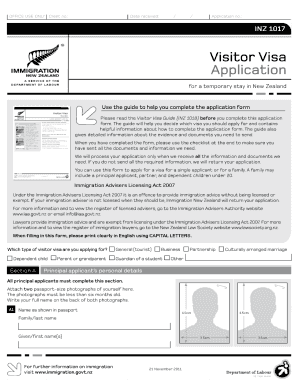
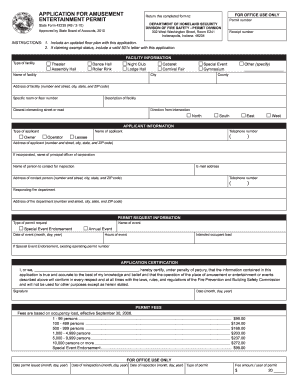
The concept of a "form online" refers to digital versions of traditional paper forms that can be accessed, filled out, and submitted via the internet. These forms are typically hosted on websites and are designed to streamline the process of data collection and submission for a wide range of applications, such as business, legal, educational, and governmental purposes. By moving forms to an online platform like DocHub, users experience convenience, speed, and enhanced data accuracy in completing required tasks.
Steps to Complete the Form Online
-
Access the Online Form: Begin by navigating to the appropriate website or platform hosting the form. Ensure that you have the correct version or type of the form based on your specific needs.
-
Review Instructions and Requirements: Carefully read any instructions or guidelines provided for filling out the form. This step ensures that you gather all necessary information and documentation before starting.
-
Enter Required Information: Fill in the form fields according to the provided instructions. Ensure that all required fields are completed, as incomplete forms may not be submitted successfully.
-
Add Digital Signatures: If the form requires a signature, use DocHub's electronic signature feature to sign digitally. This step validates the form and ensures compliance with legal standards.
-
Review and Verify: Double-check all entered information for accuracy and completeness. This step is crucial to avoid any submission delays or rejections due to errors.
-
Submit the Form: Complete the process by clicking the submit button, which will send your filled form to the intended recipient or service provider.
-
Save Confirmation: After submission, save the confirmation receipt or email as proof of submission, and keep a copy of the completed form for your records.
How to Obtain the Form Online
Obtaining a "form online" is typically a straightforward process. Users can download forms directly from official websites or platforms like DocHub. They may also receive forms via email, which they can then access using a computer or mobile device. To ensure authenticity, it's advisable to retrieve forms only from reputable sources, such as government websites or trusted service providers.
Key Elements of the Form Online
- Text Fields: For inputting basic information, such as names, addresses, and other relevant data.
- Checkboxes: Allows users to select multiple options in response to a question or statement.
- Dropdown Menus: Provides a list of pre-defined options for users to choose from.
- Signature Fields: Facilitates the addition of electronic signatures to authenticate the form.
- Attachments: Some forms allow users to attach supplementary documents or evidence, enhancing the information provided.
Legal Use of the Form Online
Forms completed online using platforms like DocHub are legally binding and comply with regulations such as the ESIGN Act in the United States. This act ensures that digital signatures are recognized as equivalent to their handwritten counterparts. Users must ensure that all entries in the form are accurate and truthful to maintain the document's integrity and legality.
Advantages of Using Forms Online
- Efficiency: Online forms reduce the time spent on data entry and submission.
- Accessibility: These forms can be accessed from any device with internet connectivity, allowing for completion at the user's convenience.
- Accuracy: Digital forms often include validation features to prevent erroneous entries.
- Cost Savings: Less reliance on physical materials like paper reduces costs for both creators and users of the form.
Software Compatibility for Completing Forms Online
DocHub and similar platforms often integrate seamlessly with major software applications, such as Google Drive and Microsoft Office products, enhancing collaboration and data sharing. This compatibility ensures that users can access and fill out forms using familiar tools, without requiring extensive setup or adjustments.
Examples of Using Forms Online
Online forms are utilized across various domains, including:
- Government Applications: Applying for permits, licenses, or social services.
- Business Transactions: Agreements, invoices, and employee onboarding.
- Educational Purposes: Enrollment applications, exam registrations, and student feedback forms.
- Healthcare: Patient intake forms and insurance claims.
State-Specific Rules for Using Forms Online
In some cases, state-specific regulations may affect the design or submission process for forms online. For example, certain tax forms or legal documents may have unique requirements based on state law that must be considered when completing or submitting the form. Users are advised to confirm any regional criteria before submitting their forms to ensure compliance and avoid potential legal issues.
By securing a solid understanding of these aspects, individuals and organizations can effectively utilize online forms to enhance workflows and achieve their objectives with greater ease and efficiency.