




Here's how it works

01. Edit your aoc 745 online
Type text, add images, blackout confidential details, add comments, highlights and more.

02. Sign it in a few clicks
Draw your signature, type it, upload its image, or use your mobile device as a signature pad.

03. Share your form with others
Send aoc 856 via email, link, or fax. You can also download it, export it or print it out.
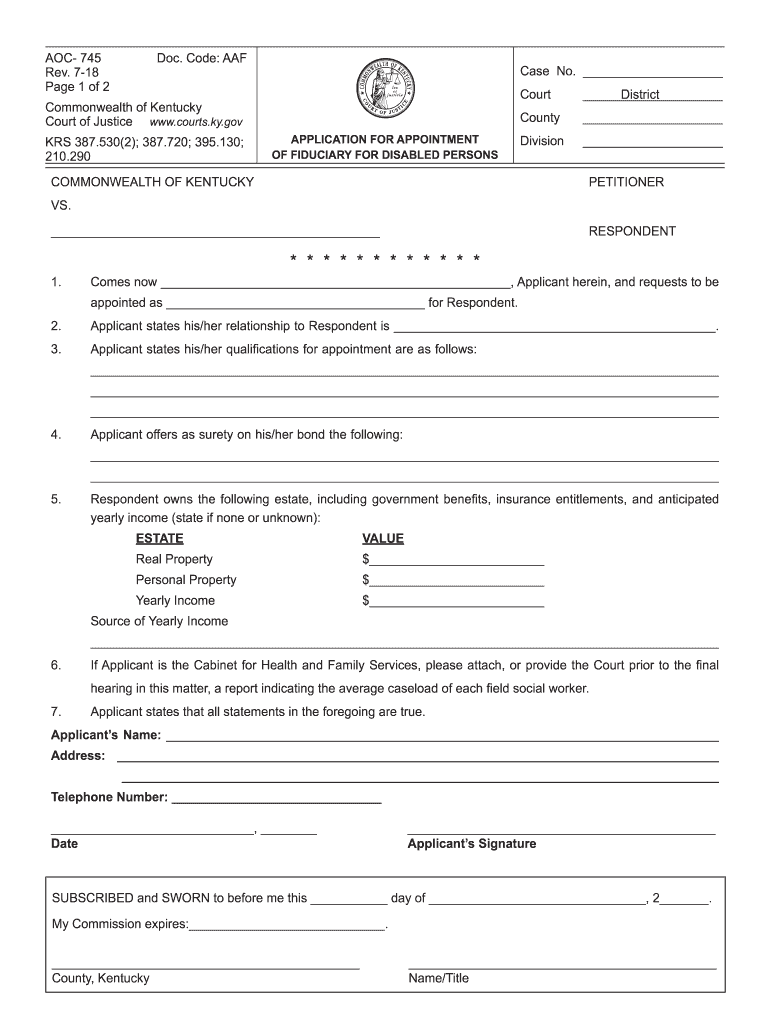
How to use or fill out aoc 745 with our platform

- Click ‘Get Form’ to open the aoc 745 in the editor.
- Begin by filling in the case number, court name, district, county, and division at the top of the form.
- In section one, enter your name as the applicant and specify your role for the respondent.
- Detail your relationship to the respondent in section two. Be clear and concise.
- In section three, outline your qualifications for appointment. Use bullet points if necessary for clarity.
- Provide surety information in section four. Include any relevant details about bonds or guarantees.
- For section five, list all assets owned by the respondent along with their estimated values. If there are none, state that clearly.
- If applicable, attach any required reports from the Cabinet for Health and Family Services as mentioned in section six.
- Finally, complete your personal information at the bottom of the form including signature and date.
Start using our platform today to fill out your aoc 745 form online for free!
Fill out aoc 745 online
It's free
It's free
Security and compliance
At DocHub, your data security is our priority. We follow HIPAA, SOC2, GDPR, and other standards, so you can work on your documents with confidence.
Learn more


