
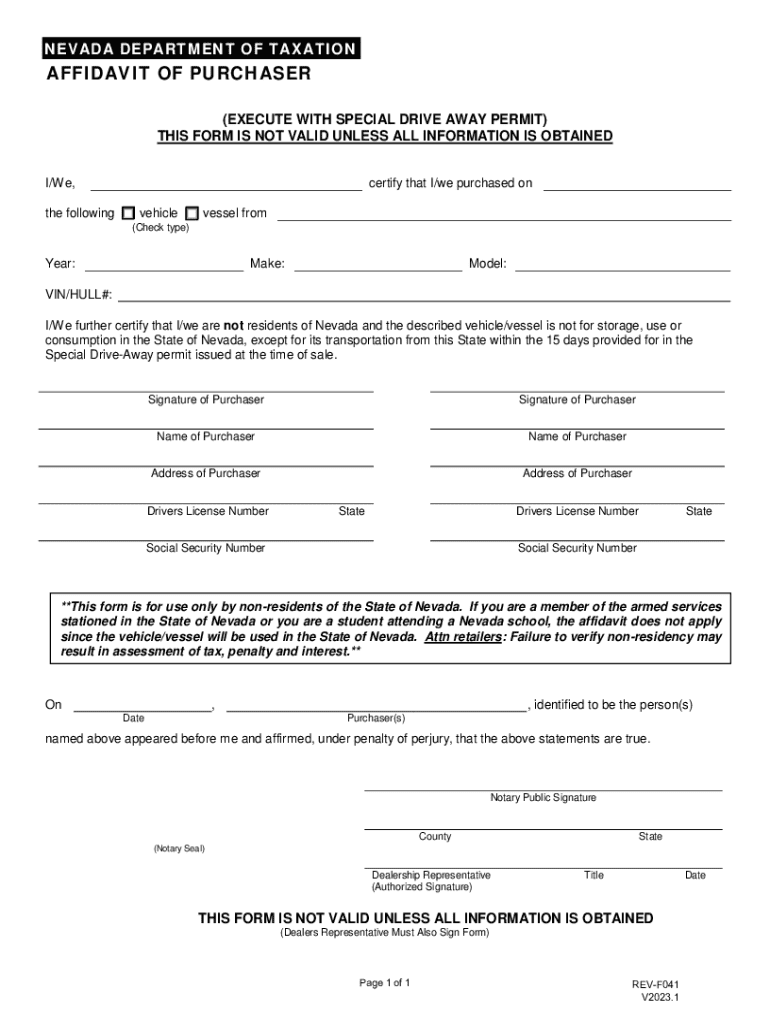







Definition and Meaning
The term "form online" refers to the ability to access, complete, and submit forms over the internet. This digital approach facilitates significant efficiency and convenience compared to traditional paper forms. With "form online," users can fill out forms like tax documents, affidavits, and applications on their computer or mobile device. This method often includes interactive fields such as text boxes, checkboxes, and dropdown menus, which guide users to input information accurately. The aim is to streamline processes and ensure precise data collection while maintaining all necessary legal and informational standards.
How to Use the Form Online
To utilize a form online, start by accessing the specific document on a platform like DocHub. Users can begin by importing the form from their computer or directly from cloud storage services. Once opened, the form can be interacted with through its various fields. Tools are often available for adding text, inserting images, or providing annotations. When entering information, ensure that all required fields are completed, often indicated by asterisks or highlighted sections. After filling in the necessary details, the form can be saved for future reference, shared with others, or finalized for submission. This process reduces the need for physical paperwork and expedites the completion of official documents.
Steps to Complete the Form Online
-
Accessing the Form:
- Log into the document management platform.
- Navigate to the section for accessing templates or importing files.
-
Filling Out the Fields:
- Use the form fields manager to enter the necessary information.
- Ensure accuracy by double-checking each filled section.
-
Reviewing the Information:
- Go over all filled sections for completeness and errors.
- Make necessary adjustments based on self-identified inaccuracies.
-
Finalizing and Submitting:
- Save your progress as a draft if further review is needed.
- Submit the form as required through the platform’s interface.
-
Receipt of Confirmation:
- After submission, check for confirmation that the document has been received.
- Save or print a copy for your records.
Why Should You Form Online
Utilizing "form online" offers numerous benefits, primarily focusing on efficiency and accessibility. Completing documents online minimizes the need for physical materials and travel, thus saving time and resources. Electronic forms allow for easy access from anywhere with an internet connection, ensuring that users can work on their forms at their own pace. Digital forms also generally have features that help prevent errors, such as mandatory fields and digital validation. Furthermore, users can directly submit the forms to the relevant organizations, reducing unnecessary mailing costs and delays. The accountability and environmental benefits of reducing paper usage further solidify the advantages of online forms.
Who Typically Uses the Form Online
Forms online are widely used by various demographics due to the convenience they offer. Typical users include:
- Individuals: For personal tax returns, school applications, or job applications.
- Businesses: For compliance reports, employee onboarding, and contract management.
- Government Entities: For public service applications and official documentation.
- Educational Institutions: For student enrollment, employment contracts, and grant applications.
- Legal Professionals: For affidavits, testimony forms, and legal declarations.
These stakeholders leverage online forms to make their processes smoother, faster, and more secure.


Key Elements of the Form Online
Online forms are generally characterized by interactive elements that enhance user experience and data accuracy. Common key elements include:
- Fillable Fields: Interactive fields guide the user through the form, allowing for text, selections, and digital signatures.
- Navigation Tools: Hyperlinks or buttons aid in smoothly moving through sections.
- Validation Features: Immediate feedback on entries helps identify missing or incorrect data.
- Multimedia Integration: Ability to embed images or charts, if relevant, for detailed information.
- Accessibility Settings: Options for larger text and voice commands to assist visually impaired users.
These elements are crucial for creating a seamless and efficient form-filling process.
State-Specific Rules for the Form Online
Certain forms may have state-specific rules that influence their structure or requirements. For example, a tax form may require additional information or documentation depending on state residency. Key points include:
- State-Specific Regulations: Unique compliance requirements may be applicable based on the state's laws.
- Language and Formatting Differences: Forms must conform to local standards and linguistics.
- Submission Protocols: Certain states may have specific platforms or portals for form submissions.
- Required Supporting Documents: Some states may necessitate additional attachments or proofs.
Understanding state-specific variances is essential for accurate completion and submission of forms.
Legal Use of the Form Online
Online forms are recognized as legal documents when properly completed and submitted. They must adhere to defined legal standards to ensure enforceability and authenticity. Key considerations include:
- Legal Compliances: Forms should comply with relevant acts, like the ESIGN Act, to secure digital signatures.
- Verification Requirements: Inclusion of identity verification steps ensures that the provided information is valid.
- Privacy and Data Protection: Ensuring confidentiality through encryption and secure data handling practices.
- Audit Trails: Maintaining records of actions taken on a document provides verifiable history and compliance.
Accurate understanding of these legal elements guarantees the form's legitimacy in various circumstances.




