




01. Edit your form online
Type text, add images, blackout confidential details, add comments, highlights and more.

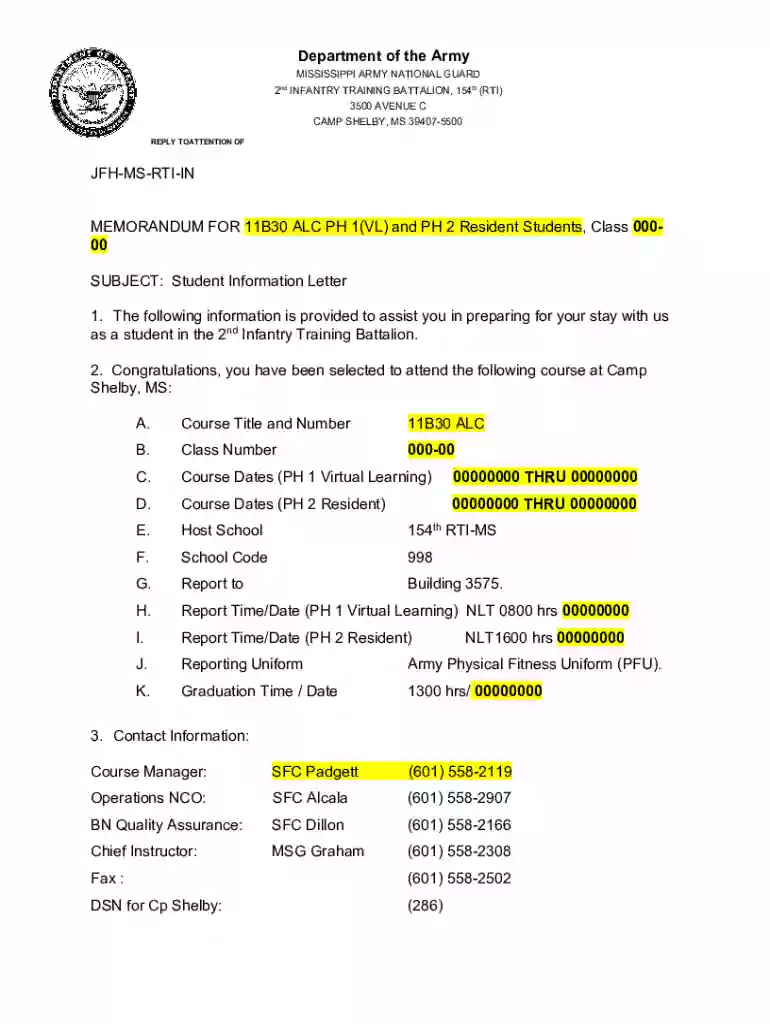
Type text, add images, blackout confidential details, add comments, highlights and more.

Draw your signature, type it, upload its image, or use your mobile device as a signature pad.

Send it via email, link, or fax. You can also download it, export it or print it out.
The term "form online" refers to the process of accessing, completing, and submitting various types of forms through internet-based platforms. These forms may include legal documents, applications, or data collection sheets that are available digitally to streamline administrative tasks and improve efficiency. Utilization of "form online" services often negates the need for physical paperwork, reducing paper usage and allowing for more convenient data management. The documents can be accessed across multiple devices, supporting remote completion and submission, which is especially beneficial in geographically dispersed contexts.
Using forms online involves several key steps to ensure successful completion and submission. First, identify the specific form you require and access it through a web browser or app-based platform. Next, carefully read the instructions attached to the online form to understand its purpose and any special considerations. Fill out all required fields, ensuring accuracy and relevance of the provided information. Utilize available tools such as drop-down menus, text boxes, and default options to streamline the input process. Upon completion, review all entries for correctness, then follow the on-screen instructions to submit the form securely online.
Obtaining a form online often starts by visiting the official website of the institution managing the form, such as a government agency, educational institution, or private company. Use the website's search function to locate the desired form quickly. Many websites offer a dedicated section or repository for forms, providing easy access sorted by categories. Once you find the necessary form, download it directly to your device or fill it out on the website using interactive fields. For frequently used forms, consider bookmarking their URLs for quick future access. Some platforms may require users to create an account for full access to forms and additional functionalities.
Applying these steps ensures a smooth process, reducing errors and potential delays in processing.
Completing forms online offers several advantages over traditional paper forms. It enhances efficiency by allowing for quicker data entry and reducing redundant manual tasks, such as printing and mailing. Online forms also offer real-time validation, catching errors or omissions immediately, which improves data accuracy. Furthermore, using digital forms supports environmentally sustainable practices by minimizing paper consumption. Additionally, online platforms offer enhanced security measures like encryption, protecting sensitive data against unauthorized access or leaks.
A wide variety of individuals and organizations utilize online forms, including but not limited to:
These examples highlight the form's adaptability across sectors, each harnessing unique online form benefits to suit specific needs.


Every online form consists of several core components that facilitate user engagement and data collection:
These elements work together to ensure ease of use, helping users accurately complete and submit necessary information.
Legal compliance is critical when using forms online. Digital forms must comply with regulations like the Electronic Signatures in Global and National Commerce (ESIGN) Act, which legitimizes electronic documents in legal contexts. Securing data through encryption and ensuring user authentication are essential practices for legality. Additionally, the concept of data minimization—collecting only necessary information—is important for meeting privacy laws and regulations such as GDPR or CCPA, if applicable. Businesses and institutions must regularly review legal requirements to remain compliant, often consulting legal counsel to confirm adherence to these standards.
Each state may have varying regulations governing the use and submission of online forms. For instance, state-specific tax filings might require unique forms that differ from federal standards. Similarly, business licenses and permits have different submission protocols depending on state laws. Adapting to these differences requires detailed understanding of local legal requirements, which may include state-specific data fields, formats, and documentation necessary for submission. Institutions offering these forms often provide state-specific guidance to assist users in fulfilling all regulatory requirements accurately and completely.
We've got more versions of the Student Information Letter for 2nd Infantry Training Battalion form. Select the right Student Information Letter for 2nd Infantry Training Battalion version from the list and start editing it straight away!
At DocHub, your data security is our priority. We follow HIPAA, SOC2, GDPR, and other standards, so you can work on your documents with confidence.
Doe, 32210211, Co. F. 3rd Infantry Training Battalion, Fort Blank, New York, was appointed Corporal on November 1, 1941. His report of change card was made.
The booklet contains valuable information about the program and can help you submit your application. Scholarship booklet. Division Commanders 2,3 or 4 YearRead more


