




01. Edit your form online
Type text, add images, blackout confidential details, add comments, highlights and more.

Type text, add images, blackout confidential details, add comments, highlights and more.

Draw your signature, type it, upload its image, or use your mobile device as a signature pad.

Send it via email, link, or fax. You can also download it, export it or print it out.
Online forms have become integral to efficient data collection, expression, and communication in professional and personal contexts. They are digital versions of paper forms that users can fill out and submit over the internet. These forms are designed to streamline various processes like data gathering, feedback collection, or resource allocation, offering both individuals and businesses a flexible and convenient option for acquiring or submitting information.
Advantages of using online forms include ease of access, as they can be completed from anywhere with internet connectivity. This digital approach eliminates the need for physical paperwork, reducing clutter and minimizing error margins. They are also cost-effective and environmentally friendly, reducing paper waste and postage costs associated with traditional forms.
Using an online form is a straightforward process that can be broken down into several steps:
Access the Form: Begin by navigating to the website hosting the form. Websites may host forms on dedicated pages or as embedded components within specific service sections.
Read Instructions: Before filling in, understand the guidelines and requirements specified in the form to avoid incomplete submissions.
Complete the Form:
Review and Submit: Double-check entries for accuracy and completeness before submitting. Once everything's verified, hit the submit button to finalize the process.
Online forms often feature user-friendly interfaces that facilitate navigation and aid in proper completion. Hover tips, progress indicators, and field checks can assist users in ensuring that all necessary data is accurately provided.
Securing online forms for business or personal use involves:
Identifying the Source: Determine the governing body or institution that issues the form, such as a governmental agency, educational institution, or corporate entity.
Accessing the Website: Visit the issuing entity's website. Most official sites have a designated section for forms or resources.
Downloading or Opening Online: Some forms can be completed directly on the website, while others might require downloading to your device.
Forms are frequently available in accessible formats like PDF, which can be viewed or printed as needed. Organizations provide tools or links for form access directly on their official websites, ensuring accessibility and usability.
To accomplish the form completion process efficiently:
Gather Required Information: Before beginning, ensure all necessary documents and data are at hand to streamline the process.
Fill Out Correctly: Pay careful attention to format and required information. Many fields might have specific requirements, such as date formats or numeric values.
Validate Entries: Use any built-in validation functionalities to rectify common errors like incomplete fields or incorrect information.
Submit or Save: Submit the form online or opt to save a draft if additional modifications are necessary.
Online forms commonly feature prompts or validation messages to help users rectify errors and improve the accuracy of submitted data.
Opting for online forms provides numerous benefits:
Businesses leverage online forms to enhance customer service, accelerate internal procedures, and promote sustainable practices through reduced paper use.
Online forms are beneficial across varied fields and demographics:
These forms cater to an expansive audience, providing flexible solutions for diverse needs.
Understanding some critical terms within the context of online forms is essential:
A comprehension of these terms can significantly enhance effective interaction with online forms.
Ensuring that online forms comply with legal standards is critical:
Data Privacy: Ensure the form adheres to data protection regulations, including consent for data collection and usage policies.
Signature Compliance: For forms requiring signatures, validate that any electronic signatures meet the ESIGN and eIDAS standards.
Retention Policies: Forms should include clear information on data storage and handling practices to maintain trust and legal compliance.
Legal adherence guarantees that online forms serve their intended purposes without infringing on rights or privacy. For businesses, ensuring compliance fosters trust and diminishes risk exposure.
Key components of a comprehensive online form include:
Effective forms integrate these elements to facilitate clarity and usability, enhancing the user experience.
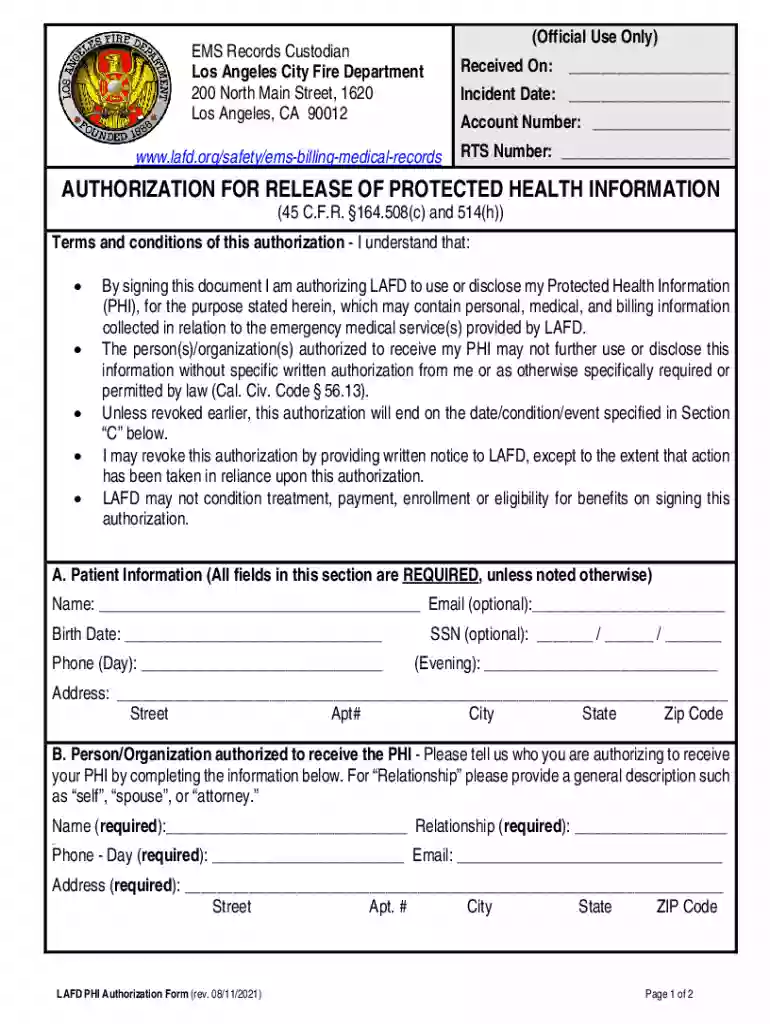
We've got more versions of the LAFD PHI Authorization Form form. Select the right LAFD PHI Authorization Form version from the list and start editing it straight away!
At DocHub, your data security is our priority. We follow HIPAA, SOC2, GDPR, and other standards, so you can work on your documents with confidence.
Your PHI may be used and disclosed by LAFD Fire In addition, we use several reports and forms where you may be asked to sign your name or disclose PHI.
We are required to obtain Your written authorization to use or disclose Your PHI, with limited exceptions, for the following reasons: Sale of PHI We willRead more


