




Here's how it works



How to use or fill out questionario per dipendenti assoggettati all'imposta alla fonte 2021

- Click ‘Get Form’ to open it in the editor.
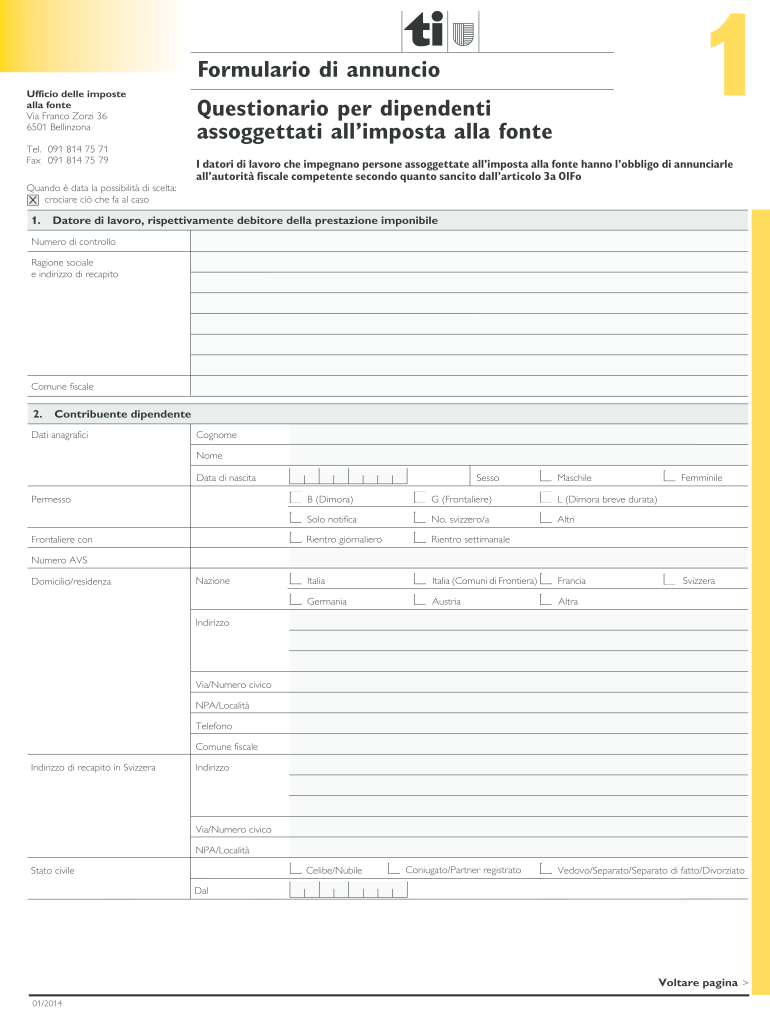
- Begin by filling in the employer's details, including the control number, company name, and address. Ensure accuracy as this information is crucial for tax reporting.
- Next, provide the employee's personal information. Fill in their surname, first name, date of birth, gender, and nationality. Be sure to select the correct residency status.
- Complete the section regarding the spouse or registered partner if applicable. Include their personal details and employment status.
- Fill out professional data for the employee, including start and end dates of employment and occupation level. This section is vital for determining tax obligations.
- Review all entries for accuracy before signing. The final step requires both employee and employer signatures to validate the form.
Start using our platform today to easily complete your questionnaire online for free!
It's free
See more questionario per dipendenti assoggettati all'imposta alla fonte 2021 versions
Got questions?
Can I sign my questionario per dipendenti assoggettati all'imposta alla fonte 2024 electronically?
According to eSignature regulations, documents approved electronically have the same validity as traditionally approved ones. You can eSign almost any business and private documentation. Four types of documents still call for wet signatures only - wills and testamentary trusts, court orders and other court forms, state statutes governing divorce, adoption, or other family law, and notice of cancellation of utility services. If you follow the rules and use a secure and compliant software solution, like DocHub, you can eSign your questionario per dipendenti assoggettati all'imposta alla fonte 2024 without printing it.
How to fill out and sign formulario annuncio imposte alla fonte online?
You can quickly complete, modify, and even eSign your formulario annuncio imposte alla fonte utilizing DocHub. Create a new account and begin your free trial. After that, you can upload the document with the form and simply make all the needed edits. No need to print on paper or use a third-party application to sign it, as you can place your electronic signature on your document quicker through DocHub.
Security and compliance
At DocHub, your data security is our priority. We follow HIPAA, SOC2, GDPR, and other standards, so you can work on your documents with confidence.
Learn more


