



Here's how it works



How to use or fill out 813a with our platform

- Click ‘Get Form’ to open the 813a in the editor.
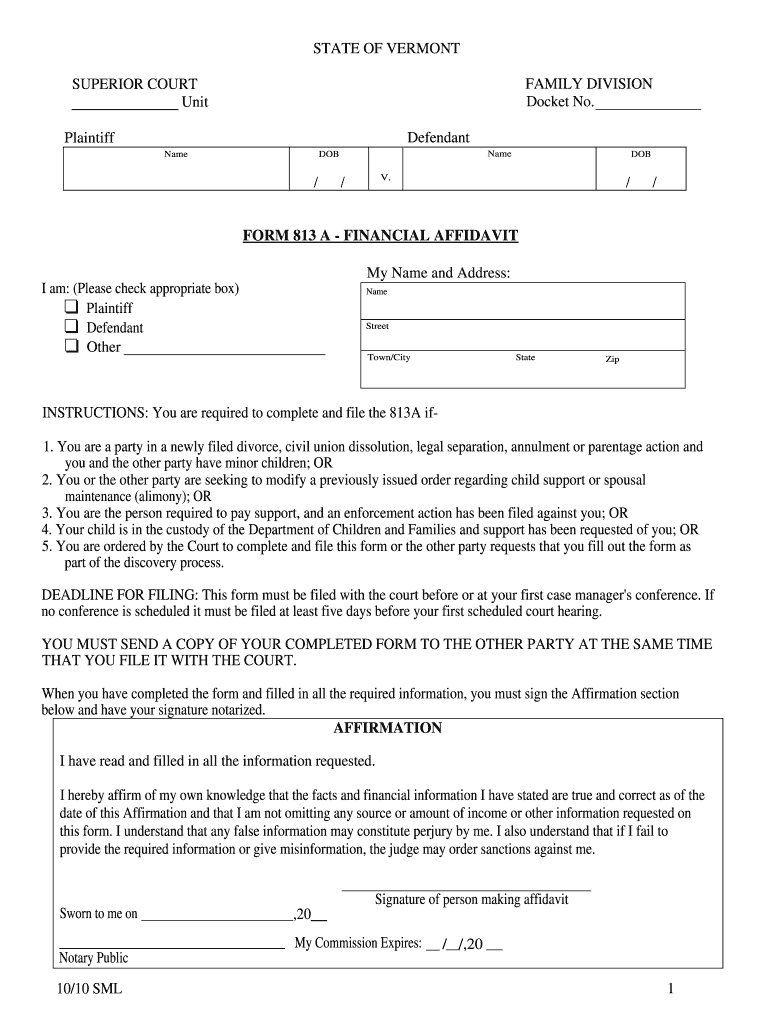
- Begin by entering your name and address in the designated fields. Indicate your role by checking the appropriate box (Plaintiff, Defendant, or Other).
- In Section I, provide details about your income. List your employer's name and address, and include monthly gross income from employment. If self-employed, complete the Self Employment Attachment.
- Move to Section II to indicate any public benefits you receive. Check all applicable boxes and enter the dollar amounts where required.
- In Section III, list all minor children involved. Provide their names, dates of birth, and current primary residence.
- Complete Sections IV and V by detailing loans, debts, and monthly expenses. Ensure accuracy for a comprehensive financial overview.
- Finally, sign the Affirmation section at the end of the form and have it notarized before submission.
Start using our platform today to fill out your 813a form easily and for free!
It's free
See more 813a versions
| Versions | Form popularity | Fillable & printable |
|---|---|---|
| 2010 | 4.9 Satisfied (491 Votes) |
Got questions?
Can I draw my electronic signature to approve my form 813?
Yes, electronically drawing your signature is acceptable, but only if you use a tool that complies with industry laws and regulations. Consider DocHub, which guarantees eSignature validity under ESIGN and UETA requirements. All you need to approve your form 813 electronically is an account with DocHub and an internet connection. After you open your file in our editor, click Sign and select the Draw tool.
How do you edit vermont divorce form 813 on iOS?
You can easily edit fill out your vermont divorce form 813 on any iOS gadget. Open an internet browser of your liking, go to the DocHub website, authorize or create a new account, add your file for editing, and make your required adjustments. Our service is mobile-friendly, so utilizing its features on your smartphone will be a no-brainer, even on the first try.
Is the bus in Hawaii 24 hours?
What is the longest NYC bus route?
Which no Bus goes to Lajpat Nagar?
Security and compliance
At DocHub, your data security is our priority. We follow HIPAA, SOC2, GDPR, and other standards, so you can work on your documents with confidence.
Learn more


Related forms