01. Edit your form online
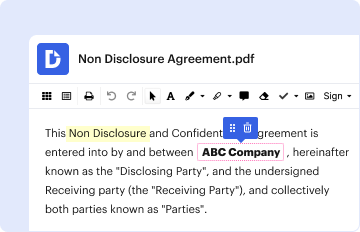
Type text, add images, blackout confidential details, add comments, highlights and more.

Type text, add images, blackout confidential details, add comments, highlights and more.
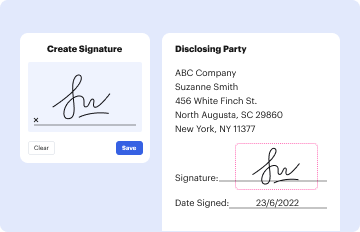
Draw your signature, type it, upload its image, or use your mobile device as a signature pad.

Send it via email, link, or fax. You can also download it, export it or print it out.
The "Transcript Request form - Hunter-Tannersville Central School District - htcsd" is a formal document used by students or alumni to request access to their academic records. These records can include transcripts, standardized test scores, and teacher recommendations. This form serves as a conduit between the requester and the school’s administrative offices, allowing for the orderly and secure transfer of sensitive academic information.
To facilitate the use of the Transcript Request form effectively, follow these guidelines:
Acquire the Form: Obtain the form from Hunter-Tannersville Central School District’s administrative office or their official website.
Fill Out Personal Data: Accurately enter all personal information required, ensuring it matches the records held by the school.
Select Records Needed: Indicate the specific documents required, like SAT scores or transcripts, by checking the appropriate boxes.
Provide Recipient Details: Enter the recipient’s information — this could be another educational institution or an employer.
Submit the Form: Complete the submission either through mail, email, or any other available method.
Follow-Up: Contact the school’s office if confirmation of form receipt is needed.
Understanding the crucial components of the form can help avoid common errors:
Personal Information: This includes your name, contact information, and identification details.
Record Request Specifications: Clearly specify what documents are needed and for what purpose.
Delivery Method: Options include electronic delivery, mailed copies, or pick-ups, based on the recipient’s needs.
Authorization: Verify if any additional authorizations or parental signatures are required for students under 18.
Processing Time: Allow sufficient time for processing and delivery according to the school district’s guidelines.
Completing the form correctly is crucial for processing your request efficiently:
Read Instructions Thoroughly: Before starting, review the entire form to familiarize yourself with all requirements.
Complete General Information: Include student’s full name, date of birth, and contact details.
Check Appropriate Boxes: Indicate precisely which academic records are requested.
Enter Specific Instructions for Delivery: Specify how and where the documents should be sent, including digital or postal addresses.
Sign the Form: Ensure the requester (or a parent/guardian if applicable) signs where required.
Submit with Any Required Payment: If there are fees associated with processing, include payment details or a check.
This form is primarily used by:


Ensuring the legal integrity of using the Transcript Request form is essential for compliance:
FERPA Compliance: Requests must adhere to the Family Educational Rights and Privacy Act, ensuring privacy and security of student records.
Authorization: A student’s direct permission or parental consent (if underage) must be provided before information is released.
Different states might have additional regulations impacting the request process:
Processing Timelines: State regulations might define how quickly a school must fulfill transcript requests.
Associated Costs: Guidelines may exist regarding fees for record processing, particularly for alumni requests.
Understanding what additional documentation might be needed can help streamline the request process:
Identification Proof: A copy of an ID may be needed to verify identity.
Payment Proof: If applicable, proof of payment for processing fees must accompany the form.
Verification: Ensures requests are legitimate and made by authorized individuals.
Processing Efficiency: To avoid delays caused by incomplete requests or missing payments.
We've got more versions of the Transcript Request form - Hunter-Tannersville Central School District - htcsd form. Select the right Transcript Request form - Hunter-Tannersville Central School District - htcsd version from the list and start editing it straight away!
| Versions | Form popularity | Fillable & printable |
|---|---|---|
| 2009 | 4 Satisfied (55 Votes) |
At DocHub, your data security is our priority. We follow HIPAA, SOC2, GDPR, and other standards, so you can work on your documents with confidence.