




Here's how it works



How to use or fill out MONTEREY COUNTY SUPPLEMENTAL DISCLOSURE - MCAR Connect with DocHub

- Click 'Get Form' to open the MONTEREY COUNTY SUPPLEMENTAL DISCLOSURE in our editor.
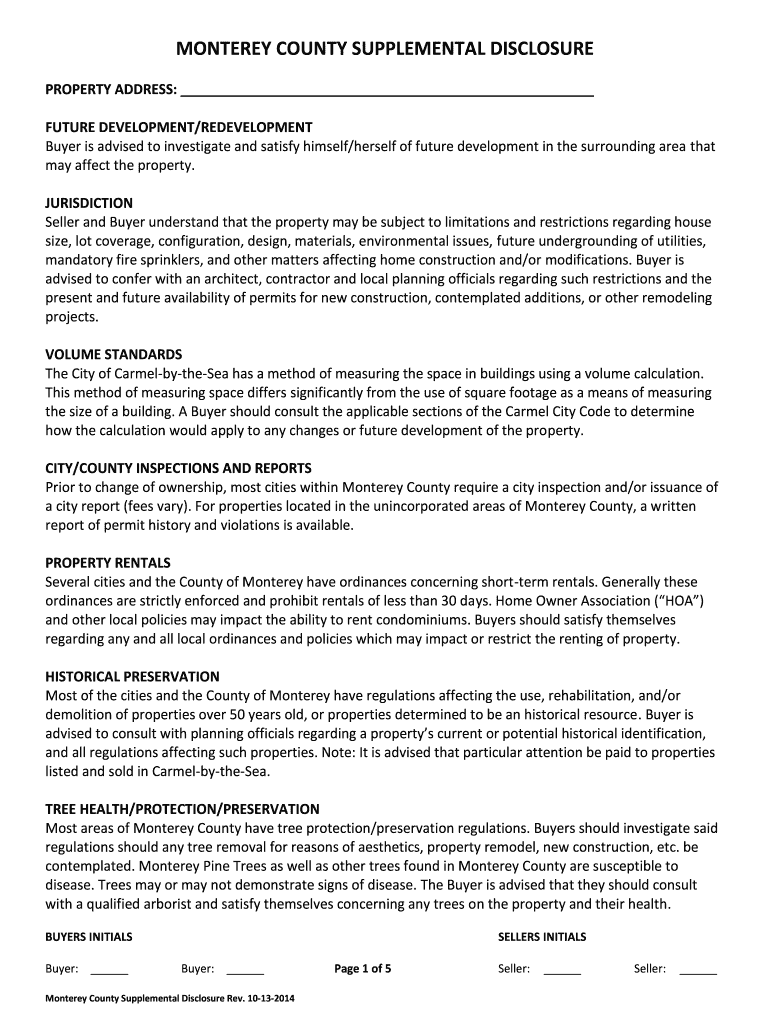
- Begin by entering the property address in the designated field at the top of the form. Ensure accuracy as this information is crucial for identification.
- Review each section carefully, starting with 'Future Development/Redevelopment.' This section advises buyers to investigate potential developments that may affect their property.
- Proceed to the 'Jurisdiction' section, where you should note any limitations regarding construction and modifications. It’s advisable to consult local planning officials for clarity.
- Fill out the 'Buyers Initials' and 'Sellers Initials' fields at the end of each relevant section, ensuring both parties acknowledge the disclosures provided.
- Once all sections are completed, review your entries for accuracy before saving or sharing your document directly from our platform.
Start using our platform today to streamline your document editing and signing process for free!
It's free
See more MONTEREY COUNTY SUPPLEMENTAL DISCLOSURE - MCAR Connect versions
Got questions?
How can I sign my MONTEREY COUNTY SUPPLEMENTAL DISCLOSURE - MCAR Connect on iOS?
With DocHub, you can quickly approve your MONTEREY COUNTY SUPPLEMENTAL DISCLOSURE - MCAR Connect or any other document on iOS, even without setting up additional programs. You can access your DocHub account from any internet-connected browser and complete and sign your document in any way you like with just a couple of clicks.
How to fill out MONTEREY COUNTY SUPPLEMENTAL DISCLOSURE - MCAR Connect online for free in 2024?
Using a swift editing platform like DocHub, you do not need anything but a web browser and internet connection to modify your MONTEREY COUNTY SUPPLEMENTAL DISCLOSURE - MCAR Connect online easily. Upload your file or find the appropriate form in DocHub’s catalog, open our editor with one click, and complete it digitally. To revise your forms anytime, register a free profile with DocHub.
Security and compliance
At DocHub, your data security is our priority. We follow HIPAA, SOC2, GDPR, and other standards, so you can work on your documents with confidence.
Learn more


